

Lawn care and landscaping
Mowing, landscaping, and installs.One place to run it all.
Schedule crews, quote properties, invoice work, and follow up with customers from one place. Core tools are free.
Every new account includes 14 days of Growth. No credit card required.
Free on iPhone and Android


Works with the tools you already use
 QuickBooks
 Mailchimp
 Google Calendar
 Google Business Profile
 Google Analytics
 Facebook
 Instagram
 TikTok


Why operators switch
Built for outdoor service work
MowProHQ replaces the calendar, spreadsheet, group text, and payment workaround with one place to run the services you sell: mows, beds, pools, washes, snow, treatments, and getting paid.
Every outdoor service in one shop
Lawn, pool, wash, pest, and snow share the same customers, routes, and invoices.
Real support from real people
Built by Croft Business Solutions in Pensacola, FL. Reach a person when something matters.
Protect the margin on every job
Quote accurately, track job costs, and show Regular and Cash pricing clearly on every quote and invoice.
Accept payments with

Built for the work that happens outside the office
When the office gets buried, crews still need the next stop. MowProHQ keeps schedules, quotes, and invoices moving with them.
In the office
Know what has to happen before trucks roll
Line up routes, watch open invoices, and manage the website that captures your next quote request—all from the same desktop dashboard.
Dispatch board & routes
See today's stops, weather risk, and the map before trucks roll, then save or optimize the route.
How it works
One job record from quote to payment
Stop rebuilding the same job in three tools. Send the quote, schedule the work, and collect payment without losing the details along the way.
Step 01
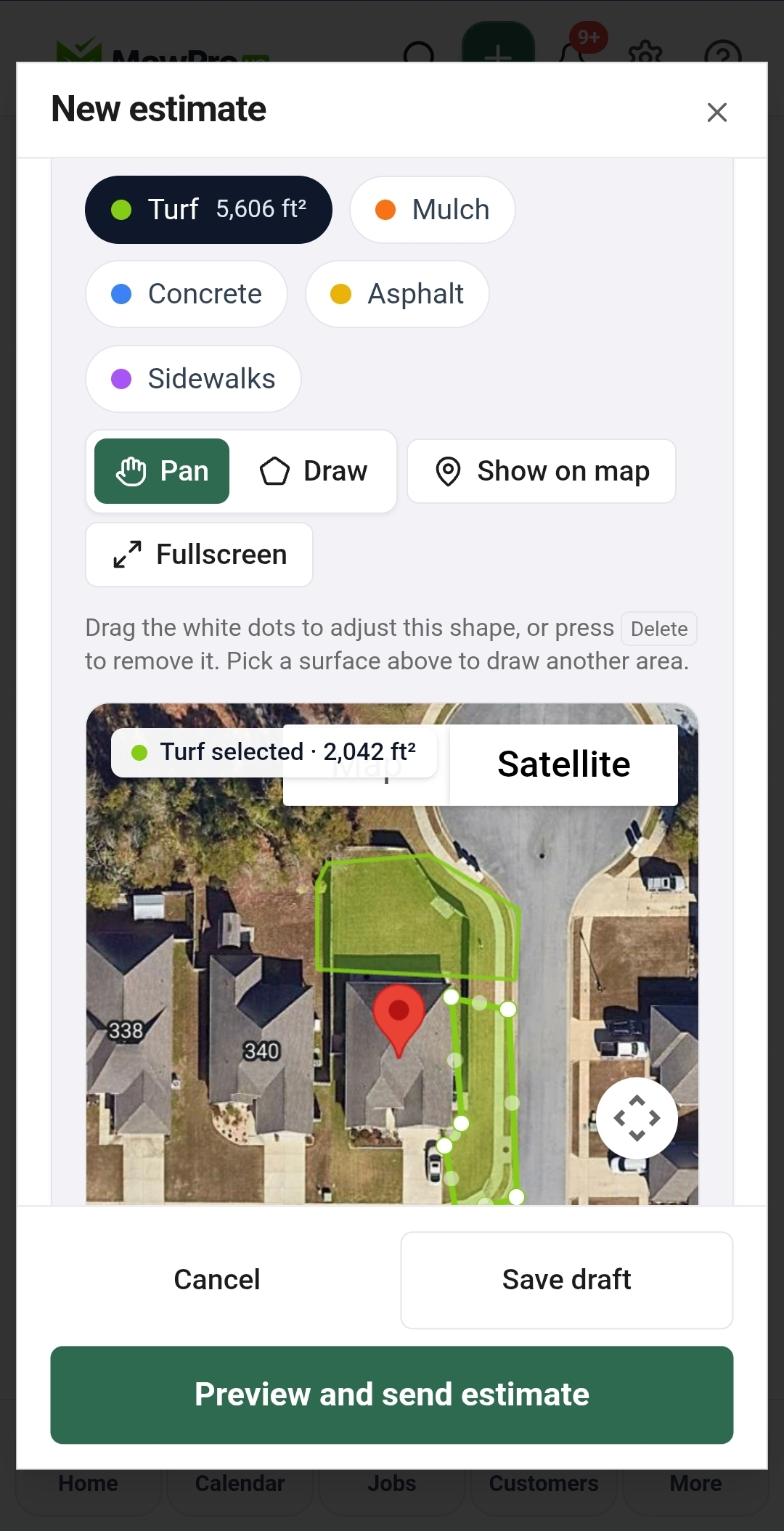
Quote the property while it is fresh
Measure the lot, package the work, and send a clean estimate before the details—and the lead—go cold.
- Satellite measure for turf, house, mulch, and hardscape
- Live square footage as you draw
- Preview and send from the same screen
Step 02
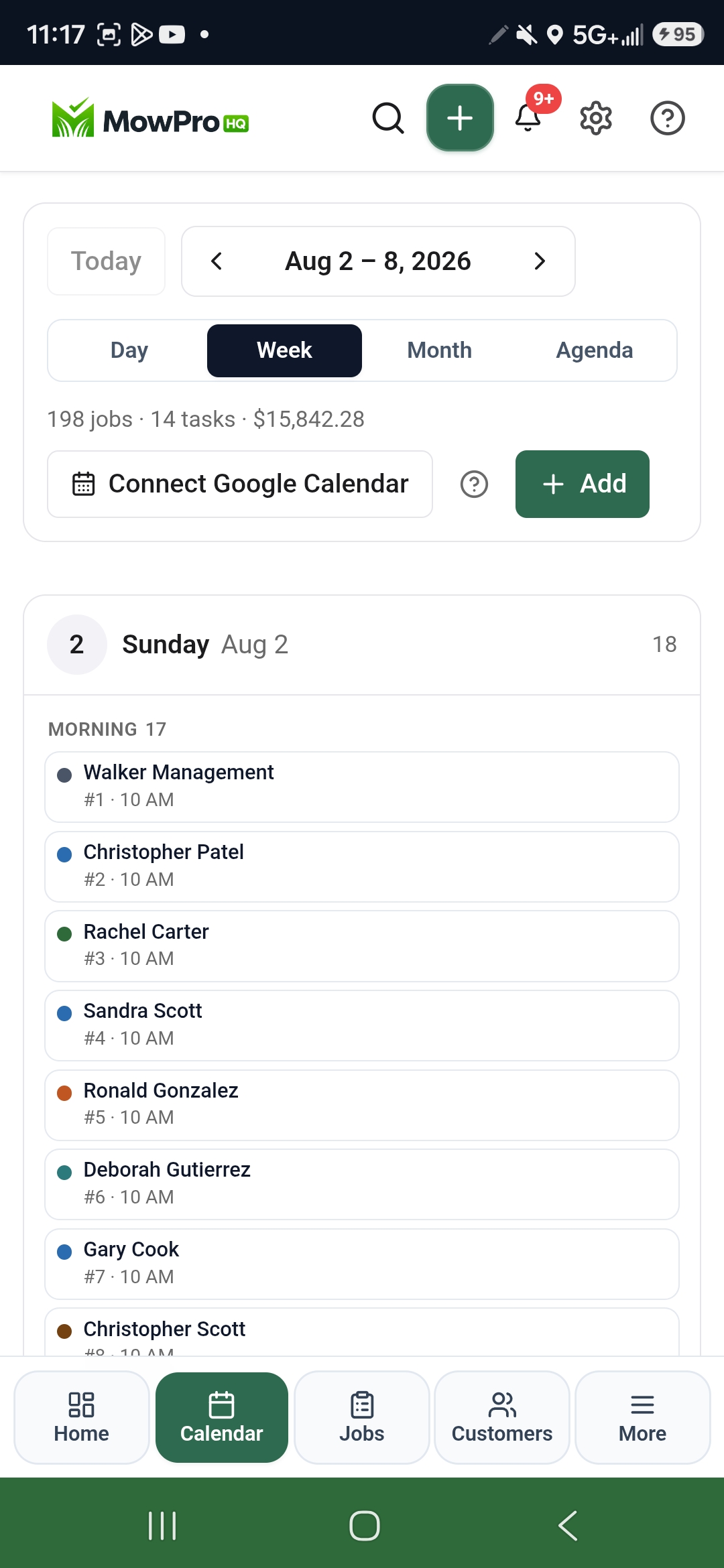
Schedule every mow and treatment
Build the week once, move weather-hit work fast, and give crews a route they can actually follow.
- 198 jobs and $15,842 on the week
- Day, week, month, and agenda views
- Google Calendar when the office already lives there
Step 03
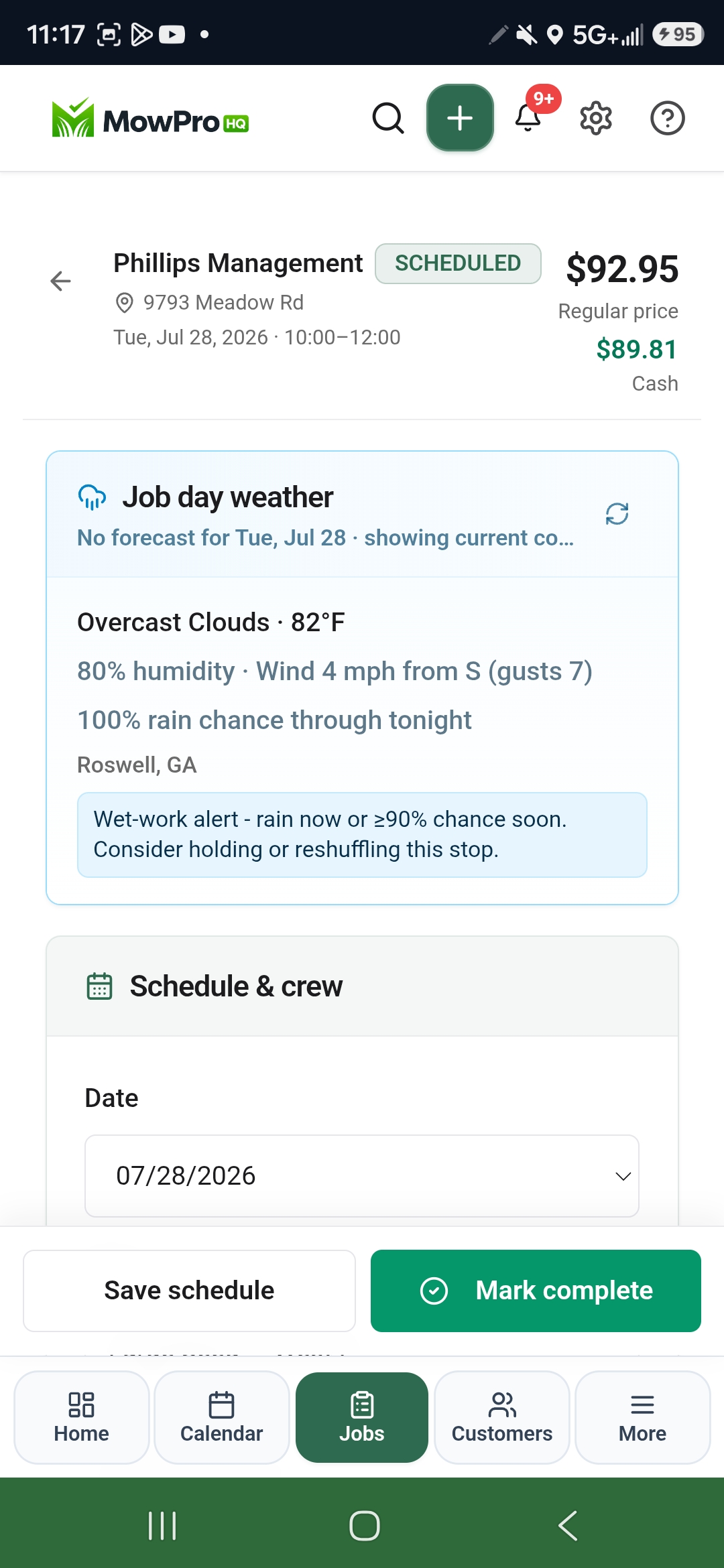
Invoice with clear dual pricing
Turn completed work into an invoice that shows Regular and Cash prices clearly, so customers know their options before they pay.
- Regular and Cash shown together
- Job-day weather and wet-work alert
- Save the schedule or mark complete
In the app
The route stays in the crew's pocket
Crews can see the day, check the next stop, and keep the office updated between jobs. Download the free iPhone and iPad app from the App Store, or the Android app from Google Play. Dispatch, GPS, and timeclock are included during the Growth trial and on Growth or Pro.


Dispatch
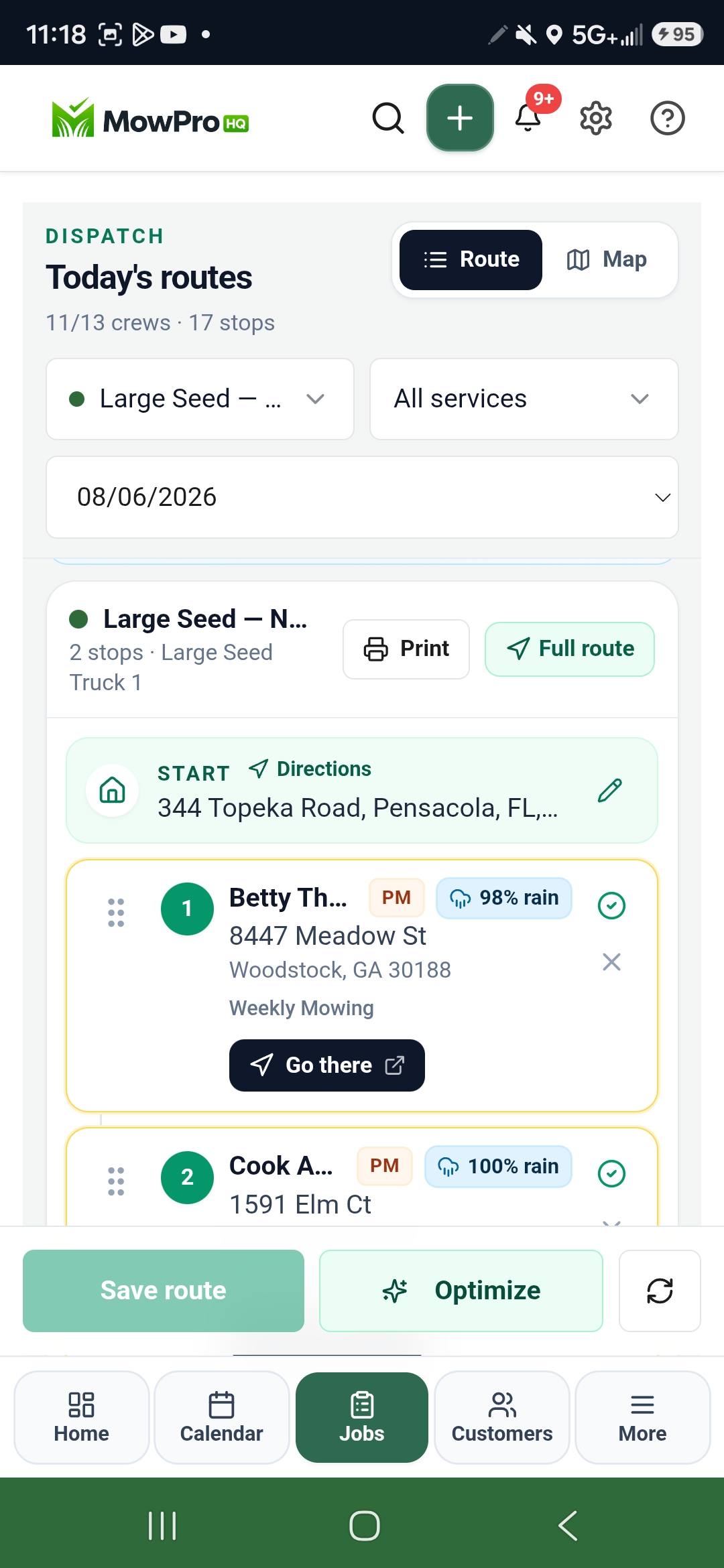
Today’s routes on one board
See each crew, stop, and weather risk in one place. Optimize the route, save it, and send trucks out ready.
- Stops with rain risk on the card
- Start address, print, and full route
- Save or optimize before they roll
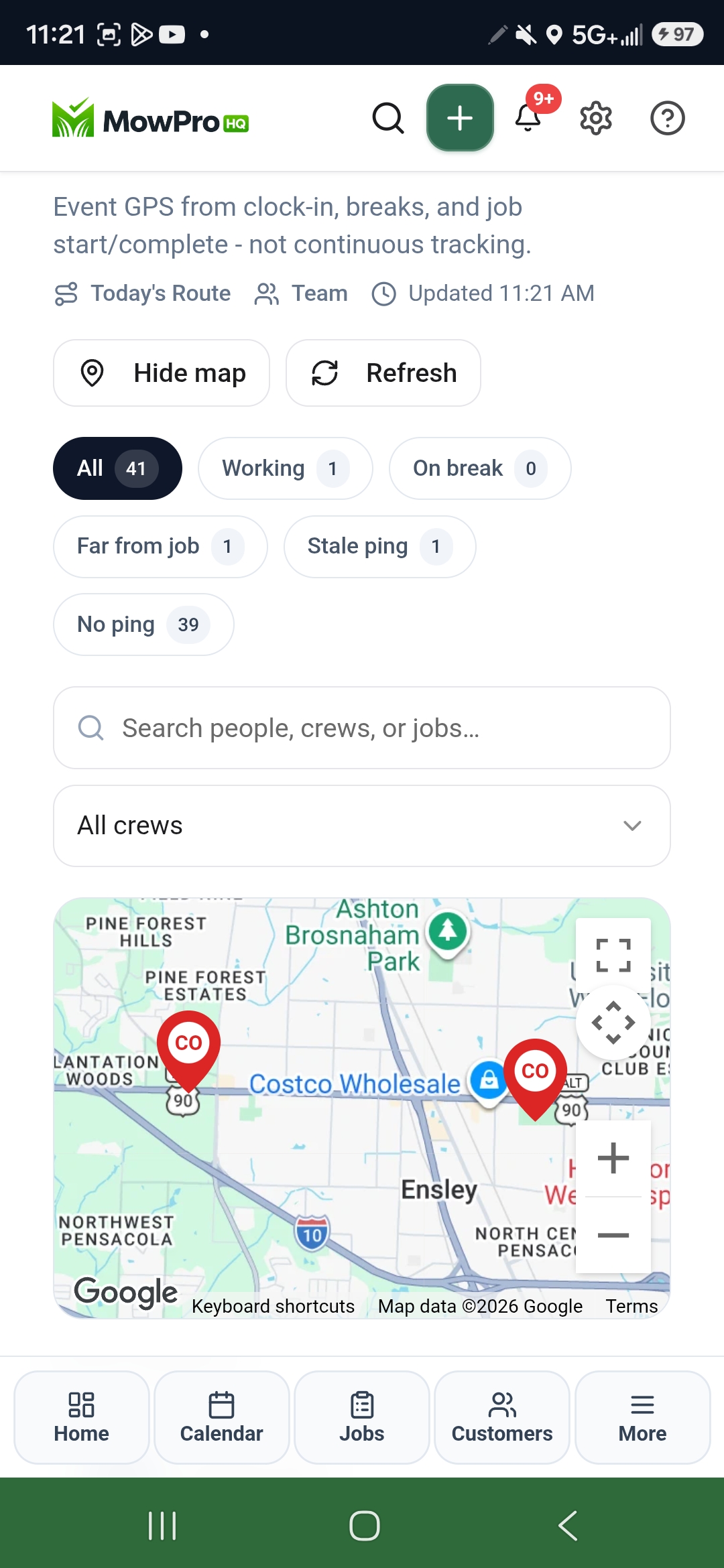
GPS
Know where the crew is
Event GPS from clock-in, breaks, and job start, not a tracker running all day.
- Map of today’s route and team
- Working, on break, and far-from-job filters
- Refresh when you need a current ping
One connected system
The tools your lawn care shop uses to run the week
Start with scheduling, customers, quotes, invoices, Conversations, the customer portal, and a website editor. Add crew tools, a live site, phone, or growth features when the business is ready for them.
Run the day
Job scheduling, calendar & routes
Plan the week, assign crews, and keep every property visit visible before Monday gets away from you.
Weather-aware scheduling
Check property weather before you roll trucks, so you reschedule wet days instead of wasting a full crew route.
Dispatch board & crew locations
See the route, assign the next stop, and know where crews are without chasing a group text.
Crew schedule & timeclock
Give crews the day's work on Free. Add clock-ins, timesheets, and labor review when the team grows.
Win the work
Customers, properties & service history
Store property notes, gate codes, and past visits so your team arrives knowing the job.
Quotes with property measurements
Measure turf and beds, price materials by the yard, and turn approved quotes into scheduled work without retyping.
Agreements & e-signatures
Send seasonal agreements, snow contracts, and waivers with the estimate so scope and signature stay on the customer record.
Recurring plans & treatment programs
Set mow schedules and multi-visit treatment programs once, then let the calendar fill itself for the season.
Get paid
Regular and Cash dual pricing
Show both prices on quotes and invoices so customers see their options and card fees do not quietly eat the job's margin.
Card payments built in
Get set up for NMI through Omega Bank Card, our preferred provider, or connect your own Stripe or Square account, without bolting on another tool.
Consistent pricing from quote to payment
Carry the same Regular and Cash prices from the estimate through portal payment, without rewriting the explanation.
Grow the business
Chemical & spray programs
Track products, applications, and mixtures so treatment work stays documented by property.
Expenses, stats & reports
See revenue, outstanding invoices, and job volume without exporting three spreadsheets every Friday.
Website, social planner & lead capture
Publish a site, collect quote requests, schedule social posts, and move new opportunities into the same customer book.
Answer the phone
Conversations inbox
Keep customer texts, missed-call replies, and receptionist notes in one inbox instead of on your personal phone.
Business phone ($19/mo)
Add a local number for visit reminders, two-way replies, and missed-call text back when the shop needs one.
AI receptionist ($29/mo)
A dedicated answering line that takes quote requests and questions after hours, then files a lead — it never quotes a price.
Try the crew and website tools for 14 days. Keep them on Growth when they earn their place in the shop.
See all featuresSolutions
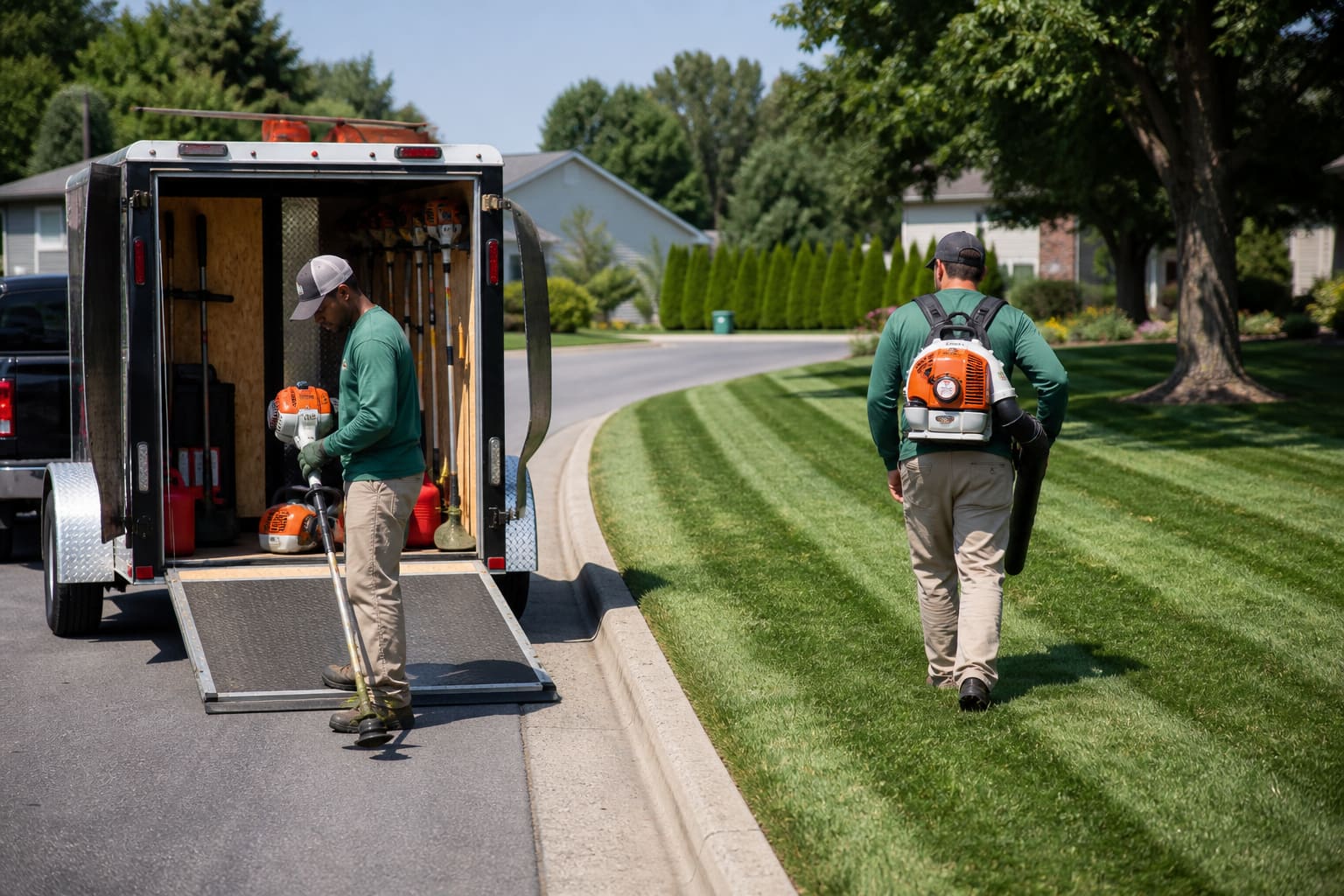
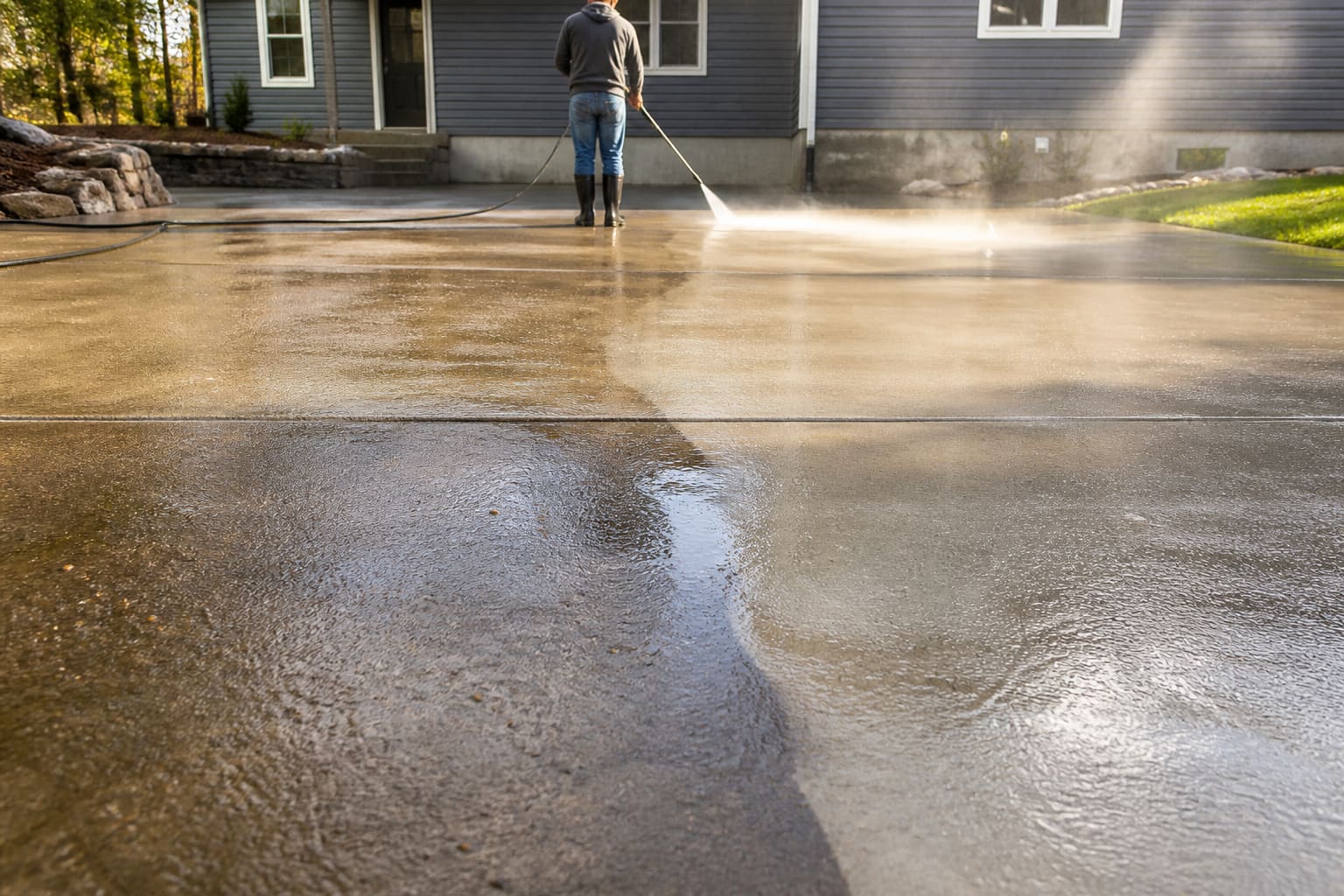
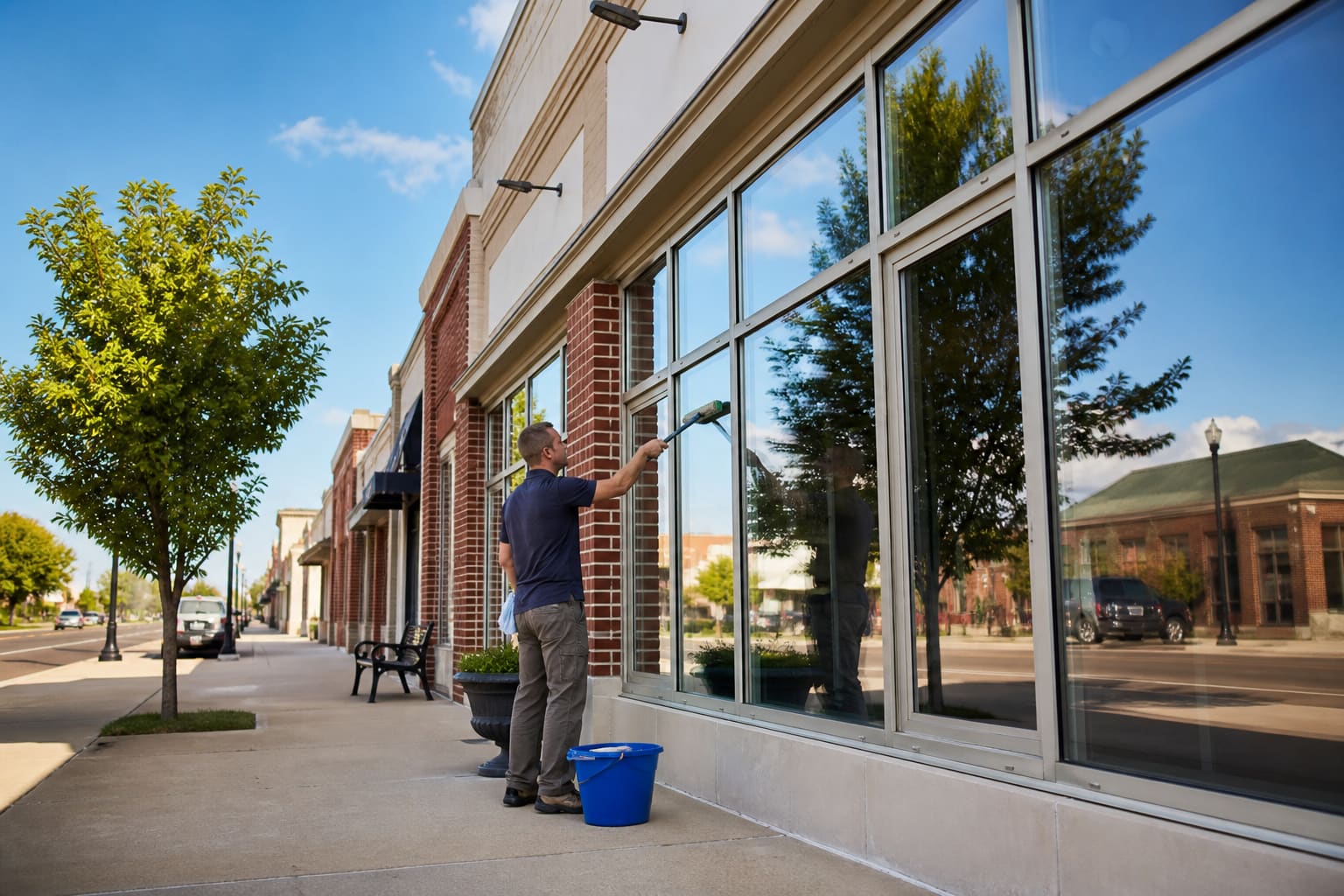
If you mow, landscape, wash houses, or plow snow, keep it in one shop
Lawn care, landscaping, pool, pest, pressure washing, windows, irrigation, and snow use the same customers, crews, quotes, and invoices. Open the page for the work you actually sell and start free.





Integrations
Keep using the tools your office already knows
Connect marketing, calendars, reviews, and the card processor you want to use. QuickBooks sync is included on Pro.
- QuickBooks
Sync customers, invoices, and payments one-way into QuickBooks Online.
- Mailchimp
Sync opted-in contacts, then send newsletters and promos from your Mailchimp account.

Push jobs to Google Calendar and collect reviews from your Google Business listing.
Preferred card processing through Omega Bank Card, with rates that follow your software plan.
Connect your own Stripe account if you already take cards there. Stripe’s rates plus a 1.5% platform fee.
Connect your own Square account if you already take cards there. Square’s rates plus a 1.5% platform fee.
Pricing
Start free, pay when the shop needs more
Use the core system free with two people. Upgrade to Growth for dispatch, GPS, unlimited team members, a live website, and review asks. Choose Pro for AI website tools and local listings.
Free
Free
Get the route out of your head
- CRM, scheduling, quotes, agreements & invoicing
- Regular vs Cash dual pricing
- Customer portal & card payments (NMI, Stripe, or Square)
Growth
$39/mo
Run crews without the group-text scramble
- Dispatch board & route optimization
- Unlimited team members
- Live website, review asks & lead inbox
Pro
$89/mo
Make the next customer easier to find
- QuickBooks sync
- AI website generation & regeneration
- Get Found listings & SEO tools
Every new account includes 14 days of Growth. Optional phone and receptionist add-ons are separate, and card processing follows the plan you choose.
FAQ
Straight answers before you switch
Pricing, payments, mobile apps, and the pieces most lawn care owners ask about first.
Is MowProHQ really free lawn care and landscaping software?+
Yes. The core dashboard is free forever for up to 2 team members: scheduling, customers, quotes, agreements, invoices, reports, the customer portal, and a website editor. Every new account also gets 14 days of Growth. After the trial, Growth is $39/mo for dispatch, GPS, chemicals, timeclock, unlimited seats, social planner, review asks, growth chores, and a live website. Pro is $89/mo for AI website tools and Get Found.
Does MowProHQ support compliant dual pricing / cash discount?+
Yes. Quotes and invoices can show a Regular price and a lower Cash price, with the same wording carried through emails and the customer portal. The feature is structured as cash-discount dual pricing rather than a separate surcharge; businesses should follow their processor’s disclosure requirements and applicable laws.
What can I manage in MowProHQ?+
Manage the work that keeps a lawn care or landscaping company moving: jobs, routes, customers, properties, lot-size quotes, bed and material estimates, agreements, recurring plans, invoices, payments, texts, reports, social posts, and a website. Growth adds dispatch, GPS, chemicals, timeclock, unlimited seats, social planner, review asks, growth chores, and a live site. Pro adds AI website tools and Get Found.
Who is MowProHQ built for?+
Lawn care and landscaping operators who are tired of running the week from spreadsheets, group texts, and generic field-service tools. It fits solo operators and growing crews that need one place to schedule work, sell jobs, and get paid.
Can I try Growth features before paying?+
Yes. Every new account starts with 14 days of Growth: dispatch, GPS crew tracking, chemical and spray programs, timeclock, unlimited seats, social planner, review asks, growth chores, and a live website with lead inbox. QuickBooks, Get Found, and AI website generation stay on Pro.
Do I get a website with my account?+
Every account includes a website editor and preview. Growth lets you publish the site, connect a custom domain, send quote requests into the lead inbox, and ask customers for reviews after a paid visit. Pro adds AI website generation and Get Found listings.
How do card payments work?+
Get set up for NMI through Omega Bank Card, our preferred provider, or connect your own Stripe or Square account. Free accounts process NMI cards at 4% + $0.30; Growth and Pro get the Premium 3.5% + $0.30 rate automatically. Stripe and Square add a 1.5% platform fee on top of their processing rates. Cash and check are always free.
What integrations does MowProHQ offer?+
Mailchimp for permission-based marketing email, Google Calendar to push jobs, Google reviews from your Business listing, and card payments through NMI, Stripe, or Square are included on every plan. QuickBooks Online sync for customers, invoices, and payments is included on Pro. You connect the accounts you already use.
Can I get a live walkthrough of MowProHQ?+
Yes. Book a short call and we will show you scheduling, quoting, invoicing, and payments with a real lawn care or landscaping workflow. Start free anytime; the walkthrough is optional.
Does MowProHQ have a business phone or AI receptionist?+
Yes, as optional add-ons on any plan. Business phone is $19/mo for a local number, visit reminders, two-way replies, and missed-call text back. AI receptionist is $29/mo for a separate answering number that takes quote requests and questions, then files a lead — 40 conversations included, then $0.79 each. Keep the number customers already know and forward unanswered or after-hours calls. Threads show up in Conversations.
Is there a MowProHQ mobile app?+
Yes. Download MowProHQ free on the App Store and Google Play. Crews can run the day, complete jobs, and take before-and-after photos; Growth and Pro add dispatch, GPS, and timeclock tools. Owners still manage customers, quotes, invoices, and the website on the web. Growth and Pro bought in the iOS app are App Store In-App Purchases.

Ready to run next week from one place?
Create your free account, add your services, and see how the route feels when the office and field share the same system.