MowProHQ Blog/Invoicing
Winterization Waves Without Sunday-Night Invoicing
A practical workflow for scheduling irrigation blowouts, recording completed work and skips, and sending accurate invoices promptly.
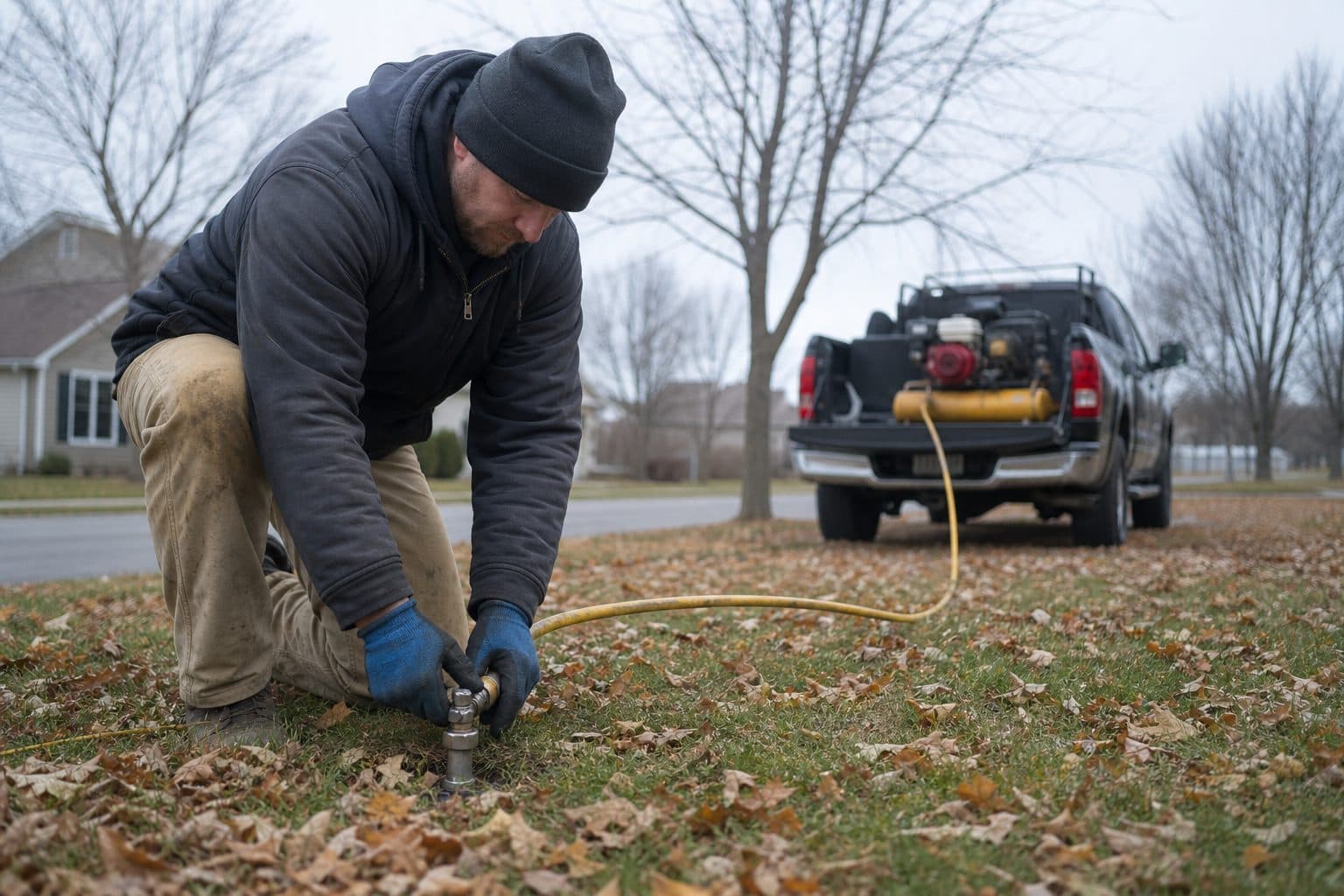
Irrigation winterization compresses a large amount of work into a short period. When crews record each completion, skip, and approved extra as it happens, the office can invoice from reliable job records instead of reconstructing the route days later.
This guide focuses on billing operations rather than the technical blowout procedure. Pair it with the guide to pricing startups, repairs, and blowouts and the irrigation service software overview.
Why blowout invoices get delayed
As freezing weather approaches, the route grows and fieldwork takes priority. Invoicing often gets deferred because the process is separate from job completion.
What actually happens:
- Completions live in someone’s head
- Two houses were skipped (locked garage, dog, HOA gate) and still get billed — or the reverse
- A valve was quoted, maybe installed, maybe not
- Cash in the truck never meets the invoice
- Billing waits until the route slows down, often days or weeks later
Tie each invoice to the scheduled job and its recorded outcome.
| Weak closeout | Strong closeout |
|---|---|
| Weekend list from memory | Complete on site or at the end of the route |
| Generic “irrigation” line | Specific winterization service |
| Extras in a text | Extra lines on that job |
| Skips guessed later | Skip reason on the job, not billed |
| Payment terms added at billing | Payment terms disclosed on the quote |
If collection work continues well into winter, review both invoice timing and the payment terms customers received before service.
Build the route before the freeze warning
A scheduled route gives the office a clear list of work that should become completed, skipped, or rescheduled.
Before the first freeze warning:
- Active customers confirmed and inactive records archived, using the same discipline as spring startups
- Blowout product priced and named
- Compact route days with recovery time for weather
- Access notes: clock, drain points, dogs — property notes
- Payment methods and any price differences disclosed on the accepted quote or seasonal notice
A highlighted spreadsheet may identify the route, but it does not reliably preserve completion status, skips, notes, and billable extras.
Commercial and HOA accounts often require a work-order or purchase-order number. Store it on the property before the visit so accounts payable can match the invoice.
Complete, then bill — in that order
Ideal flow:
- Blowout job on the calendar for a property
- Tech marks complete (and notes extras or a skip)
- Invoice drafts from that completion
- Customer pays by link, card, cash, or check — recorded in one place
- Open balances remain visible before spring startups are scheduled
When quoting, scheduling, and invoicing use the same property record, the office does not need to re-enter service details. See the irrigation software guide for the broader workflow.
Worked example: Thursday cluster
Two people finish 16 blowouts. One locked garage. Two approved extra heads. One declined valve.
Weak: The owner builds invoices on Sunday from memory, omits both head extras, bills the locked property, and cannot confirm whether the valve was installed.
Strong:
- Completion is recorded before leaving each stop or at the next planned check-in.
- Locked garage: skipped, reason written, not invoiced; reschedule window on the job.
- Two head extras on those jobs.
- Valve: declined, noted for March, not on the blowout invoice.
- Fourteen accurate invoices are sent Thursday evening.
The second process is less dramatic because each invoice follows the recorded job status.
Same day is the habit; end of cluster is the backup
Same-day or end-of-route invoicing keeps service details current. Weekly batching can also work when one person owns a fixed deadline and completed job records are accurate.
| Cadence | Use when | Risk |
|---|---|---|
| Per stop / fuel stop | Default | Needs a phone and a login |
| End of route (same afternoon) | Rural miles, weak signal | Requires a fixed closeout time |
| Weekly office batch | Completed records are reliable | Delays correction of missing details |
| End of season | Not recommended | Creates aging balances and omissions |
When weather changes the route, invoice completed properties and reschedule the rest. There is no need to hold all billing until every stop in the original group is finished.
Keep repairs separate from the blowout
Blowouts may reveal broken heads, cracked pipes, or faulty valves. Unless the agreement says otherwise, repair work should be described and approved separately.
Rule:
- Quote from the yard if you can — sprinkler repair estimates
- Approved extras on the invoice as their own lines (or a separate job if you will return)
- Record declined extras on the property so they are available next March
- Do not perform significant unapproved repair work simply because the crew is already there
If you also mow those properties, keep winterization as a separate service line. After blowout, use a clear irrigation marking policy to protect components during mowing.
Make payment terms clear
Confirm current processing costs when setting winterization prices, especially when repairs or other extras raise the invoice total.
If you offer different cash and card prices, disclose them before service and repeat them on the invoice. Card-network terms and local laws vary, so confirm that the policy and wording are compliant. Record every payment method in the same system.
Avoid informal discounts at the property. Use a written discount policy so similar customers receive consistent treatment.
Net payment terms for HOAs and commercial clients do not require delayed invoicing. Send the invoice when the work is complete so their accounts-payable period can begin.
Collections before March, not during startup
Review unpaid winterization invoices before booking spring startups.
Simple ladder:
- Day 0: invoice with pay path
- Day 3–5: short reminder
- Day 10: firmer note
- Before booking spring service: apply the written account policy
State any late-payment or service-suspension terms in advance and follow local requirements before withholding contracted service.
Track weekly during the wave:
- Percent of completed blowouts invoiced within 24 hours
- Unbilled completions
- Open balance by customer
- Skipped jobs incorrectly billed
Tracking unbilled completions shows whether recorded revenue reflects the work the crew actually performed.
Weather, skips, and the honest invoice
Early freezes, locked garages, animals, and other access issues will change the route.
The invoice must match reality:
| Event | Bill? | What you store |
|---|---|---|
| Completed blowout | Yes, same day | Completion + invoice |
| Skip, will return this window | No until done | Skip reason, new job |
| Skip, customer misses the available window | Apply the written trip or missed-access policy | Time, notice, and access details |
| Partial service | Follow the agreement and bill only supported work | Photo and note |
| Weather cancel before you left the shop | Usually no | Cluster move on the board |
Crews should not improvise charges at the property. Use the written policy, and keep the job status accurate until the office reviews any exception.
A November closeout checklist
- Completions required before the truck is done
- Invoices from those completions, not from a highlighter
- Approved extras listed as separate invoice lines
- Declined repairs noted for March
- Skips unbilled, rescheduled or closed
- Payment totals and terms match the accepted notice
- Cash recorded
- HOA work orders on the PDF
- Unpaid list reviewed before anyone books startup
If multiple crews are working, confirm that your plan includes the dispatch, GPS, team access, and time-tracking features you need.
How MowProHQ invoices the wave before Sunday
MowProHQ keeps the scheduled blowout, field completion, customer record, and invoice connected. This gives the office a clear basis for billing without rebuilding the route from texts.
Use property notes and photos for system details that need to carry into spring. The same property can support both mowing and irrigation work.
Review current plans and pricing, then create an account and test the workflow with a small route before the seasonal rush.
Frequently asked questions
- How do I invoice irrigation winterization without waiting until Sunday?
- Schedule blowouts as a route, require a completion or skip status at every property, and prepare invoices from those job records. Send them the same day when practical, or use a defined end-of-route billing time.
- Should I invoice a sprinkler blowout the same day?
- Same-day invoicing is useful because service details are current and customers remember the visit. If that is not practical, invoice at the end of each route or on a fixed weekly schedule using completed job records rather than memory.
- What should a winterization invoice include?
- Include the property address, service date, specific winterization service, the zone or size tier when relevant, approved extras, payment terms, and a payment method. Commercial and HOA invoices may also require a purchase-order or work-order number.
- Why do blowout invoices slip until after the freeze?
- Crews prioritize fieldwork before a freeze and postpone paperwork until the route slows down. Without required completion records and a fixed billing cadence, invoices are reconstructed later and details are easily missed.
- How do I bill repairs found during a blowout?
- Describe the repair separately, obtain approval before performing billable extra work, and add it as a separate line or return job. Record declined repairs on the property for the spring startup.
- Is dual cash and card pricing OK on blowout invoices?
- Different cash and card prices may be allowed when they are disclosed correctly, but card-network terms and local laws vary. Confirm the current rules and processing costs, then show the applicable totals before the customer pays.
- What if freeze weather moves the blowout wave?
- Move the unfinished stops, invoice the properties already completed, and leave skipped properties unbilled until service occurs. The schedule should distinguish completed, skipped, and rescheduled work.