MowProHQ Blog/Marketing
Google Business Profile for Lawn Care Companies
How lawn care companies can maintain an accurate Google Business Profile with appropriate categories, service areas, photos, hours, and review replies.
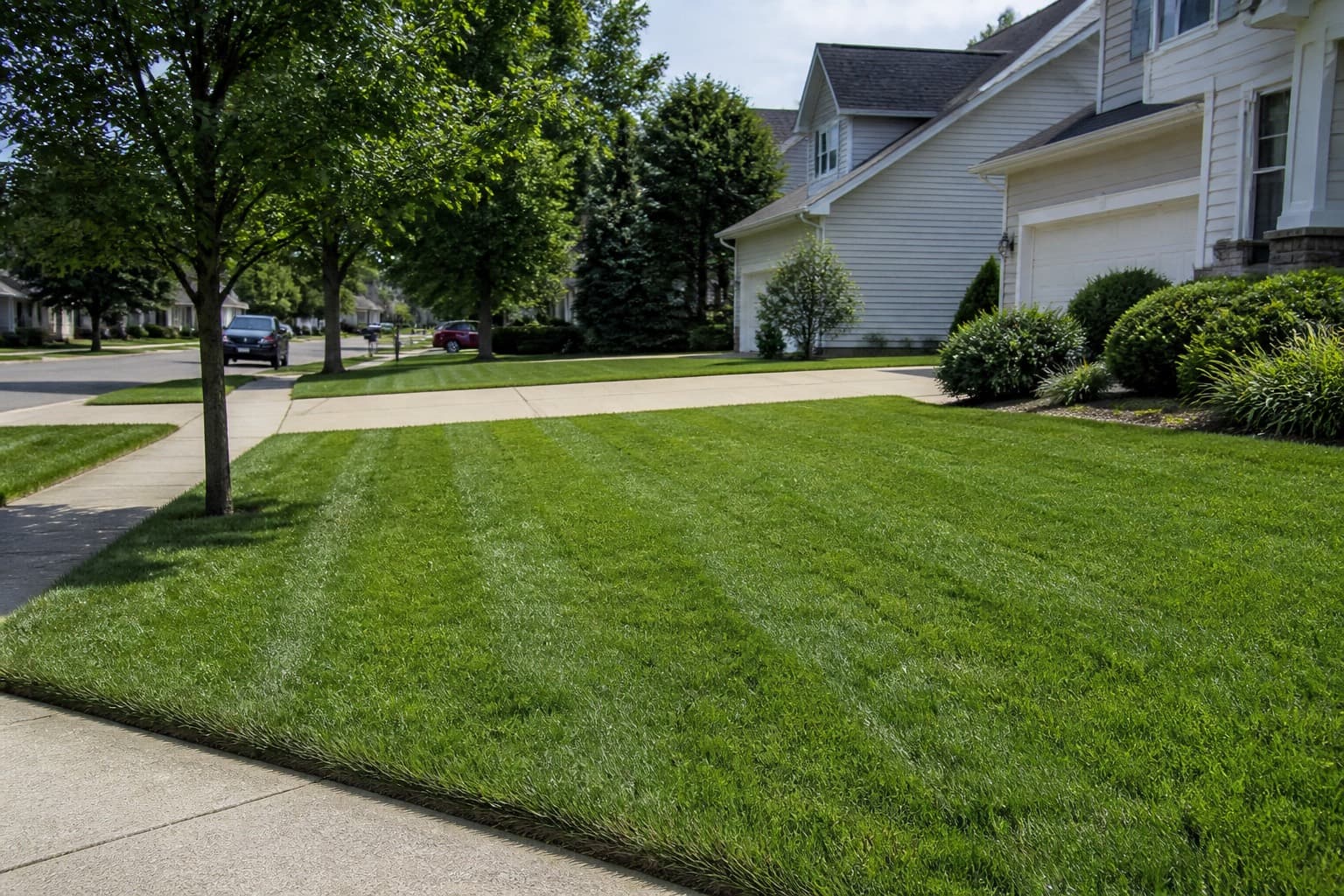
Google Business Profile is often one of the first places a homeowner checks before calling a lawn care company. Keep it accurate with the right category, original photos, current hours, a realistic service area, and professional review replies.
Pair the listing with a website that explains the service and accepts quote requests. The guide to lawn care websites that generate leads covers that process.
Name, category, and the work you will quote
Use the real-world business name shown consistently on branding and documents. Do not add cities, services, or keywords that are not part of that name.
Choose the primary category that best describes the core business. Use secondary categories only for additional services the company currently provides.
| If you mostly sell | Primary instinct | Watch |
|---|---|---|
| Recurring mowing and maintenance | Lawn care service | Keep services consistent with the listing |
| Landscape installation and projects | Landscaper | Expect project-focused inquiries |
| Fertilization or treatments | Most accurate available treatment category | Licensing and service claims must match |
Inaccurate categories can generate poor-fit inquiries and may violate Google’s representation rules.
Use original, current photos
Photos help customers understand the type and quality of work the company provides.
Upload:
- Finished edges and blown hard surfaces
- Before/after of a first cut or cleanup you priced
- The street-facing result and useful detail shots
- Seasonal updates (spring growth, summer, leaves)
Skip:
- Generic meadows you did not cut
- Other companies’ work
- Heavy filters or edits that misrepresent the result

Add recent work periodically so the profile reflects current services and seasons.
Service area: only the zips you will take
List only areas the company can serve under its minimum-charge and trip rules. Google limits how service areas can be represented, so follow its current rules rather than adding every nearby city.
If customers are not served at the business address, hide it and use an eligible service-area setup. Align the listed area with the operational service radius.
Keep hours, services, and links accurate
Publish hours that accurately represent customer-facing availability under Google’s current guidance. Update special hours for holidays or seasonal changes.
If you list services or products, use the packages you actually sell: weekly, biweekly, cleanup. Do not list aeration if you do not have the machine this year.
Link to a relevant page the business controls and monitors. Use a phone number that reaches the business and keep it consistent across major listings.
Respond to reviews professionally
Review replies show prospective customers how the company communicates.
Good review: thank the specific thing (edge, consistency, weather communication). Invite a neighbor only if you want density there.
Complaint: acknowledge the concern without exposing customer or employee details, invite direct contact, and investigate the service record. Avoid arguing about price in public.
Prohibited or wrong-business review: use Google’s reporting and appeal process. Keep any public response brief and factual.
Ask for reviews consistently after appropriate completed work, without gating, incentives, or pressure that violates platform rules. See reviews without begging.
Posts and Q&A without gimmicks
When post features are available, use them for relevant seasonal updates or service information rather than unsupported promotional claims.
For any question-and-answer features currently available, answer common customer questions accurately and avoid adding content solely for keywords.
Set a recurring monthly reminder to review profile details, photos, messages, and unanswered reviews.
Do not rely on the profile alone
Google can change features, layouts, and local results. The business can still control:
- Completeness and honesty
- Photos and hours
- Review replies
- A website and CRM that preserve the lead after the click
Local visibility should support the areas the company actually serves. Be cautious of guaranteed-ranking offers, fake location schemes, keyword-stuffed names, or large amounts of low-quality location content.
In MowProHQ
A 30-day listing checklist
| Week | Do this |
|---|---|
| 1 | Confirm name, category, hours, phone, site URL, service area |
| 2 | Upload current work photos; remove outdated or misleading images |
| 3 | Reply to every unanswered review; write three templates |
| 4 | Add relevant seasonal updates if available; check customer questions |
Keep the business name, phone, website, and service-area information consistent across the profile and other major listings.
How MowProHQ sits next to Google
MowProHQ does not replace Google Business Profile. It can manage the customer, property, quote, scheduled work, and invoice after an inquiry arrives.
Review current plans and pricing, then create an account and connect the profile’s website link to a relevant form the company monitors.
Frequently asked questions
- How should a lawn care company set up Google Business Profile?
- Use the business’s real-world name, choose the most accurate available primary category, define the actual service area, publish current hours and contact details, and add original photos. Follow Google’s current eligibility and representation guidelines.
- What Google category should a lawn mowing company use?
- Choose the most specific available category that describes the main business, often Lawn care service for recurring mowing or Landscaper for a project-focused company. Add secondary categories only for services actually provided, and check Google’s current category options.
- Should lawn care companies hide their address on Google?
- A service-area business should hide an address where customers are not served in person. Businesses with a staffed, eligible customer-facing location may display it. Follow Google’s current address and service-area rules for your exact setup.
- What photos belong on a lawn care Google listing?
- Use original photos of completed work, equipment, and the team when appropriate and permitted. Avoid stock images, misleading edits, unrelated properties, and customer-identifying details without permission. Add current seasonal examples.
- How do I respond to lawn care reviews on Google?
- Thank reviewers for specific feedback. For complaints, respond calmly, avoid sharing private details, and offer an appropriate channel to investigate. Use Google’s reporting process for prohibited or irrelevant reviews.
- Does Google Business Profile replace a lawn care website?
- No. The profile helps customers discover the business, while a website can explain services, service areas, and the quote process in more detail. Link the profile to a page the company controls and monitors.
- What local SEO actually matters for lawn care?
- Focus on an eligible, complete, accurate profile; consistent business details; relevant local pages; original photos; and genuine customer reviews. Avoid keyword stuffing, fake locations, review incentives that violate policy, and guaranteed-ranking claims.