
MowProHQ Blog/Buying Guide
Should You Leave Service Autopilot?
A practical guide to deciding whether to keep Service Autopilot or switch lawn care software, including workflow checks, data exports, privacy, and a staged migration plan.

Leaving Service Autopilot is not mainly a question of whether another lawn care app looks easier. It is a question of whether your current system supports the work your company actually performs, at a cost and level of effort that make sense.
For one company, Service Autopilot may hold the route plan, recurring treatment schedule, customer history, and office procedures that keep the week organized. For another, the schedule may still live in texts and spreadsheets while the software is used only for invoices. Those companies should not reach the same conclusion.
This guide helps you decide whether to stay, improve the setup you have, or evaluate a Service Autopilot alternative. For a direct product overview, see MowProHQ vs Service Autopilot.
Start with the problem you are trying to solve
Write down what is prompting the review. Be specific. “It feels complicated” is difficult to test; “the office spends three hours rebuilding routes after a rain day” gives you a workflow to measure.
Common reasons to reconsider lawn care software include:
- Crews regularly miss or avoid job notes, status updates, or time entries
- Dispatch changes require duplicate work in texts, paper, or spreadsheets
- Estimates, completed jobs, invoices, and payments do not stay connected
- Important features remain unused because setup or training never finished
- Reporting does not provide the operational or financial detail you need
- The full cost has become difficult to justify for the workflows you use
- Support, integrations, or mobile access no longer fit how the company operates
Some of these are product problems. Others are process, configuration, or training problems that will follow you into a new system. Before switching, assign one person to review permissions, templates, service frequencies, route rules, and crew training. A short cleanup may solve the issue with less disruption than a migration.

Reasons to stay with Service Autopilot
Keeping the current system is a reasonable decision when:
- Daily scheduling, routing, job completion, and billing already flow through it
- Your team consistently uses the mobile and office workflows
- Treatment programs or other specialized processes are configured and reliable
- Automations save measurable office time without creating customer confusion
- Reports support the decisions your managers need to make
- The cost and effort of moving outweigh the problems you are trying to solve
Migration has its own cost. Staff must clean data, learn new screens, recreate templates, check balances, and support crews while normal work continues. A familiar system that reliably runs the business may be more valuable than a simpler interface.
One of the common lawn care software mistakes is replacing a functioning process without defining what the replacement must improve. If you cannot name the expected result and how you will measure it, pause before moving.
Reasons to evaluate an alternative
A trial of another system may be worthwhile when several of these are true:
- Core workflows still require manual workarounds after reasonable setup and training
- Field adoption is low because routine tasks take too many steps
- Only a small portion of the system is used, but the whole setup must still be maintained
- You cannot get the reports or integrations needed for normal operations
- The total cost is out of proportion to the value your company receives
- Your business model has changed since the software was selected
Do not assume a lighter tool will solve every issue. If nobody owns tomorrow's schedule, reviews failed payments, or maintains service notes, changing software will not create those habits. Name an internal owner before choosing a replacement.
Test the work, not the feature checklist
A useful software trial should reproduce a normal operating week. Use test records or a small, controlled group of real accounts, and obtain any necessary customer or employee authorization before entering personal information.
Test whether your team can:
- Add a customer and service property without creating duplicates
- Build and send a realistic estimate
- Convert approved work into recurring or one-time visits
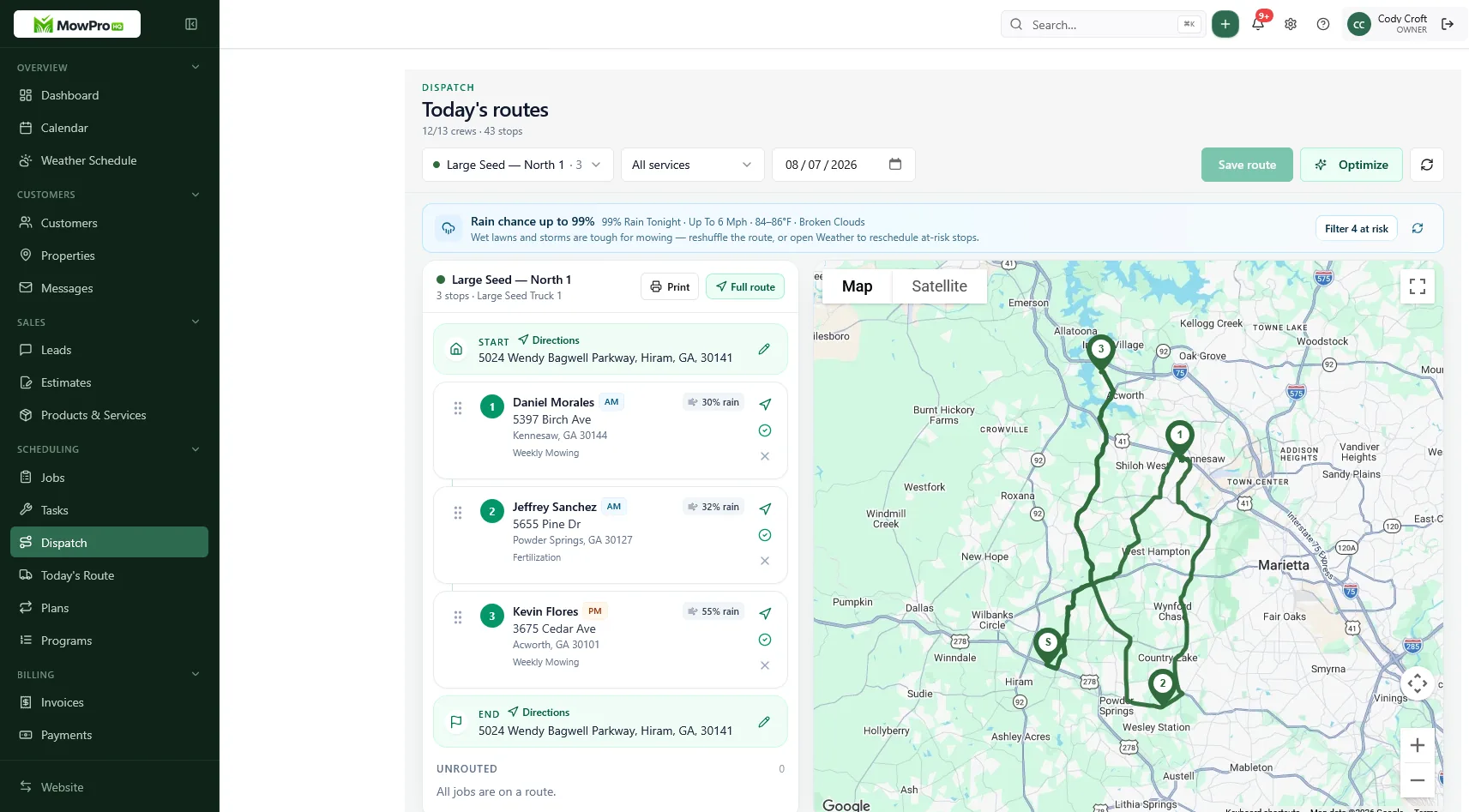
- Assign work and publish a route
- Reschedule after weather or an equipment problem
- Give a crew the property notes it needs without exposing unrelated customer data
- Record arrival, completion, materials, photos, and exceptions
- Generate an accurate invoice from completed work
- Record or reconcile payment, credits, and failed transactions
- Produce the reports the office actually reviews
Include edge cases: a locked gate, skipped visit, partial completion, customer credit, crew reassignment, and a route changed after the day begins. How to trial lawn care software provides a broader test plan.
In MowProHQ
Review the total cost before deciding
Subscription price is only one part of the comparison. Ask each vendor for current terms and calculate the cost of:
- Onboarding, migration, and data cleanup
- Required modules, integrations, and support plans
- Payment processing based on your actual transaction mix
- Phones, tablets, data plans, or other field equipment
- Initial training and training future employees
- Office time spent correcting errors or maintaining workarounds
- Any overlap period when both systems remain active
Vendor plans and fees change, so use current written information rather than an old review or quoted rate. Also review contract renewal, cancellation, data-export, and account-access terms before committing.
Protect customer and employee information
A migration creates extra copies of customer names, addresses, phone numbers, service notes, invoices, and sometimes payment-related records. Treat exports as sensitive business data.
- Export only what you have a business or legal reason to retain
- Use company-controlled storage with limited access
- Avoid sending data files through personal email or unapproved messaging apps
- Do not import full payment credentials unless both systems provide an authorized, secure migration path
- Verify backups, retention requirements, and deletion procedures
- Remove temporary files after reconciliation and document who still has access
Field software can also collect employee location, time, photos, device information, or activity logs. Tell workers what is collected, when tracking occurs, why it is needed, and who can review it. Disable unnecessary off-hours tracking, use role-based permissions, and obtain consent or authorization where required. Laws and employment rules vary by location; seek qualified legal advice for your situation.
Customer communications deserve the same care. Get permission before sending automated marketing texts or emails, distinguish operational notices from promotional messages, and preserve opt-out preferences during the move.
Plan the migration in stages
The safest unit of migration is usually one crew, service area, or type of work—not the entire company at once. A practical sequence is:
- Inventory the current system. List active workflows, integrations, automations, forms, reports, and people responsible for each one.
- Clean the source data. Resolve duplicates, inactive properties, stale contacts, unusual credits, and unclear service notes before export.
- Export and archive. Save active customers, properties, services, upcoming work, open financial items, and required history. Confirm that each file opens and record the export date.
- Configure the replacement. Set roles, permissions, service templates, tax rules, communication settings, and route expectations.
- Run a controlled pilot. Use one crew or work category through a representative week, including schedule changes and invoice review.
- Reconcile the results. Compare future visits, completed work, open invoices, credits, and customer balances between systems.
- Cut over with support coverage. Give the office and field team a written date, a contact for problems, and a fallback procedure.
- Keep appropriate records. Maintain authorized read-only access or secure archives for the required period, then cancel according to the contract.
The detailed switching lawn care software guide can help you turn this sequence into a project checklist. Avoid combining the cutover with broad price changes, payroll changes, or a new compensation plan unless there is a compelling operational reason.
Give treatment records extra attention
If you provide fertilizer, pesticide, or other regulated applications, identify the records your jurisdiction and insurance arrangements require before moving anything. Depending on your work and location, that may include:
- Product and application details
- Application date, time, location, and weather conditions
- Applicator identity or license information
- Customer notices and property instructions
- Material quantities and inventory records
- Records of skipped, rescheduled, or corrected applications
Do not assume a generic customer-history export is sufficient. Confirm that the replacement can capture and retrieve the fields you need, and compare its reports with your actual recordkeeping obligations. If mowing workflows are ready but treatment records are not, move them in separate phases with a clear owner for each system.
Use a simple decision worksheet
Score each statement from 1 to 5, where 1 means “rarely true” and 5 means “consistently true”:
- The schedule in the system matches the work crews are expected to perform
- Crews can complete required updates without office re-entry
- Weather changes and reassignments are handled in one place
- Completed work produces accurate invoices
- Customer, service, and payment records can be found when needed
- Required treatment or compliance records are complete
- Permissions appropriately limit sensitive information
- A named person owns setup, training, and data quality
- The time and total cost are reasonable for the value received
Do this once for your current setup and again after testing an alternative. The totals are less important than the gaps. A low score caused by unclear ownership needs a different response from a low score caused by a missing capability.
Where MowProHQ fits
If you want to evaluate MowProHQ as a Service Autopilot alternative, first compare it against the workflows and recordkeeping requirements above. Review current options on the pricing page, then sign up and test a contained set of real-world tasks before planning a full migration.
Frequently asked questions
- Should my lawn care company leave Service Autopilot?
- Consider switching if the workflows your team uses each week are difficult to complete, adoption remains low after training, or the total cost no longer matches the value you receive. Staying may be the better choice when routing, treatment records, automations, and office processes already work reliably. Base the decision on a documented workflow review and a real trial, not on a feature list alone.
- What should I test in a Service Autopilot alternative?
- Test a normal week of work: add a customer, create an estimate, schedule recurring service, adjust a route after rain, record job notes, complete work, invoice it, and reconcile payment. If you provide chemical applications, also test the records and reports required by your business and local regulations.
- Can I switch from Service Autopilot during the busy season?
- You can, but a staged migration is safer. Start with one crew, service area, or type of work while keeping the current system available for reference. Avoid changing software, pricing, payroll procedures, and customer communication at the same time.
- What data should I export before leaving Service Autopilot?
- Export active customers, service addresses, contacts, recurring services, future visits, estimates, open invoices, credits, payment status, useful notes, and any treatment records you must retain. Export files before cancellation, confirm that they open correctly, and store them with access controls and a retention policy.
- How should I handle customer and employee data during a software migration?
- Limit exports and imports to people who need access, use approved storage and secure transfer methods, and remove temporary copies after verification. Review permissions for payment, location, timekeeping, and customer data. If the new system tracks employee location or activity, provide clear notice, collect authorization where required, and confirm applicable workplace and privacy rules with qualified counsel.
- Is a less expensive Service Autopilot alternative automatically better?
- No. Compare the complete operating cost, including onboarding, data cleanup, training, payment processing, add-ons, support, and the staff time required to run the system. A lower subscription can still be more expensive if it creates manual work or cannot support a required workflow.
- Where can I compare MowProHQ with Service Autopilot?
- Use the MowProHQ vs Service Autopilot comparison page for a feature-oriented overview. Then verify current pricing and test your own workflows before making a decision.


