MowProHQ Blog/Buying Guide
Pressure Washing Software for a Solo Operator
How a solo pressure-washing operator can compare software for leads, estimates, scheduling, property notes, and invoicing.

A solo pressure-washing operator handles sales, estimating, fieldwork, and collections. Software should reduce that administrative load without requiring an office manager or creating a difficult migration when the first helper joins.
This guide focuses on the core workflow: capture the lead, prepare the quote, schedule the job, record completion, and invoice. Pair it with quoting from the driveway, pricing house washing and concrete, and prompt invoicing. You can also review the pressure-washing software overview.
Start with four essential jobs
- Who — customer contact and property details
- What — defined surfaces and services on a written quote
- When — a job on the calendar with a weather window
- Paid — invoice before you leave the lot
Ask the vendor to demonstrate these four jobs from a phone. If any step is difficult, advanced routing features will not solve the daily problem.
| Need now | Need later |
|---|---|
| Properties + notes + photos | Multi-crew dispatch |
| Quotes using appropriate measurements | Route optimization |
| Jobs on a calendar | GPS history |
| Same-day invoices | Timeclock for a helper |
| Regular vs Cash dual pricing | Live site when you will actually answer it |
When one person performs the work, the software should make property details and the next action easy to find.
Facebook is not a CRM
A typical solo week without a system:
- Quote request in Facebook
- Photos in camera roll
- Price in a text
- Job in your head
- Payment link created later
- No shared record of preexisting oxidation on the north wall
This approach becomes unreliable when several leads arrive together or a customer questions the scope. A message thread is not a signed, itemized quote.
Move the request into a customer and property record promptly. Keep notes and photos with the address, build the quote there, schedule accepted work, and create the invoice from the completed job.
Quote from the driveway, not from memory tonight
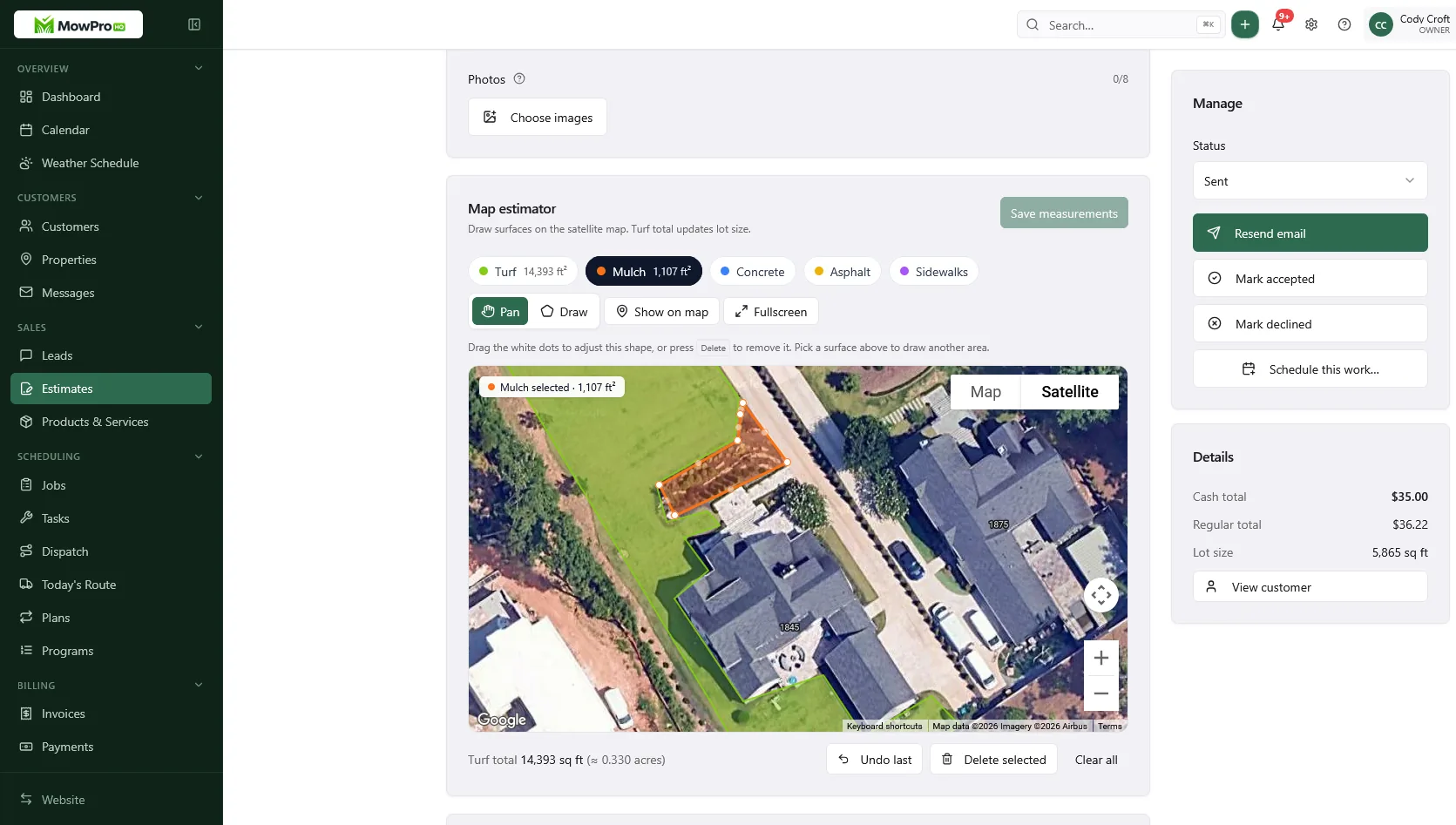
Response speed matters for house-wash leads. Test whether the software lets you measure the relevant surfaces, price separate lines, and send the quote from the property.
What that requires:
- Estimate map: House or hardscape/driveway, not a turf lot-size guess
- Line items for siding vs concrete
- Payment methods and any properly disclosed price differences
- A link the homeowner can accept without calling you back
For field estimating, these steps should work well from a phone.
Lot size stays turf if you also mow. Do not let a wash quote overwrite the mowable acres on a property you already service.
Invoice promptly after completion
Prompt invoicing keeps completed extras and service details current. If same-day billing is not practical, use a fixed end-of-route or weekly billing time.
After the last rinse:
- Mark the job complete
- Confirm add-ons that actually happened
- Send the invoice with the agreed payment options
- If they are not home, the portal and a text still collect — see get paid the same day
Confirm current payment-processing costs and any applicable disclosure rules. When possible, create the invoice from the accepted quote so scope and approved changes carry forward.
What to ignore in the first season
- Enterprise permissions
- Five marketing add-ons you will not staff
- Integrations you will not connect this month
- Automation that does not improve a real workflow
- GPS before there is a dispatch need
A live website is useful only when inquiries receive timely follow-up. The guide to turning website leads into jobs covers that process.
Spreadsheet vs software when you are one person
Simple tools may be enough while volume is low and the records remain accurate. Consider a connected system when any of these are true:
- Two quote requests sat overnight and both booked someone else
- Delayed invoices regularly require corrections
- You cannot find which house had the dog and the well
- A helper asked “what’s on Thursday” and you had to think
The goal is one dependable place for leads, properties, quotes, appointments, and invoices.
A practical solo workflow
Morning: Review the day’s jobs, addresses, notes, and service packages.
At an estimate: Measure the relevant surfaces, document conditions, and send the quote.
After the wash: Record completion and extras, then collect payment or send the invoice.
Evening: Review weather and the next day’s work, follow up on open quotes, and close leads that declined.
Monthly: Review unpaid invoices, quote acceptance, revenue, and direct costs.
Prioritize quotes that flow into accurate invoices. Add GPS, a live website, and team tools when the workload justifies them. Before hiring, confirm that the software can give another user appropriate access without sharing passwords.
Evaluate a free plan carefully
A free plan can work if it supports the daily workflow at your current volume. Check for:
- Enough user access for the people who need it
- Scheduling and a calendar
- CRM (customers and properties)
- Quotes and invoices
- Your required payment options
- Customer portal
- Website or lead-capture availability, if needed
Also review customer or invoice limits, storage, exports, support, payment processing, messaging charges, and what happens if you later downgrade.
When paid features are worth it
Upgrade when a recurring bottleneck costs more than the paid feature.
| Bottleneck | What to buy |
|---|---|
| Leads are missed in personal email or social messages | Shared lead inbox |
| A helper needs assignments and time records | Team access, dispatch, and time tracking |
| Payment costs are significant | Compare effective rates at actual monthly volume |
| Calls are missed during fieldwork | Business phone or answering service |
| Follow-up takes too much owner time | Automation for a clearly defined task |
Compare each feature against a measured problem. For example, call answering may be useful when missed calls consistently represent qualified leads, and dispatch becomes useful when another person needs assignments.
A solo operator can also handle recurring commercial work when it is scheduled and documented consistently. See recurring commercial routes.
In MowProHQ
Decide how calls are handled during fieldwork
Calls often arrive while equipment is running or the operator cannot safely answer. Decide whether calls go to voicemail, text-back, a business phone system, or an answering service.
Use actual call volume, lead quality, response time, and conversion rate to decide whether a paid phone service is worthwhile. Review consent, recording, messaging, and automated-calling rules that apply in your location.
Test software with a real workflow
Use your real week, not a demo address:
- Enter five properties you already know
- Build one house-wash quote with a House outline and a driveway line
- Send it to yourself and accept it
- Turn it into a job
- Complete it and preview the invoice with your payment options
- Pretend the homeowner is not there — can they still pay?
If the workflow adds unnecessary steps, continue comparing products. If it works, migrate active customers first rather than importing old one-time leads that are unlikely to return.
How MowProHQ fits one truck
MowProHQ connects scheduling, customer and property records, quotes, and invoices. Use the estimate map for the relevant house or hardscape measurements, while keeping turf measurements separate when the same property also receives lawn service.
Review current plans and pricing, then create an account and test several real estimates from lead capture through invoice.
Frequently asked questions
- What is the best pressure washing software for a solo operator?
- Choose a tool that works well from a phone and connects customer records, property notes, estimates, scheduling, completion, and invoicing. Advanced crew features can wait until there is a crew to manage.
- Does a one-truck pressure washing company need software?
- A one-truck company still benefits from one reliable record once leads, photos, estimates, appointments, and invoices are spread across different apps. The need is driven by missed follow-up and rework, not company size.
- Is free pressure washing software enough when I work alone?
- It can be. Confirm that the free plan supports the essential workflow and check its limits on users, customers, estimates, invoices, storage, messaging, and payments. Compare the current terms rather than assuming every free plan includes the same features.
- What features do solo washers overbuy?
- Solo operators often buy fleet tracking, complex permissions, route optimization, or marketing tools before they have a recurring need for them. Start with the daily workflow and add features when a specific bottleneck appears.
- Can I quote a house wash from the map in software?
- Yes, when the tool supports the measurements appropriate to the surface being quoted. Verify map measurements against site conditions, and do not use total lot or turf area as a substitute for siding or hardscape measurements.
- When should a solo washer upgrade from free software?
- Upgrade when a paid feature solves a recurring problem, such as team access, dispatch, time tracking, a live website, or lower total payment costs. Calculate the full cost using current pricing and actual transaction volume.
- Should I run the business from Facebook messages?
- Use Facebook as a lead source, then move the customer’s contact details, property, photos, quote, and appointment into your business system. Do not rely on a message thread as the permanent record.