MowProHQ Blog/Buying Guide
Pest Control Software for Small Residential Routes
A practical guide to pest-control software for small residential routes, including scheduling, treatment history, invoicing, lead follow-up, and compliance.

A small pest-control company needs software that supports the daily operation: recurring visits, treatment history, accurate billing, and follow-up on new inquiries. If those details remain in one technician's memory, scattered messages, or a weekly paperwork pile, the route becomes difficult to manage or hand off.
This buying guide separates essential route-management features from advanced tools that can wait. It also explains why operations software may need to remain alongside a dedicated regulatory reporting system.
What “pest software” actually has to do
Ignore vendor category names. Ask whether the desk can run Tuesday.
Need now
- Customers and properties (CRM)
- Recurring visits on a calendar the tech can follow (scheduling)
- Quotes that become jobs without retyping (quotes)
- Invoices that match what you sold (invoicing)
- A place the next tech can read target pests, products, and access
Need soon
- Dispatch and routing when two lists run the same day
- Chemical / application tracking on the property (chemicals)
- A shop-owned phone inbox (conversations)
- Timeclock and GPS when “where are they” is a daily tax
Need later (or never)
- Enterprise franchise reporting
- Modules for work you do not sell (full termite graphing, fumigation)
- A second CRM just for the answering service
During a demo, confirm that a due recurring visit, application note, and invoice can remain attached to the same property record.
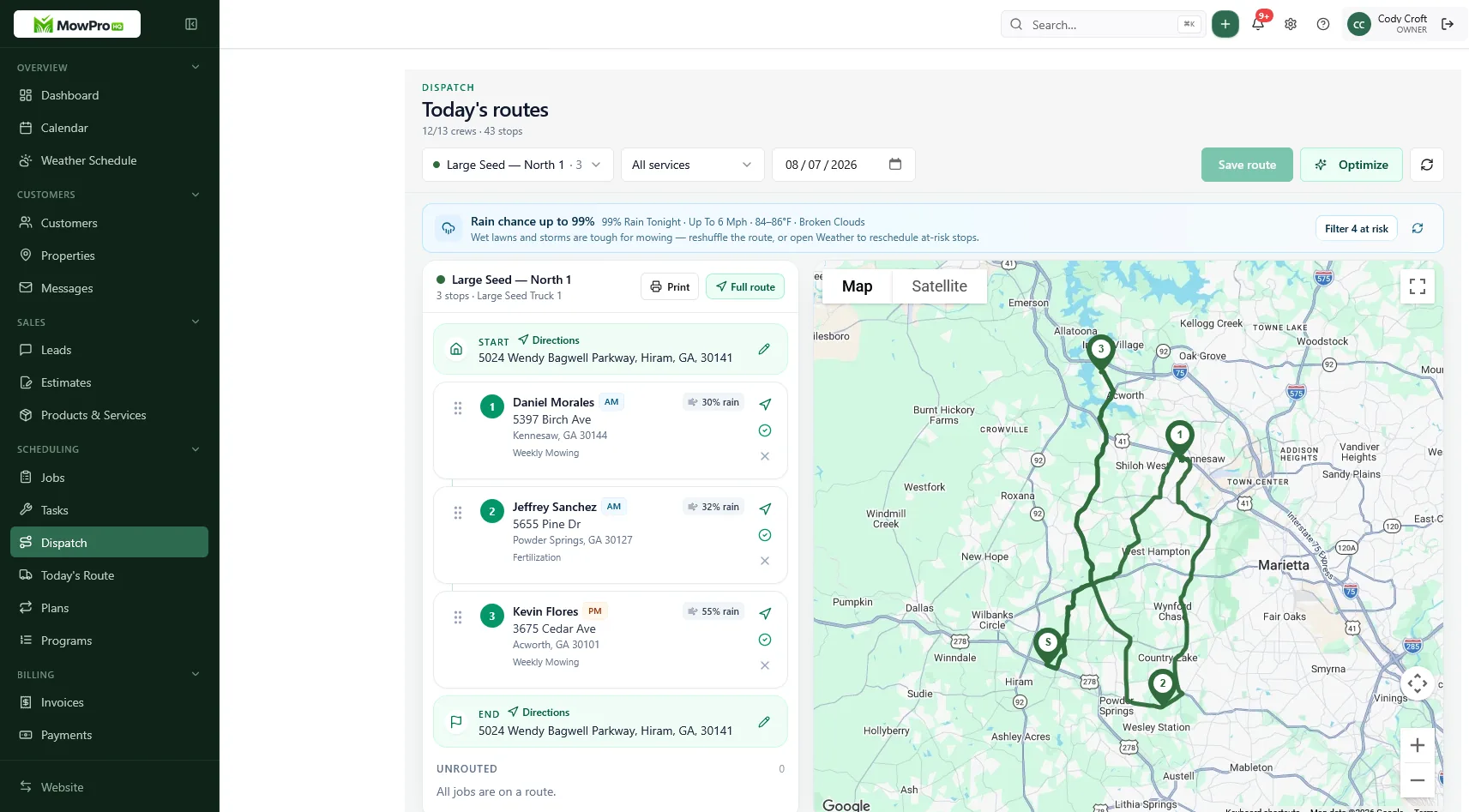
Routes beat a pile of tickets
Recurring pest work needs a schedule. Treating every request as an isolated ticket makes route density and staffing harder to manage.
The software test:
- Can you see every house due this week, not just “open jobs”?
- Can you move a rain pocket as a block?
- Can a second tech open the sequence without a group text?
That is the operating system in how to run recurring pest treatments. A calendar of due visits is the product. A stack of “call us when you see ants” is overflow.
Start with a reliable recurring calendar. Add dispatch and route optimization when multiple technicians or route lists make those features useful.
What you applied has to live on the property
The homeowner will ask what you sprayed last quarter. The inspector, the landlord, or the next tech will ask the same thing with less patience.
Minimum history on the stop:
- Date and visit type
- Target pests
- Product names and amounts
- Where you treated (foundation, garage, crawl, named rooms)
- Weather / skip reason
- Photos that match the note
- Applicator
What to document on every pest treatment is the field habit. Software is where that habit survives a second hire.
Operational notes and application history are not automatically a state filing system. Confirm reporting requirements before canceling any tool that prepares or submits required records.
Invoices have to match the visit you sold
If the quote said quarterly exterior and the invoice says “pest control,” you will argue. If cash and card totals disagree with the quote, you will argue at the door.
The desk should:
- Carry line items from quote to job to invoice
- Show Regular vs Cash if you take cards
- Send the bill the same day the stop is complete
- Keep cash and check as a first-class way to pay
How to price quarterly pest service explains the rate structure. Software should carry that approved pricing from the quote into the invoice without recreating it in text messages. Confirm current processing costs when setting payment policies.
Catch the call you cannot answer in the attic
Missed calls during treatments lose the next account. The software test is not “does it have a phone icon.” It is: does the shop own a number and an inbox, or does the lead die on a tech’s personal voicemail?
Conversations keeps customer threads in a shared inbox. A business number or AI receptionist can capture requests while technicians are unavailable. The process is covered in how to catch pest leads on a job.
A website editor is on Free. Publishing a live site with a lead inbox is Growth. If Facebook messages are still your CRM, the desk is not done.
Quote the house, not the yard
When the work is the building, the estimate map should outline the House, not turf lot size. Lot size is a lawn number. Pest pricing from a “medium yard” is how you underbid a long foundation and overbid a townhome.
Quoting pest work from the house is the estimator habit. Software should let you name that area and price the line. If the only measurement tool is mowable square footage, you are in the wrong desk for pest.
Match the plan to the current bottleneck
| Need | Plan |
|---|---|
| Small team, calendar, CRM, quotes, invoices, portal | Basic operations plan |
| More users, dispatch, GPS, application history, timeclock | Team operations plan |
| Website, search, and review automation | Marketing plan or add-on |
| Shop number | Phone add-on |
| After-hours answering that files a request | Receptionist add-on |
Compare seat limits and add-on charges before hiring. Stay on the simplest plan that supports the route, then upgrade when dispatch, website leads, application history, or payment volume makes the additional cost worthwhile.
Rollout that does not fail in week one
- Office runs one real pocket on the board (quotes, visits, invoices)
- Lead tech runs that pocket with you as backup
- Helper gets a seat, not a screenshot of your calendar
- Rain Thursday is the exam: move the pocket as a block
- Keep the dedicated reporting tool live until you have confirmed state needs
Do not train the whole crew on a board that is still wrong. That trains them to ignore it.
In MowProHQ
Clipboard vs a shop desk
A clipboard can run a solo Tuesday. It cannot run a second tech, a rain pocket, or a callback on Thursday.
| Job | Clipboard | Shop desk |
|---|---|---|
| Due this week | Highlighted names | Recurring visits on a calendar |
| What you applied | Memory, maybe a carbon | Property history the next person can open |
| Invoice | Sunday pile | Same day as complete |
| New lead in a crawl | Voicemail | Shop inbox / receptionist |
| State filing | Maybe a second form | Confirm; may still be a second form |
Buy software for the middle three rows. Do not buy it because the homepage said “pest.” If the demo cannot show a due quarterly turning into an invoice with the product note still attached, keep walking.
Compliance sits beside the shop desk until you prove otherwise
MowProHQ can hold notes, products, applications, and photos on the customer record. That is what the next visit and the callback need.
It is not a claim that every state’s pesticide reporting is filed for you. Some shops will keep a dedicated compliance product next to the route software for years. That is fine. The failure mode is retiring the filing tool because a demo had a “chemicals” checkbox.
Ask your regulator or your current compliance vendor what must be submitted, in what format, and on what timeline. Then decide what MowProHQ replaces (clipboard, missed call, late invoice) and what it does not.
A one-week trial script
Day 1: Load 25 real properties. Visit type on each. Hatch and pet notes on the ugly ones.
Day 2: Send two quotes from the house outline, not a turf guess. Dual prices if you take cards.
Day 3: Run the pocket. Complete, photo, product note, invoice the same day.
Day 4: Miss a call on purpose during a stop. Confirm it landed in an inbox the shop owns.
Day 5: Have someone else open tomorrow’s list with no briefing. If they call you, the record failed — fix notes before you buy another module.
How MowProHQ fits a small residential pest route
MowProHQ connects scheduling, customer and property records, quotes, invoicing, and optional application tracking. Add dispatch, communication, marketing, and team features as the operation requires them.
Keep your reporting tool until you have confirmed state requirements. Compare current plans and pricing or create an account and test one real neighborhood route.
Frequently asked questions
- What software does a small pest control company need?
- Look for a shared treatment calendar, property-level application history, quotes that become scheduled visits, invoices that match completed work, and a shared inbox for new inquiries. State pesticide reporting may still require a dedicated compliance tool.
- Is MowProHQ good pest control software?
- It may be a good fit for recurring residential routes that need scheduling, property history, quotes, invoices, payment options, and shared customer communication. Compare its current features with your operational and state reporting requirements before replacing existing tools.
- How much does pest control software cost on MowProHQ?
- Cost depends on the number of users, operational features, payment processing, communication tools, and usage-based services. Review current plan details and calculate the total for the features and call volume you expect to use.
- Does pest software replace state pesticide reporting?
- Not automatically. Application notes and product history support field operations, but they may not satisfy every state's filing requirements. Confirm reporting obligations before retiring a dedicated compliance system.
- Can I run a pest route on a free plan?
- A free plan may cover basic customer records, scheduling, quotes, and invoices for a small team. Consider upgrading when a specific limitation—such as dispatch, team access, route planning, application history, or time tracking—begins costing time or money.
- What should small pest companies not overbuy?
- Avoid paying for enterprise franchise tools or specialized modules for services you do not offer. At the same time, make sure the system covers property notes, recurring routes, accurate invoicing, and lead follow-up.
- Do pest techs need a phone app?
- Mobile access is important when technicians need to view notes and record completions, products, and photos in the field. Give each employee an individual login so activity history remains accurate.