MowProHQ Blog/Buying Guide
Pool Service Software for a Small Route Company
A practical guide to pool service software for small companies, covering routes, property notes, quotes, invoices, customer messages, and field use.

For a small pool company, the most useful software solves ordinary operational problems: recurring visits, access notes, approved work, invoices, and customer communication. Advanced water chemistry features may be valuable, but they do not make up for a route that still depends on a notebook and scattered text messages.
This guide focuses on what a small route company needs now, what can wait, and how to test a platform with real work. Read how to run a weekly pool route first if the underlying service process is not yet documented.
Start with five essential jobs
- Who — customer and property, not a name in a contacts dump
- When — recurring weekly, not a copied calendar event
- What — scope and extras on a quote the customer accepted
- How to get in — notes the next tech can read at the gate
- Paid — invoice the same day, extras included
During a demo, test these basic tasks before spending time on advanced features.
| Need now | Need later |
|---|---|
| Properties + notes | Multi-crew dispatch |
| Weekly plans | Route optimization |
| Quotes → stops | GPS breadcrumbs |
| Same-day invoices | Review automation |
| Dual Regular vs Cash | AI website help |
| Texts / conversations | Business phone or receptionist |
Features that can usually wait
- Enterprise permissions for an office you do not have
- Chemistry suites that still dump invoices into a spreadsheet
- Five marketing add-ons you will not connect
- AI features that do not improve a current workflow
- Seat fees that punish you the week you hire a helper
Avoid paying for a large feature set before the route is ready to use it. A small company needs a dependable daily workflow more than a complicated control center.
Notebook vs software when you still drive the truck
Stay on paper if the week is honest and Sunday invoicing never slips. Move when any of these are true:
- Rain or a storm week takes longer to rebuild than to run
- A helper asks you for codes from the driveway
- Salt-cell work done on Tuesday does not appear on the invoice
- You cannot tell which weeklies are past due without opening three apps
The goal is one reliable source for the schedule and property details, not software for its own sake.
Spreadsheet failure modes on a pool route
| Workaround | What breaks |
|---|---|
| Color-coded sheet | Storm Monday, then the colors lie |
| Group text for codes | Helper leaves, codes stay on everyone’s phone |
| Invoice from memory Sunday | Extras vanish, skips still get billed |
| Chemistry app as CRM | Great LSI, no customer portal, no quote trail |
| Personal Venmo | No property history, no dual pricing, no books |
A chemistry app can remain part of the workflow, but it should not be forced to serve as the customer and billing system.
What a basic plan should cover
For a one- or two-person company, look for:
- Scheduling with recurring weeklies
- CRM with property notes
- Quotes that become work
- Invoices with dual Regular vs Cash
- Customer portal
- Website editor
- Enough user access for the people doing the work
- Clear payment terms and processing costs
That is enough to replace most notebook-and-spreadsheet workflows. Test the mobile experience as carefully as the office view because technicians need property details in the field.
Compare payment-processing costs using your actual card volume. A lower processing rate can matter at scale, but it should be considered alongside the subscription price and features you will use.
When a paid plan becomes worthwhile
Consider upgrading when:
- A second tech needs a board you are not narrating by phone
- Weather moves take longer than the weeklies
- You want inbound quote requests on a site you own
- Chemical tracking on the property would beat a second notebook (still not a lab)
- Payment volume makes different processing terms meaningful
Marketing, review, business-phone, and receptionist features are most valuable when lead response has become a real bottleneck. Shared conversations can also keep customer communication from being trapped on one person's phone.
Chemical tracking vs a chemistry lab
Ask every vendor directly whether its chemistry tools can replace the specialized application you currently use. Do not assume they can.
Water analysis, saturation index, and product dosing are specialized functions. Operations software should record the treatment, preserve property preferences, and ensure billable chemicals reach the invoice. Test both areas separately rather than relying on a broad feature claim.
Keep a dedicated water-analysis tool if regulations, commercial clients, or your own procedures require it. Two focused tools can be a better choice than one platform that handles neither job well.
How to trial pool software without wasting a week
Load 20 of your weeklies. Not the vendor’s demo HOA.
- Open Tuesday as the tech would: first address, gate note, package
- Complete three stops, add one salt-cell extra, skip one locked cage
- Send three invoices with Regular vs Cash
- Send one quote for a pump from the pad
- Move a storm pocket and see if the week still makes sense
- Log in as a second seat and confirm the helper sees notes without a briefing
If that workflow takes longer than the system you already use, the software may not be a good fit. If it works, migrate active customers first instead of importing years of old records on day one.
In MowProHQ
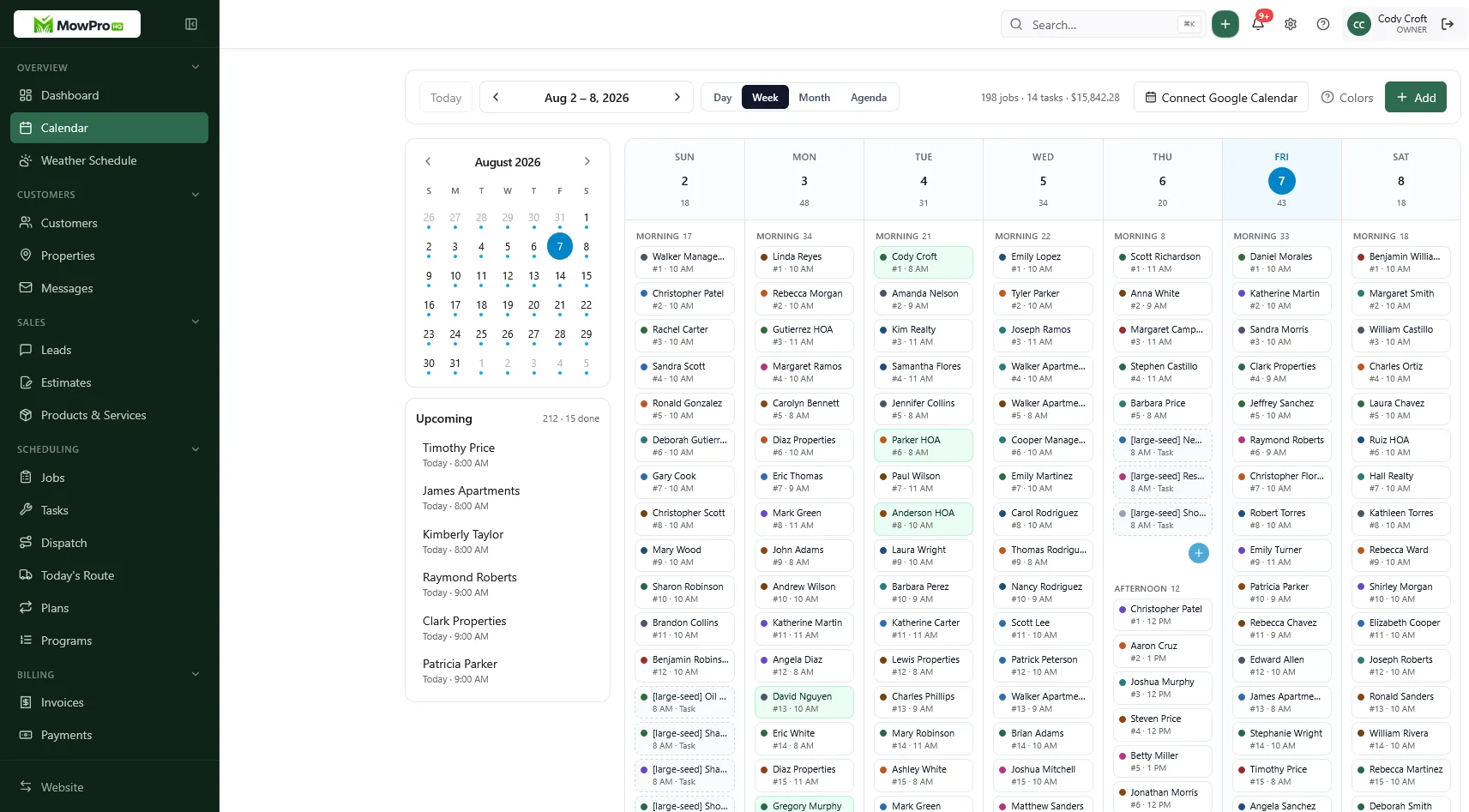
What a normal week should look like
Before the week begins, review the schedule instead of rebuilding it. At each stop, the technician reads current notes, records completion, and captures extra work. Weather changes are made in one place and communicated consistently. Quotes and invoices use the same customer and property records.
Using more than one app is not automatically a problem, but important information should not require guesswork. Another employee should be able to follow the route for several days using the schedule and property notes.
GPS and advanced lead tools can wait until the route and team need them. Accurate quotes and invoices matter from the beginning. See how to invoice pool stops the same day for the billing workflow.
Before hiring, confirm that a second user can access the information required to work independently. Read when to add a second pool truck before adding vehicle and payroll costs.
What a solo Monday should look like in the app
The technician should be able to open the day and immediately see the first address, service scope, and access notes. If several unrelated apps are required before the first stop, simplify the publishing process.
Send invoices as stops are completed or use a dependable same-day batch. Delaying until the weekend increases the chance that filter service or other extras will be missed.
Do not quote a new pool from the driver's seat without enough information about the property and equipment. Use defined packages and a repeatable process from how to price weekly pool service.
Review unpaid invoices at least monthly. Even a small route needs a consistent process for overdue balances.
How MowProHQ fits a small pool route
MowProHQ connects scheduling, customer and property records, quotes, and invoices. Start with the features required to run the route, then compare current plan options when you need dispatch, route planning, team management, or marketing tools.
It is not intended to replace specialized water-analysis software. See the pool service tools, compare current plans and pricing, or create an account and test it with a real week of work.
Frequently asked questions
- What is the best pool service software for a small company?
- The best fit is software your team will use consistently to manage recurring stops, property notes, quotes, invoices, and customer communication. It does not necessarily need advanced water-analysis tools; a dedicated chemistry app can still handle those calculations.
- Does pool service software replace a chemistry lab app?
- Not necessarily. Operations software should manage the route, customer records, quotes, completed work, and invoices. Detailed water chemistry and dosing calculations may still belong in a specialized application.
- What features does a small pool route company actually need?
- A small company typically needs customer and property records, recurring scheduling, field notes, quotes that can become jobs, prompt invoicing, and customer messaging. Dispatch, GPS, time tracking, and website tools become more useful as the team and lead volume grow.
- How much does pool service software cost?
- Prices vary by provider, number of users, payment processing, and included features. Compare the current total cost for the tools you need now, then consider what an upgrade would cost when you add technicians or require dispatch and route features.
- Can pool techs use the software on a phone?
- Most modern platforms offer mobile access. Test the actual field workflow: a technician should be able to open the stop, read access notes, record completion, and add extra work without returning to a desktop computer.
- When should a small pool company pay for software?
- A free or basic plan may be enough while you are proving the route. Consider paying for additional features when a specific limitation is costing time or money, such as multi-technician dispatch, route planning, team access, or lead management.
- Can I keep my chemistry app and still use route software?
- Yes. Use the chemistry tool for water analysis and dosing, and use operations software for customers, schedules, approved work, and billing. Separate tools are reasonable when each handles its job well and the workflow remains manageable.