
MowProHQ Blog/Buying Guide
Switching Lawn Care Software Without Losing the Season
A practical plan to switch lawn care software safely, including exports, backups, payment reauthorization, reconciliation, permissions, and rollback.
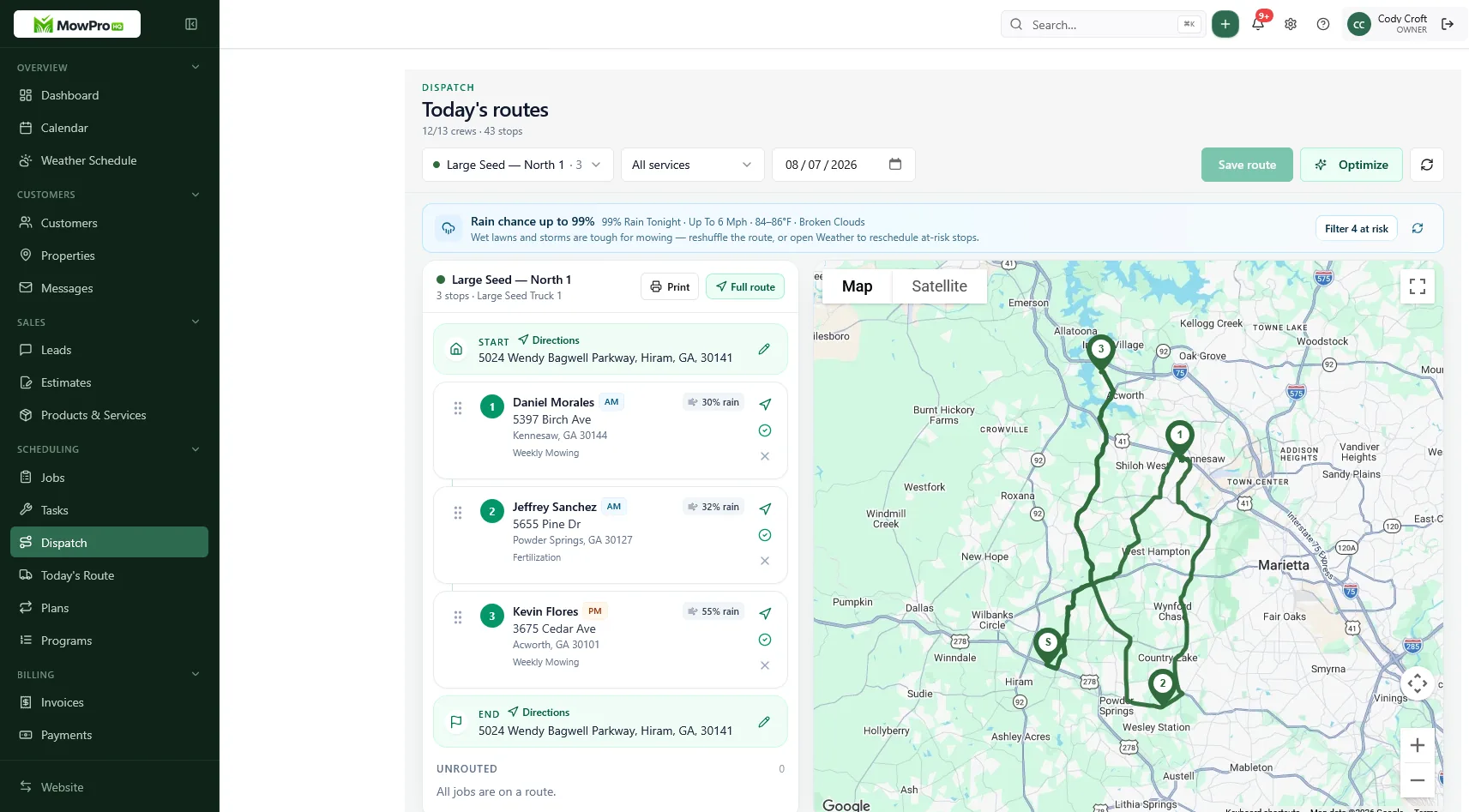
Switching lawn care software is not mainly an import job. It is an operations change involving routes, receivables, customer access, staff permissions, and records you may need years later.
The safest approach is simple: inventory what matters, obtain usable exports, protect the backup, test a small route, reconcile the results, and expand only after the numbers match. This plan works whether you are leaving a field-service platform, replacing spreadsheets, or consolidating several apps. If you are still choosing a system, use the lawn care software checklist and review these common software mistakes.
1. Define the scope and owner
Give one person responsibility for the migration. That person does not need to perform every task, but they should maintain the checklist, resolve conflicting data, approve imports, and make the cutover decision.
Write down what must work on day one:
- Crews can see the correct properties, dates, and access notes.
- The office can quote, schedule, complete, and invoice work.
- Open balances, credits, and deposits can be explained.
- Customers know how to pay if the portal or payment process changes.
- Owners and staff have only the access they need.
- The old data remains available under a documented retention plan.
Do not combine migration with a new rate card, service-area redesign, payment processor change, and crew reorganization. Price changes belong in a separate project; see how to price lawn care jobs.
2. Ask both vendors about exports before committing
An export button is not the same as a complete exit path. Before choosing a new system or canceling the old one, ask each vendor for written answers:
- Which records can be exported, and in which formats?
- Are customers and service properties separate and linked by stable IDs?
- Do exports include recurring rules, future visits, line items, taxes, credits, notes, attachments, custom fields, and status history?
- Can photos and documents be downloaded in bulk?
- Are invoice and payment records available as reports, raw data, or both?
- Is there an API or assisted export if the standard file is incomplete?
- How long will read-only access remain after cancellation, and what does it cost?
- How and when will the vendor delete retained copies after the account closes?
- Can the new vendor provide a sample mapping or test import before the contract starts?
Ask for a small sample export and open it yourself. Check character encoding, dates, phone numbers, multi-line notes, and customer-to-property links. A file that exists but cannot be reliably matched is not a useful backup.
3. Build a verified, protected backup
Do not rely on continued access to the old account. Accounts can expire, permissions can change, and vendors can alter retention policies.
Create a dated migration folder containing:
- Raw exports exactly as received
- Cleaned import files
- A field-mapping document
- PDF or CSV reports for invoice aging, credits, payments, deposits, and taxes
- Downloaded contracts, attachments, and photos you need to retain
- A short README recording export time, source, record counts, and known gaps
Store at least one additional copy in an approved secure location. Encrypt files at rest, restrict access to the migration team, and avoid emailing spreadsheets containing customer details, gate codes, or payment information. Test that the backup opens and that a few records can be found. A copy you have never restored is only an assumption.
Never place full card numbers or bank details in an import sheet. If an export unexpectedly contains sensitive payment data, stop and ask the vendor or payment processor how it should be handled.
4. Decide what to migrate, archive, or delete
Migration is a chance to clean the active book without destroying records you still have a reason to keep.
| Data | Usually migrate | Usually archive | Review carefully |
|---|---|---|---|
| Customers and properties | Active and upcoming work | Former customers with required history | Duplicates, sold homes, deceased contacts |
| Scheduling | Current plans and future visits | Completed historical visits | Paused and seasonal accounts |
| Financial records | Open invoices, credits, deposits | Closed periods needed for tax or accounting records | Disputed balances and unapplied payments |
| Quotes and leads | Accepted work and active opportunities | Closed quotes needed for context | Stale leads without consent or a follow-up purpose |
| Notes and files | Operational and contractual records | Older records with a retention need | Gate codes, photos, chemical records, private notes |
“Archive” should mean searchable, protected, and assigned a retention date—not abandoned on an employee’s laptop. Set retention periods with your accountant, insurer, attorney, and any applicable local requirements. Keep only what the business has a legitimate reason to retain, and document how expired records will be deleted.
If a customer exists without a service property, the crew still does not know where to go. Clean those relationships before import. A CRM that separates customers and properties helps avoid duplicate contacts and address confusion.
Preserve current prices without repricing
Move the currently agreed price and service terms. Mark genuine exceptions and give them a future review date, but do not quietly change pricing during the migration. If you use cash and card pricing, confirm that the new setup represents the policy correctly and that customer communications remain accurate.
5. Map fields and test the import
Create a simple mapping sheet before uploading anything.
| Old field | New field | Transformation | Verification |
|---|---|---|---|
| Customer ID | External reference | Preserve unchanged | Spot-check links |
| Service address | Property address | Split fields if needed | Map ten properties |
| Access note | Crew-visible note | Remove outdated text | Crew lead reviews |
| Recurrence | Service plan | Translate frequency and start date | Generate future visits |
| Balance due | Opening invoice or reference | Follow accounting method | Match aging total |
Keep the raw export untouched. Make changes only in a working copy, record transformations, and save rejected rows with reasons. Test with enough variety to expose problems: a customer with two properties, a paused plan, a credit, a tax-exempt account, a gate code, an add-on, and a recurring visit crossing a month boundary.
Importing every historical transaction may not be the safest accounting choice. Depending on the systems involved, you may migrate open items and retain closed history in the old archive. Agree on the method with the person responsible for your books before importing balances.
6. Handle payments as a separate workstream
Saved payment methods do not normally live in a spreadsheet export. They may be tokenized and stored by a payment processor or secure vault. Whether those tokens can move depends on the processors, vendors, contracts, and technical compatibility.
Before cutover:
- Ask the current vendor, new vendor, and processor whether a secure token migration is supported.
- Do not ask anyone to send card or bank details by email, text, or spreadsheet.
- If migration is unavailable, prepare a secure hosted authorization flow for customers.
- Explain what is changing, when existing autopay ends, and what customers must do.
- Track consent and reauthorization status without recording sensitive credentials.
- Test a low-risk payment, refund, receipt, payout, and failed-payment path.
- Confirm how fees, taxes, tips, credits, and invoice collections appear in reporting.
Do not cancel the old payment service until pending transactions, refunds, disputes, and payouts have settled and reconciled. Customers should never be charged in both systems for the same work.
7. Set roles, permissions, and security controls
Migration files often expose more information than day-to-day users need. Limit access from the start.
| Role | Typical access | Avoid unless required |
|---|---|---|
| Owner or migration lead | Settings, imports, exports, reports | Shared credentials |
| Office or dispatcher | Customers, quotes, schedules, invoices | Full account administration |
| Crew lead | Assigned jobs, property notes, completions | Billing reports and broad exports |
| Helper | Today’s assigned work | Customer lists and account settings |
| Accountant | Financial reports and integrations | Route or crew administration |
Use individual accounts, strong unique passwords, and multi-factor authentication where available. Review vendor access, connected apps, API keys, forwarding addresses, and former employees. Decide which notes are safe for crews to see; gate codes and alarm instructions need more care than mowing preferences.
Privacy and security questions belong in vendor selection too: where data is stored, how it is encrypted, how incidents are communicated, whether subprocessors are used, and how deletion requests are handled. Match your practices to the sensitivity of the data and applicable laws rather than assuming a vendor logo settles the issue.
8. Pilot one complete route
Choose one crew, weekday, or compact service area. The pilot should exercise the entire loop, not just display imported contacts:
- Publish the route in the new system.
- Confirm addresses, access notes, prices, and assigned staff.
- Complete, skip, and reschedule work.
- Add an approved extra service.
- Generate invoices and receipts.
- Record or process payments using the agreed method.
- Compare operational and financial results with the control reports.
Do a test weather reschedule even if the forecast is clear. Also test a customer with multiple properties and a recurring mowing plan.
Keep the pilot narrow and time-boxed. Avoid entering the entire company into two editable systems for weeks. For the pilot route, name one source of truth for each type of update and maintain a change log so staff know where a late cancellation or payment was recorded.
Pilot acceptance checklist
- Every scheduled stop has the correct property and customer.
- Future visits were generated on the intended dates.
- Crew-visible notes and attachments are present.
- Staff can see only the records and actions their roles require.
- Completed, skipped, and moved jobs retain the right status.
- Quotes and invoices use the expected items, taxes, and terms.
- Credits, payments, refunds, and deposits can be traced.
- Customer notifications and pay links work.
- Accounting entries are not duplicated.
- Exporting data from the new system has also been tested.
9. Reconcile before expanding
“The app looks right” is not reconciliation. Compare reports at a fixed cutoff time and investigate every material difference.
| Area | Compare | Common cause of mismatch |
|---|---|---|
| Customers and properties | Active counts and links | Duplicates or orphan properties |
| Schedule | Plans, future visits, paused work | Recurrence translated incorrectly |
| Sales | Open estimates and accepted work | Status mapping |
| Receivables | Invoice aging, credits, deposits | Missing opening items or cutoff timing |
| Payments | Transactions, refunds, processor payouts | Pending settlement or duplicate entry |
| Accounting | Revenue, tax, payment, and customer balances | Sync rules or date mapping |
Save the signed-off comparison with the migration records. Reconcile again after the first billing cycle and first processor payout. Someone should own “plans to calendar” for at least two service cycles because an imported plan can look correct while failing to create the next visit.
10. Plan the cutover and rollback
Choose a lighter period with decision-makers available. Avoid peak spring growth, rain recovery, payroll day, month-end close, or the same week as a major staffing change.
Before cutover
- Final exports and financial reports are saved and verified.
- Import totals and rejected records are documented.
- Tomorrow’s routes and assignments are published.
- Staff accounts, permissions, and recovery methods work.
- Customer payment reauthorization is complete or tracked.
- Website forms and lead notifications point to the intended inbox.
- Support contacts for both vendors and the processor are available.
- The communication and rollback plans are shared with staff.
During cutover
Freeze edits in the old system at a specific time and make it read-only if possible. Tell staff exactly where new quotes, schedule changes, completions, payments, and notes belong. Record urgent corrections in a shared change log.
Internal instructions can be brief: “Tuesday North is live in the new system at 6 a.m. The old system is lookup only. Report missing stops to the office before adding anything.”
Contact customers only when their experience changes—for example, a new portal, invoice sender, pay link, or autopay authorization. Use your normal verified channels and warn customers not to send payment details in reply.
Define rollback before you start
Rollback does not mean casually switching between two calendars. Set objective stop conditions, such as:
- A meaningful share of the route is missing or assigned incorrectly.
- Crews cannot access required safety or property notes.
- Invoices, credits, or taxes are materially wrong.
- Payments cannot be traced to invoices and processor deposits.
- A security, permissions, or notification issue exposes customer data.
If a stop condition occurs, pause new entries, preserve logs and screenshots, notify staff, and return the pilot route to the documented fallback process. Reapply changes from the change log after fixing the mapping. Do not delete the failed import or overwrite evidence until the cause is understood.
11. Train by role
Train the office first so the board crews receive is trustworthy. Then teach each field role the shortest workflow it actually needs.
Office
- Find a customer and property.
- Create a lawn care quote.
- Schedule or convert recurring work.
- Handle a skip, weather move, and cancellation.
- Invoice from completion and review exceptions.
- Apply a credit or payment using the approved process.
Crew
- Open today’s assigned work.
- Review access and safety notes.
- Complete, skip, or flag a job.
- Record an approved add-on or issue.
- Know who to contact when the app or route is wrong.
One-page role guides are more useful at 6:40 a.m. than a long feature tour. Crew scheduling apps work only when the field workflow is clear and repeatable.
In MowProHQ
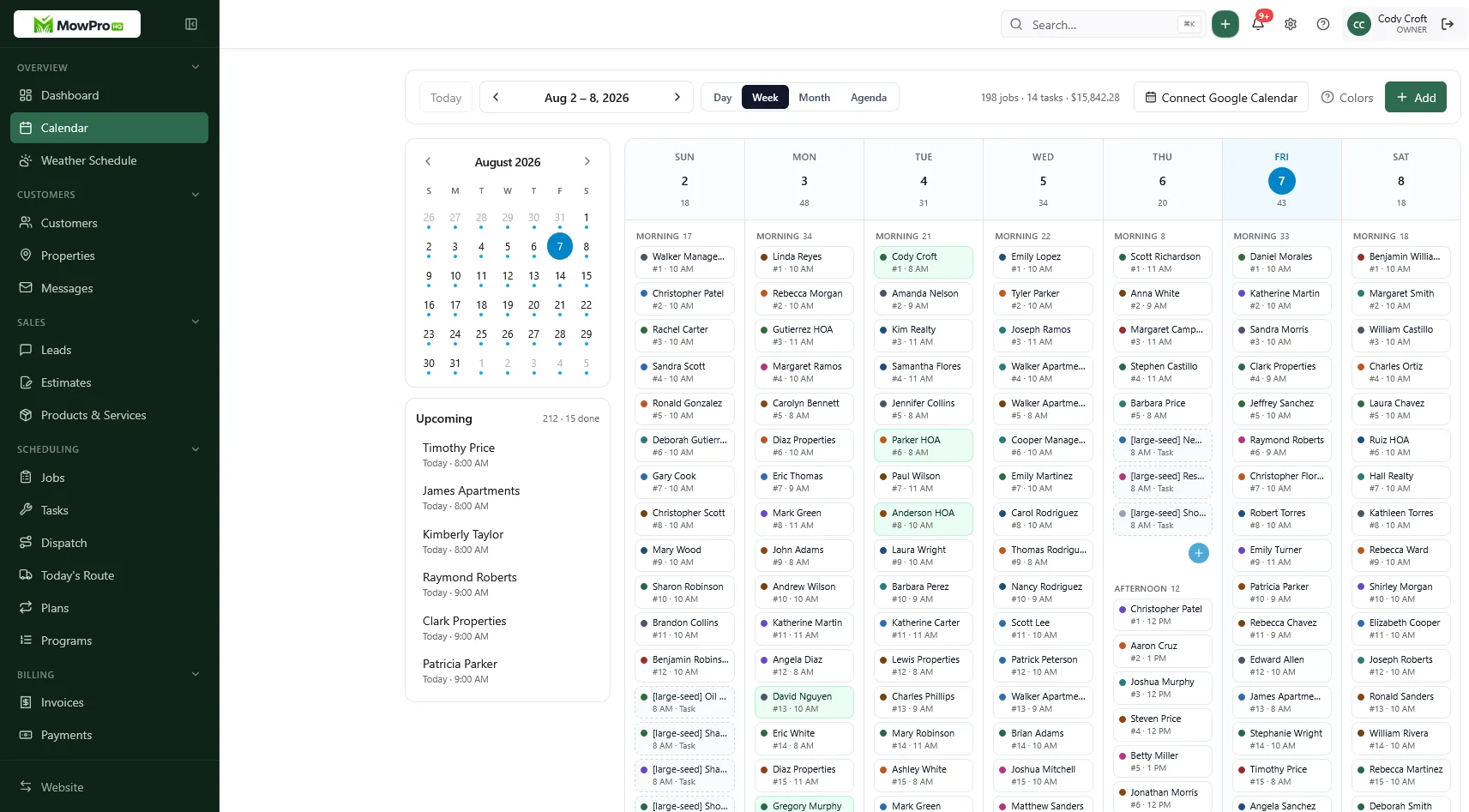
Common lawn care software migration failures
| Failure | Early warning | Response |
|---|---|---|
| Contacts imported without properties | Crew asks which address belongs to a customer | Stop expansion and repair links |
| Recurring plans do not create visits | Next week is unexpectedly empty | Correct recurrence mapping before more imports |
| Open invoices or credits are missing | Aging totals do not match | Pause billing and reconcile at the cutoff |
| Saved cards are assumed to transfer | Autopay fails after launch | Use an approved token migration or customer reauthorization |
| Everyone receives admin access | Crew accounts can export or change billing | Apply least-privilege roles and review access |
| Two editable calendars stay live | Text messages and boards disagree | Freeze the old system and use a change log |
| The old account is canceled too early | A refund, tax record, or attachment is unavailable | Maintain verified exports and agreed read-only access |
| No rollback threshold exists | Staff improvise when the route is wrong | Stop at predefined conditions and use the fallback |
| Website leads still go to the old inbox | New requests appear unassigned | Test forms and notifications; see website leads |
A successful migration is uneventful: crews see the right work, customers are billed once, deposits match, and the company can retrieve the records it is required to keep.
Considering MowProHQ
MowProHQ supports core lawn care workflows such as customers and properties, scheduling, quotes, invoicing, and field operations. Confirm current features, limits, migration support, and plan details on the pricing page. When your export, reconciliation, payment, and rollback plans are ready, you can create an account and test the workflow with a controlled pilot.
Frequently asked questions
- How do I switch lawn care software without losing customer data?
- Inventory the data you need, request complete exports from the current vendor, save verified backups in a restricted location, clean the files, and test a small import before cutover. Keep the old system read-only until records and balances reconcile.
- Should I migrate every old lawn care job?
- Usually not. Move active customers, service properties, current plans, open estimates, unpaid invoices, credits, and history you need for operations, taxes, warranties, or compliance. Keep older records in a searchable archive according to your retention policy.
- Can saved customer cards move to new lawn care software?
- Do not assume they can. Payment credentials are usually held by a processor or vault and may be restricted from export. Ask both vendors and the processor about supported token migration; otherwise, plan for customers to authorize payment again through a secure hosted form.
- How long should I run old and new software in parallel?
- Use a short, controlled pilot long enough to cover the normal workflow for one crew or route. Compare schedules, completions, invoices, credits, and deposits. Avoid maintaining two editable company-wide systems because they quickly drift.
- What is a safe lawn care software cutover day?
- Choose a lighter work period with staff available to help. Freeze edits in the old system, define rollback conditions before starting, and avoid combining the cutover with pricing, processor, service-area, or staffing changes.
- What should I reconcile after migration?
- Reconcile customer and property counts, upcoming visits, recurring plans, open estimates, invoice aging, credits, payments, deposits, taxes, and the accounting system. Investigate differences before expanding beyond the pilot.
- Can I switch lawn care software mid-season?
- Yes, but reduce risk by piloting one route or crew, keeping unaffected routes stable, backing up exports, and setting a rollback point. Do not attempt a company-wide cutover during peak growth or weather recovery.


