
MowProHQ Blog/Buying Guide
Best Lawn Care Business Software: A Buyer’s Checklist
A practical checklist for comparing lawn care business software, from scheduling and field workflows to security, migration, support, data export, and total cost.
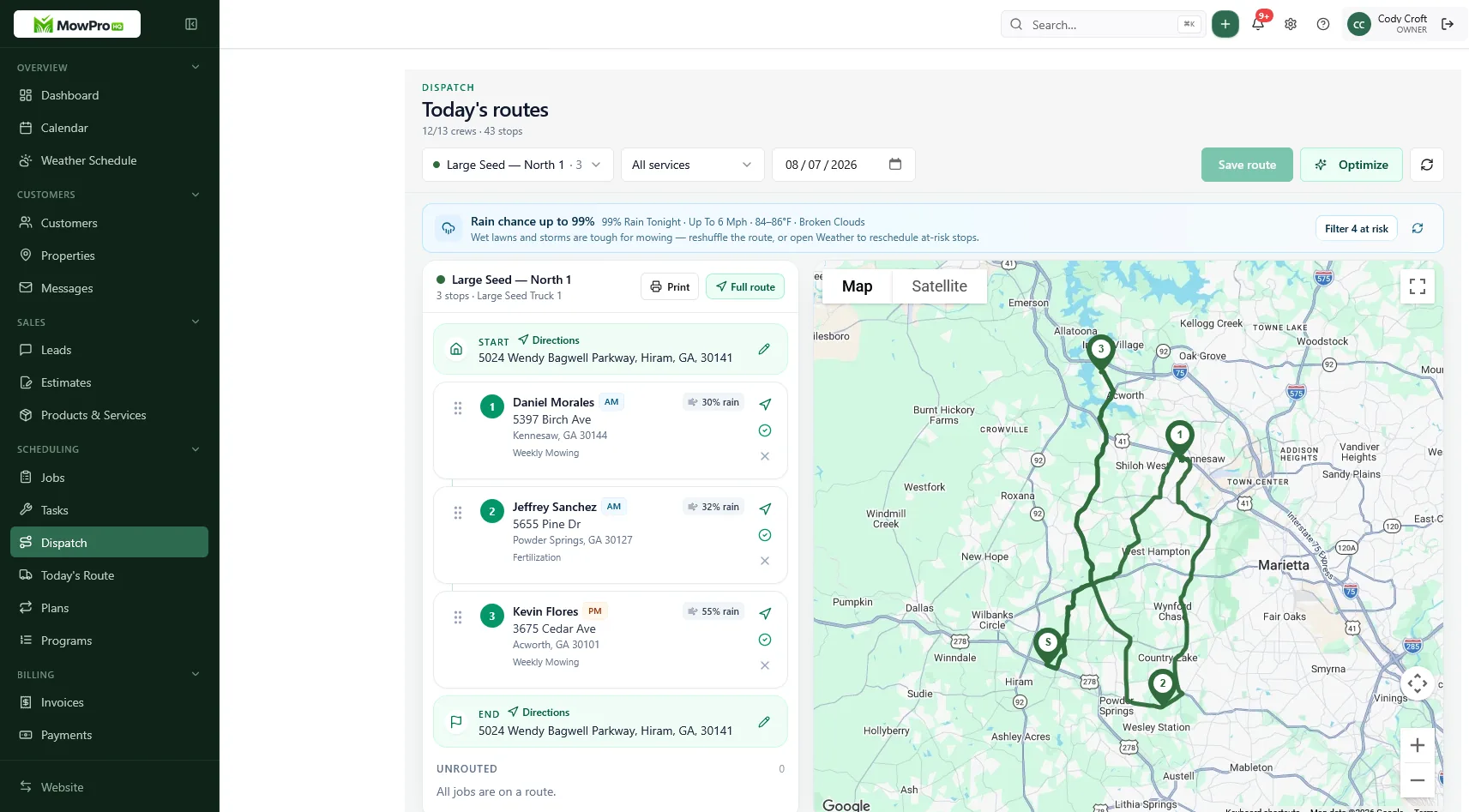
The best lawn care business software is not necessarily the product with the longest feature list. It is the one that fits how your company sells, schedules, completes, and bills work—without creating avoidable risk or administrative overhead.
Use this buyer’s checklist to compare lawn care software on the same practical criteria. Requirements will differ for a solo mowing route, a growing landscape company, and a multi-crew operation, so weight each section according to your business.
Define the workflow before comparing products
Start with a simple map of how work moves through the company:
- A lead requests service.
- The office or owner creates a customer and property record.
- A quote is prepared, approved, and converted into work.
- Recurring or one-time jobs are scheduled and assigned.
- The crew reviews instructions, records completion, and reports exceptions.
- Completed work becomes an invoice.
- Payment and accounting records are reconciled.
- Managers review unpaid balances, production, and future capacity.
Then note the exceptions that consume time: rain delays, skipped visits, vacation holds, locked gates, add-ons, callbacks, partial payments, and multi-property customers. Software should handle these ordinary events without forcing staff to rebuild records or maintain a separate spreadsheet.
Turn current problems into test cases
| Current problem | Workflow to test | Evidence of a good fit |
|---|---|---|
| Recurring visits disappear after a rain move | Reschedule a full day and inspect future dates | No lost visits or unintended duplicates |
| Crew misses property instructions | Open a stop on a phone with crew-level access | Current notes are visible at the right address |
| Quoted scope differs from the invoice | Convert a quote through job completion and billing | Items, quantities, and approved changes remain connected |
| Invoices wait until the weekend | Complete several jobs and create invoices | Exceptions are clear and routine billing is quick |
| Office and field use side lists | Run a route without texts or paper backups | Status and changes remain visible to authorized staff |
| Growth makes the bill unpredictable | Model the next 12 months of usage | Fees and limits are understandable before expansion |
Lawn care software buyer’s checklist
Score each category from 0 to 2:
- 0 — Missing: the requirement is unavailable or depends on a manual workaround.
- 1 — Partial: it works, but with meaningful limitations or added tools.
- 2 — Ready: it works in a realistic test with acceptable effort.
Weight essential categories more heavily than optional ones. A company that applies treatments, for example, may treat compliance records as essential while a mowing-only business may not.
1. Recurring scheduling and weather changes
Test weekly, biweekly, seasonal, and one-time work. Pause service for a vacation, skip one occurrence, move a rain day, and inspect what happens to future visits. Confirm that staff can distinguish overdue, rescheduled, completed, and canceled work.
See lawn care scheduling software essentials, spring rush scheduling, and weather reschedules for lawn care routes.
2. Customer and property records
A contact record alone is not enough. Each service address may need separate pricing, gate instructions, pets, photos, service history, equipment notes, and billing preferences. Test a landlord or commercial contact with multiple properties and confirm that sensitive notes appear only to appropriate users.
Related guides: lawn care CRM for customers and properties and property notes for lawn care.
3. Quotes, approvals, and scope changes
Create a quote with packages, optional work, quantities, taxes, and an expiration date. Approve it as a customer would, convert it to scheduled work, add an authorized change, and create the final invoice. Look for a clear record of what the customer approved.
For more detail, read how to write lawn care quotes, how to price lawn care jobs, and lot-size quoting.
4. Job completion, invoicing, and payments
Confirm how completed work becomes an invoice and how the system handles deposits, partial payments, credits, refunds, failed payments, and past-due balances. If accounting software remains the financial system of record, test the integration or export in both directions and identify which system resolves discrepancies.
Related: lawn care invoicing, invoice collections, and cash versus card pricing.
5. Field usability
Have a crew member—not just the buyer—test the mobile experience. Check today’s stops, navigation, property instructions, photos, time or status updates, add-on notes, and offline or poor-signal behavior. Measure taps and typing for common actions.
Crew scheduling apps for lawn care covers additional field considerations.
6. Dispatch and route planning
For multiple crews, test reassignment, workload visibility, last-minute jobs, and route changes during the day. Ask whether route suggestions account for service windows, crew skills, capacity, and start or end locations. GPS may help with coordination, but confirm its purpose, retention policy, employee notice requirements, and access controls.
Read route planning and dispatch and GPS day-of dispatch.
7. Roles and permissions
Create representative accounts for an owner, office manager, crew lead, technician, and bookkeeper. Verify who can:
- View customer contact details and private property notes
- Change prices, schedules, or completed work
- Issue refunds or view payment information
- Export records or delete data
- Add users and change permissions
- View location, payroll, or financial reports
Prefer least-privilege access, separate user accounts, prompt access removal, and an audit trail for important changes. Shared logins make errors and unauthorized activity harder to investigate.
8. Security and privacy
Vendors should answer security questions clearly, even if they cannot disclose sensitive implementation details. Ask about:
- Encryption in transit and at rest
- Multi-factor authentication and single sign-on, if needed
- Backup frequency, restoration testing, and disaster recovery
- Security incident response and customer notification
- Independent security assessments or relevant certifications
- Payment processing responsibilities and PCI compliance
- Subprocessors, hosting regions, and cross-border data handling
- Data retention, deletion, and use of customer data for analytics or AI
- A current privacy policy and a process for privacy requests
Match the review to the sensitivity of the data you will store. Customer addresses, access instructions, employee locations, and payment records deserve more scrutiny than a basic contact list.
9. Reporting and integrations
List the decisions you make weekly and monthly, then verify that reports answer them. Common needs include completed work, future workload, unpaid invoices, revenue by service, customer history, and crew production. Check whether report definitions are clear and whether results can be exported.
For integrations, test failure handling as well as the happy path. Ask which vendor supports the connection, how duplicates are prevented, how often data syncs, and what happens when a record changes in both systems.
10. Data ownership and export
Do not settle for “your data is portable.” Request a sample export and inspect it. Useful exports may include:
- Customers, contacts, and properties
- Recurring plans, jobs, visits, and completion history
- Quotes, invoices, payments, credits, and taxes
- Notes, custom fields, tags, and attachments
- Users, assignments, and audit history
Confirm available formats, attachment handling, field relationships, export frequency, fees, and cancellation access. A CSV of customer names is not a complete exit path if job history and financial records remain trapped.
11. Support and service reliability
Ask which support channels are included, their operating hours, expected response times, escalation process, and availability during your busiest season. Review the vendor’s status history if one is published. Find out how planned maintenance, outages, and data-restoration requests are communicated.
During a trial, contact support with a realistic workflow question. Judge the accuracy and usefulness of the answer, not only the response speed.
12. Migration and onboarding
Ask for import templates before signing. Identify who cleans data, maps fields, imports attachments, verifies balances, and trains staff. A migration plan should include:
- A backup and export from the old system
- Data cleanup and field mapping
- A small test import
- Validation of customers, schedules, balances, and history
- Staff training with role-specific workflows
- A defined cutover date and rollback plan
- Read-only access or archived exports for record retention
More guidance: switching lawn care software and common lawn care software mistakes.
13. Total cost of ownership
Compare the expected annual cost, not the advertised starting price.
| Cost category | Questions to ask |
|---|---|
| Subscription | Monthly or annual commitment? Price changes by plan, location, customer count, or revenue? |
| Users | Charges for office users, crew members, seasonal staff, or inactive accounts? |
| Usage | Fees or limits for SMS, email, storage, signatures, maps, or API access? |
| Payments | Processing, dispute, refund, instant-transfer, or minimum fees? |
| Add-ons | Separate charges for routing, GPS, forms, websites, automation, or reporting? |
| Setup | Onboarding, migration, data cleanup, training, or implementation fees? |
| Integrations | Additional vendor subscriptions or connector costs? |
| Exit | Contract termination, export, archive, or post-cancellation access costs? |
| Internal effort | Staff time for administration, duplicate entry, reconciliation, and training? |
Model current operations and a realistic growth scenario. Also estimate the value of time saved and errors avoided; inexpensive software is not a bargain if it requires hours of weekly rework. See free versus paid lawn care software for a broader comparison.
Run a practical trial
Use the same test with every serious candidate:
- Import a representative sample of customers and properties.
- Build a real route week with recurring and one-time work.
- Move a rain day and review the following weeks.
- Create, approve, and revise a quote.
- Convert the quote to work, record completion, and produce an invoice.
- Test a payment or use the vendor’s safe test mode.
- Have field staff complete a route from their own phones.
- Test each role’s permissions, including a denied action.
- Contact support with a realistic question.
- Export the trial data and confirm that it is readable and complete.
Do not upload more personal or payment data than the trial requires. Use test records where practical, and confirm how trial data is deleted if you do not continue.
Trial scoring worksheet
| Category | Weight | Score (0–2) | Notes |
|---|---|---|---|
| Recurring scheduling and weather recovery | High | ||
| Customer and property records | High | ||
| Quote → job → invoice workflow | High | ||
| Crew mobile use | High | ||
| Roles, permissions, and auditability | High | ||
| Security and privacy | High | ||
| Data export and migration | High | ||
| Support and reliability | Medium | ||
| Reporting and integrations | Medium | ||
| Total cost at current size and growth | High |
Treat a zero in a critical category as a risk to resolve, even if the total score looks good.
In MowProHQ
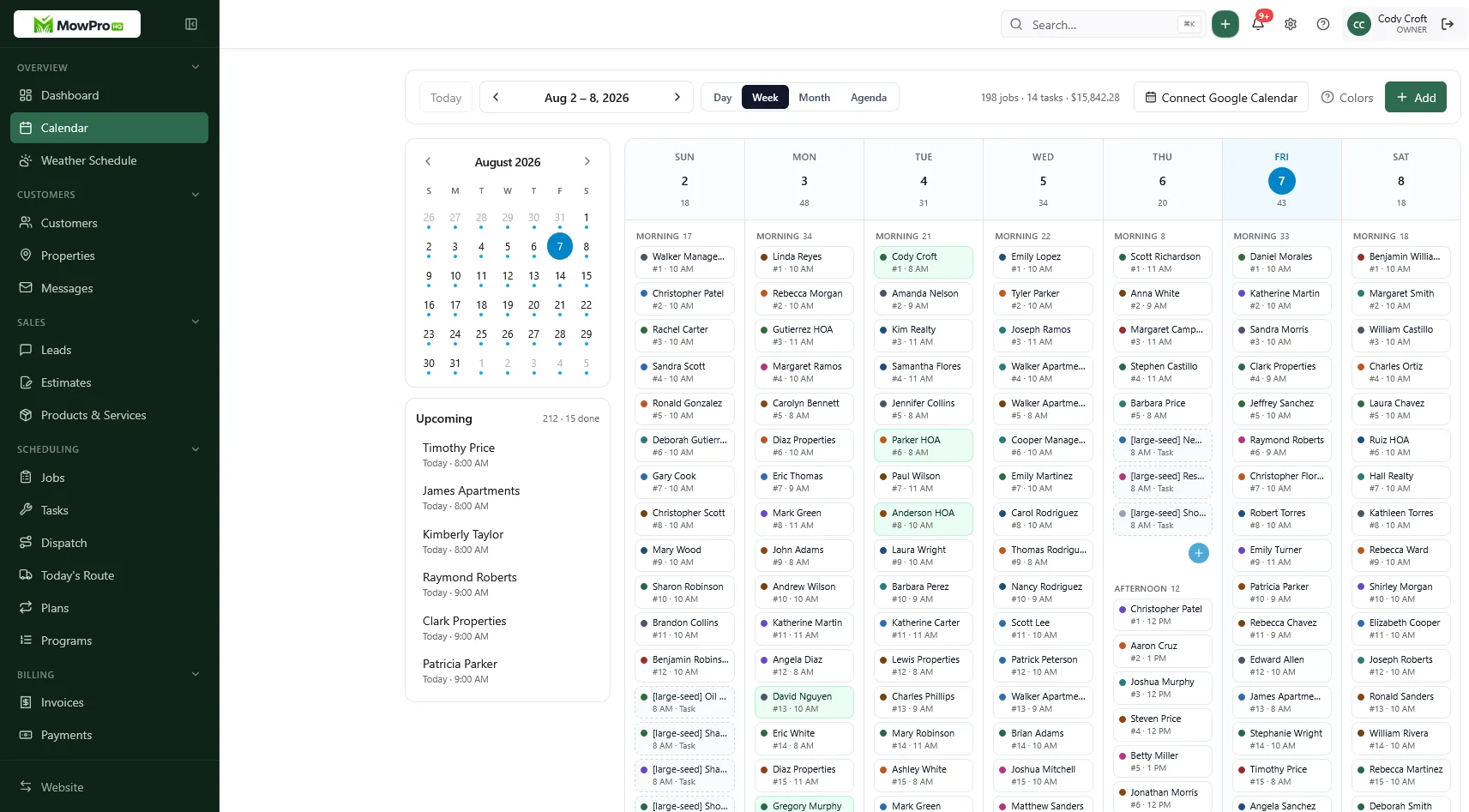
Questions to ask every vendor
- Show how a recurring visit is skipped, moved, and resumed without changing later dates unexpectedly.
- Show the complete quote-to-payment history for one property.
- Demonstrate the product on a crew member’s phone with restricted permissions.
- Explain security controls, backups, incident notification, and privacy practices.
- Provide a sample export that includes operational and financial history.
- Describe migration responsibilities, validation, training, and rollback options.
- List all expected costs for current use and a realistic growth scenario.
- Explain support coverage, escalation, and communication during an outage.
- Identify contract, renewal, cancellation, retention, and deletion terms.
Document answers in writing. Product capabilities, policies, and pricing can change, so verify current terms directly with each vendor before deciding.
Where MowProHQ fits
MowProHQ combines lawn care scheduling, customer and property records, quotes, jobs, invoices, and payments. Review the current capabilities and plan details on the pricing page, then use the signup flow to evaluate the product against the same checklist and real-world trial you would use for any vendor.
The final choice should leave your team with a workable daily process, appropriate controls, a predictable total cost, and a practical way to take your data with you.
Frequently asked questions
- What is the best lawn care business software?
- There is no single best product for every company. The right lawn care software fits your recurring schedule, crew workflow, billing process, security needs, budget, and growth plans. Test it with real work before committing.
- What features should lawn care software include?
- Most companies need recurring scheduling, customer and property records, quotes, job tracking, invoices, payments, mobile crew access, permissions, reporting, and reliable data export. Multi-crew businesses may also need dispatch, route planning, GPS, or treatment tracking.
- How should I compare lawn care software?
- Document your current workflow, choose several high-value tasks, and run each product through the same realistic test. Include a rain reschedule, quote-to-invoice flow, crew phone test, permissions check, data export, and a total-cost estimate.
- What security and privacy questions should I ask?
- Ask how the vendor protects data in transit and at rest, manages backups and incidents, supports multi-factor authentication, limits employee access, handles payment data, and uses or shares business and customer information.
- Can I move my data if I change software?
- Confirm this before subscribing. Ask for a sample export of customers, properties, jobs, notes, quotes, invoices, payments, attachments, and audit history. Check the format, completeness, cost, and how long access remains available after cancellation.
- How do I calculate the true cost of lawn care software?
- Add subscriptions, users, add-ons, payment processing, messaging, onboarding, integrations, hardware, training, migration, and contract or cancellation costs. Then compare that annual total with the time and errors the software is likely to save.


