MowProHQ Blog/Invoicing
Lawn Care Invoicing: A Practical Guide to Getting Paid
Build an accurate lawn care invoicing workflow for completed jobs, due dates, payment options, records, reminders, and disputes.
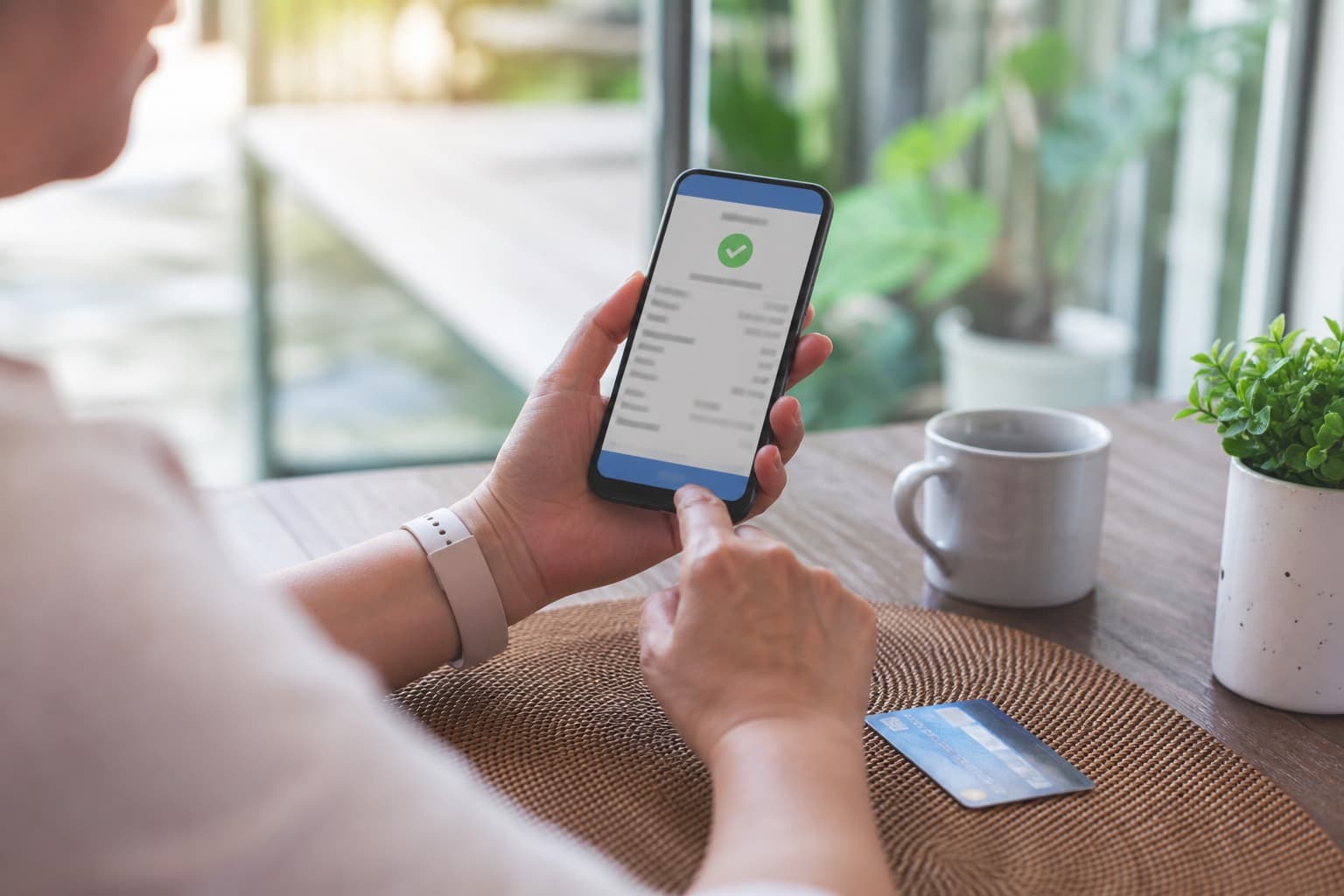
A full route does not automatically produce healthy cash flow. Each completed visit still has to become an accurate invoice, reach the right person, and be matched to a payment. A reliable lawn care invoicing process makes those handoffs visible without promising that every customer will pay immediately.
This guide covers completion records, invoice accuracy, taxes, due dates, payment authorization, card and ACH handling, reminders, disputes, accessibility, privacy, and record retention. It is operational guidance, not accounting, tax, or legal advice; confirm requirements for your location and business.
Why lawn care invoicing gets messy
Recurring outdoor work creates several opportunities for billing records to drift:
- A route changes because of rain, access problems, or customer requests
- Crews complete add-ons that never reach the office
- The schedule says a job occurred, but there is no completion evidence
- Cash, checks, cards, and ACH payments live in separate records
- Multi-property customers need property-level detail for approval
- Tax, discounts, credits, or deposits are applied inconsistently
- An invoice is sent to a contact who cannot approve it
The solution is not merely a better-looking PDF. It is a documented link among the accepted work, the property, the completion record, the invoice, and the payment.
Build invoices from verified completed work
A practical workflow looks like this:
- Schedule the agreed service for the correct customer and property.
- Have the crew record whether the job was completed, partially completed, or skipped.
- Capture quantities, notes, and customer-approved extras before the crew leaves.
- Compare the completion record with the accepted quote, plan, or work order.
- Draft and review the invoice, including tax and due-date treatment.
- Send it through the customer's agreed delivery method.
- Record payments, credits, disputes, and remaining balances in one ledger.
When quoting, scheduling, and invoicing use the same customer and property records, there is less re-entry to reconcile. That connection is an important part of lawn care business software. A dependable schedule also matters; see lawn care scheduling software essentials.
Worked example: route closeout
Suppose a crew finishes a route with several add-on bagging services and two skipped properties.
A weak closeout relies on memory days later. An add-on may be missed, a skipped stop may be billed, and the office may have to issue credits.
A stronger closeout records:
- The status of each visit
- The reason for every skip or partial completion
- The authorized add-ons, quantities, and agreed prices
- Any cash or check received, with a receipt
- Exceptions that require office review before billing
The office can then invoice from records rather than assumptions.
Check invoice accuracy before sending
An invoice should match the accepted scope and make the charge understandable without exposing unnecessary customer data.
| Line or field | Accuracy check |
|---|---|
| Business details | Use the correct legal or trade name and current contact details |
| Invoice number | Assign a unique, traceable identifier |
| Bill-to contact | Confirm the person or department responsible for payment |
| Service property | Show the address or approved property identifier |
| Service date | Match the verified completion record |
| Services and quantities | Use clear names, units, and prices from the agreement |
| Add-ons | Include only documented, authorized extras |
| Discounts, deposits, and credits | Show how each changes the balance |
| Tax | Apply the correct taxability, jurisdiction, rate, and rounding method |
| Total and currency | Recalculate after every adjustment |
| Due date | State a calendar date, not only vague terms such as “upon receipt” |
| Payment instructions | List approved methods and a secure payment path |
| Questions or disputes | Provide an accessible contact channel |
Scope and pricing should be clear before work begins. The guides to pricing lawn care jobs, writing lawn care quotes, and cash versus card pricing can help establish that foundation.
Taxes require local setup
Sales tax treatment can depend on the service, materials, customer type, and jurisdiction. For example, mowing, landscaping, treatments, and separately sold materials may not all be treated alike. Do not copy another contractor's setup or assume software defaults are correct.
- Ask a qualified local tax or accounting professional which items are taxable
- Record customer exemption documentation when applicable
- Keep labor and materials separated if local rules require it
- Confirm whether discounts, fees, tips, and card surcharges affect the taxable amount
- Review rates and filing obligations when your service area changes
Correcting a tax configuration before sending invoices is usually easier than repairing a season of records.
Choose a billing cadence and a real due date
The best cadence is the one your agreement, staffing, and customer approval process can support consistently.
| Customer or work type | Cadence to consider | Control to keep |
|---|---|---|
| Residential recurring | Per visit or weekly | Reconcile every completion |
| Residential one-off | After verified completion | Confirm add-ons and deposits |
| Small commercial | Per visit, weekly, or contract cadence | Follow purchase-order requirements |
| Property manager or HOA | Match the agreed AP cycle | Retain property and service-date detail |
Monthly billing can be appropriate, especially for commercial accounts. If you use it, reconcile completed work throughout the month instead of reconstructing the route at month-end.
State a specific due date and make sure it follows the contract. If you offer early-payment discounts, late fees, or service pauses, disclose the terms before work begins and verify that they are permitted locally. Weekends, holidays, mailed checks, and commercial approval processes may affect your reminder schedule.
Make payment convenient and controlled
Offer methods your business can reconcile and support. Convenience should not come at the cost of authorization, security, or a reliable invoice trail.
| Method | Useful control | Common risk |
|---|---|---|
| Hosted card or pay link | Use a reputable processor-hosted payment page | Phishing, disputed charges, or exposing card data |
| ACH or bank debit | Keep authorization and revocation records | Returns, incorrect account details, or unauthorized debits |
| Check | Record check number and deposit status | Mail delay, loss, or returned checks |
| Cash | Issue a receipt and record who accepted it | Loss, theft, or an unapplied payment |
| Autopay | Obtain clear, method-specific authorization | Charging after cancellation or outside agreed terms |
Recurring plans can make billing more predictable when their scope, cadence, and cancellation terms are clear. See recurring mowing plans.
Payment authorization and security
Authorization is not a one-time checkbox for every future situation. Tell customers what will be charged, when, how amounts may vary, and how to update or revoke authorization. Keep evidence of consent and send receipts or notices required by your agreement, processor, network rules, or applicable law.
For cards:
- Use a processor's hosted form, tokenization, or approved terminal
- Do not place full card numbers or security codes in notes, email, texts, or spreadsheets
- Limit staff access and enable individual accounts, strong passwords, and multi-factor authentication
- Never retain card security codes after authorization
- Work with your processor on applicable PCI DSS responsibilities and incident procedures
For ACH:
- Use the authorization method required for the transaction type
- Retain proof of authorization for the required period
- Explain timing, variable amounts, cancellation, and returned-payment handling
- Avoid collecting bank credentials through ordinary email or text
- Confirm current processor, bank, and NACHA requirements
Do not ask a customer to send sensitive payment details because a link “did not work.” Verify the official payment channel and contact the processor when something looks suspicious.
Use reminders without making promises or threats
Sending an accurate invoice promptly may remove avoidable delay, but it does not guarantee faster payment. A reminder sequence should follow the contract and reflect customer type, invoice delivery, and any active dispute.
A sample sequence to adapt:
- Send the invoice and confirmation through the agreed channel.
- Send a courteous reminder near or shortly after the due date.
- Confirm that the correct payer received the invoice and required documents.
- Send a clear past-due notice that states the balance, original due date, and next permitted step.
- Pause future work or pursue collections only as allowed by the agreement and local law.
Keep the tone factual. Avoid disclosing debt details to unrelated people, adding an unapproved fee, or threatening action you cannot or do not intend to take. The lawn care invoice collections guide covers the operational side in more depth.
Handle disputes with a repeatable process
Do not treat every dispute as refusal to pay. A customer may have a legitimate question about scope, timing, quality, authorization, tax, or a duplicate charge.
- Acknowledge the dispute and note the date and amount.
- Preserve the quote, agreement, completion record, communications, invoice, and payment evidence.
- Separate the disputed amount from any undisputed balance when appropriate.
- Investigate with a designated person and respond in writing.
- Issue a corrected invoice, credit, refund, or explanation when supported by the record.
- Follow processor deadlines for card disputes and bank returns.
- Record the resolution without deleting the original transaction history.
Chargebacks and ACH returns have short response windows in some cases. Use the processor's current instructions, and seek professional advice for material or recurring disputes.
Keep records that reconcile
Retention periods vary by record type and jurisdiction. Ask a local accountant or attorney how long to keep invoices, tax records, contracts, authorizations, receipts, credits, refunds, and dispute documents.
At minimum, make it possible to trace:
quote or agreement → job completion → invoice → payment or adjustment → bank deposit
Use role-based access, backups, and an audit trail where available. Do not overwrite an invoice to hide a mistake; preserve the original and document the correction. Reconcile payment processor deposits and fees to the accounting ledger, because a deposited net amount may represent several customer payments.
For commercial and multi-property billing, retain the property, service date, purchase order when required, and payer contact. A CRM organized around customers and properties can support that separation.
Protect privacy and keep invoices accessible
Collect only the customer and payment information needed for the stated business purpose. Limit who can view it, define when it should be deleted, and use vendors whose privacy and security practices fit your obligations. Avoid putting gate codes, sensitive property notes, full payment credentials, or unrelated personal information on invoices.
Invoices and payment flows should also work for customers with disabilities:
- Use readable text, sufficient contrast, and descriptive link labels
- Provide a tagged or otherwise accessible document format when possible
- Make payment forms keyboard-friendly and compatible with assistive technology
- Do not rely on color alone to identify overdue balances or errors
- Offer a reasonable alternative channel for invoice questions and payment assistance
- Write useful image alternative text when an image conveys billing information
Accessibility requirements vary, but clear documents and flexible support reduce friction for everyone.
Account for rain weeks, skips, and partial work
Weather and access changes should update billing records, not just the route board.
- Do not mark a visit complete when it was skipped.
- Record the reason for a skip, partial service, or return visit.
- Bill a trip or access fee only when it was disclosed, agreed, and permitted.
- Apply prepaid-package rules exactly as written.
- Review route exceptions before creating a batch of invoices.
If only part of a scope was completed, follow the agreement for partial billing and explain the line item. For schedule-side practices, see weather reschedules for lawn care routes.
Review a small set of useful metrics
Use your own historical results and contracts to set targets. Generic “green, yellow, red” benchmarks can hide differences in billing cadence and customer mix.
| Metric | What it can reveal |
|---|---|
| Unbilled completed jobs | Breaks between field closeout and billing |
| Completion-to-invoice time | Process delay, not promised payment speed |
| Invoice corrections and credits | Scope, tax, or data-quality problems |
| Past-due balances by age | Collection workload and concentration |
| Disputed balance and dispute cause | Repeat service or authorization issues |
| Unapplied payments | Reconciliation or identification failures |
| Processor deposits not reconciled | Missing fees, refunds, or bundled payments |
Review exceptions, not just averages. One large disputed account can matter more than dozens of routine residential invoices.
Daily and weekly invoicing checklist
Daily:
- Verify completions, skips, and partial jobs.
- Review approved add-ons and supporting notes.
- Check invoice details, tax treatment, totals, and due dates.
- Send through the customer's agreed channel.
- Receipt and record cash, checks, card payments, and ACH payments.
Weekly:
- Compare completed jobs with issued invoices.
- Reconcile processor and bank deposits.
- Review unapplied, disputed, and past-due balances.
- Correct access or data-quality issues.
- Follow the documented reminder process.
Assign responsibility for each step. “The office handles it” is not a control unless a named role owns the review.
How software can support the workflow
Software can connect customers, properties, jobs, quotes, invoices, and payment records, but it cannot decide whether a completion is accurate or a fee is lawful. Evaluate permissions, audit history, exports, accessibility, security, processor terms, and accounting handoffs alongside convenience.
MowProHQ brings core lawn care operations into one workflow. Current plan and payment-processing details can change, so review pricing for the latest information or visit signup to create an account.
Good lawn care invoicing is a controlled handoff: documented work becomes an accurate invoice, the customer receives clear terms and a secure way to pay, and every payment or dispute remains traceable. Build that routine with guidance from local accounting, tax, and legal professionals, then review it as your services and territory change.
Frequently asked questions
- How can a lawn care business improve its payment cycle?
- Create invoices from verified job completions, send them on a consistent schedule, state a specific due date, and offer approved payment methods with clear instructions. Reminders and accurate records can reduce avoidable delays, but no workflow can guarantee when a customer will pay.
- Should I invoice after every mow or monthly?
- Per-visit or weekly billing often makes completed work easier to verify. Monthly billing may suit commercial contracts or customer preferences, provided each visit is recorded and reconciled before the invoice is sent. Choose a cadence that matches the agreement and your bookkeeping process.
- What should a lawn care invoice include?
- Include unique invoice and customer details, the service property, service dates, itemized work, approved add-ons, taxes or discounts when applicable, the total, due date, accepted payment methods, and contact information for questions. Keep the invoice consistent with the accepted quote or service agreement.
- How should I handle late lawn care invoices?
- Follow the payment and reminder terms in your customer agreement. Start with a courteous reminder, document each contact, and explain any service pause, late fee, or collection step before taking it. Local laws and contract terms may limit fees, notices, or collection practices.
- How do I prevent missed add-ons or incorrect invoices?
- Require crews to record completion, quantities, notes, photos when appropriate, and customer-approved extras at the property. Have a designated person compare those records with the quote and invoice before sending it.
- Can I charge different cash and card prices?
- Rules for surcharges, cash discounts, debit cards, disclosures, and tax treatment vary by location, card network, and processor. Present any permitted pricing clearly before authorization and on the invoice, and confirm the approach with your processor and local accounting or legal adviser.
- Which lawn care invoicing metrics are useful?
- Useful measures include unbilled completed jobs, invoice error or credit rates, time from completion to invoice, past-due balances by age, disputed balances, and unapplied payments. Set targets from your own contracts and operating capacity rather than relying on universal benchmarks.