
MowProHQ Blog/Crews
Crew Scheduling Apps for Lawn Care: From Solo to Multi-Crew
What crews need in a lawn care scheduling app - from solo habits to multi-truck dispatch - without seat fees that punish spring hiring.
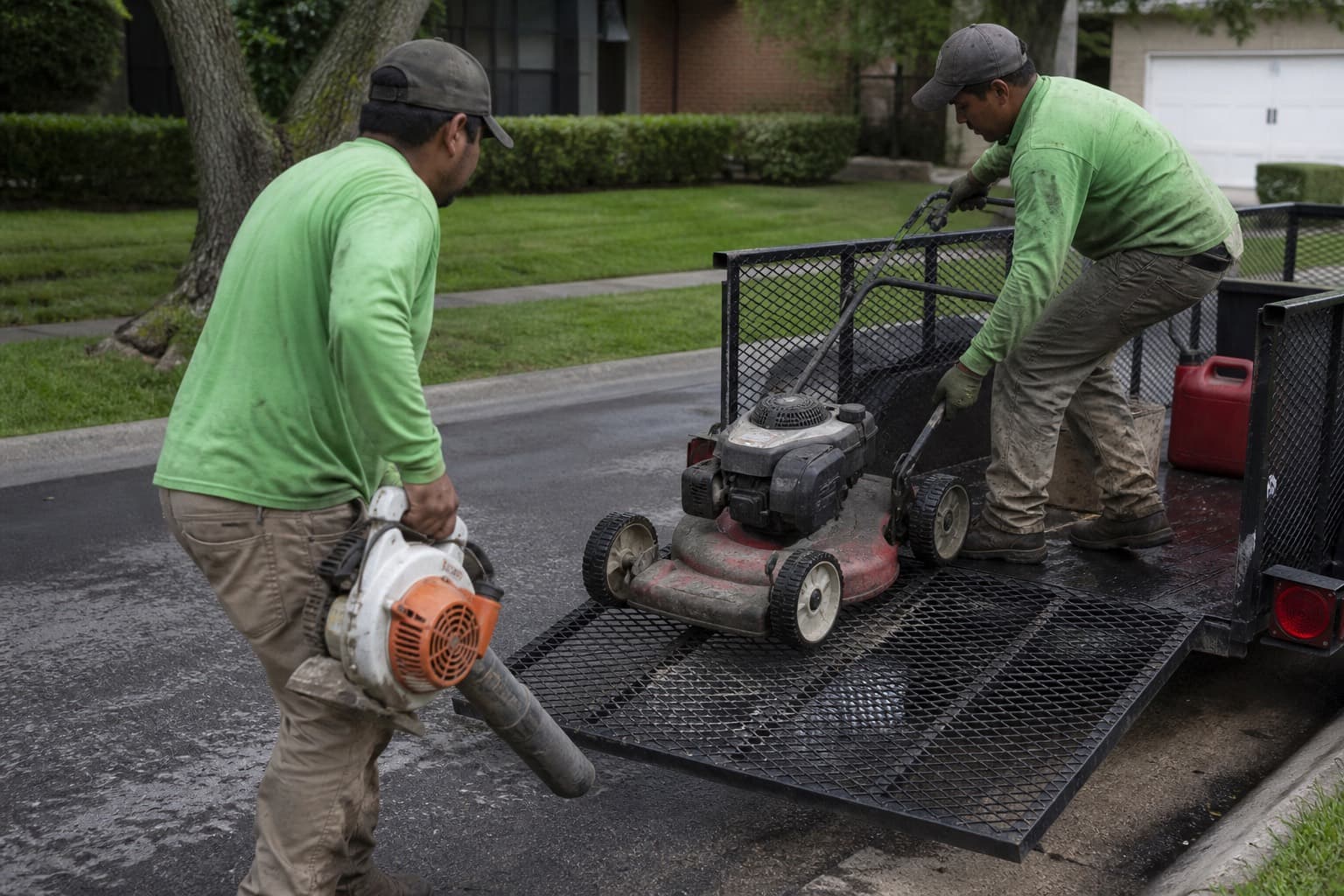
A crew scheduling app for lawn care makes today’s work obvious on a phone - stops, notes, completions - while the office sees load, weather moves, and unfinished jobs without becoming a human API between customers and trucks. The day you hire a second mower is the day group texts stop being a strategy.
This guide covers solo habits first, then multi-crew roles, seat-fee traps, onboarding, and the scaling signals that mean you need a real board.
Solo first: build habits before hierarchy
Before you need “roles,” you need:
- A reliable job list tied to properties
- Completion tracking that survives the day
- Notes that the next visit can use
- Invoices that follow completed work
Master that as a solo operator with solid scheduling software, then layer crew assignment. If the solo version is chaos, a second login only multiplies the chaos.
Solo checklist before hiring
- Tomorrow’s list is published tonight
- Every stop has a property with access notes
- Completions are marked the same day
- Add-ons are captured before leaving the driveway
- Unfinished work is visible before sundown
If those five are shaky, fix the system before you fix headcount. See also solo-to-crew scaling.
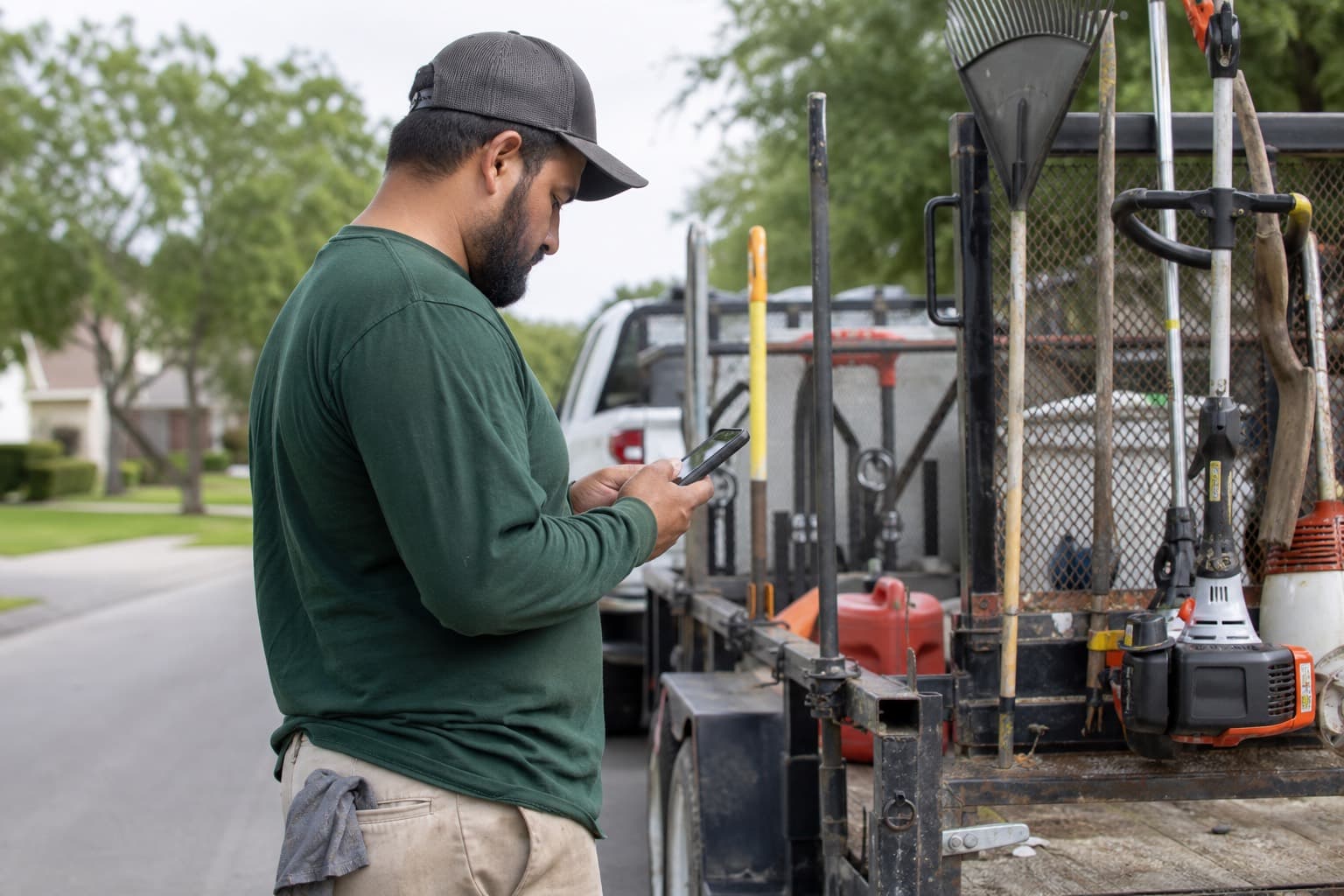
What crews actually need on the phone
Crews need speed and clarity - not a desktop ERP:
- Today’s stops in order
- Addresses and navigation
- Gate / dog / HOA notes
- Ability to mark complete and add a quick note
- Visibility into add-ons that must be billed
They do not need twelve menus. If the app takes longer than the blow-off, it will not get used - and you will be back to texts by Thursday.
Field UX litmus test
Hand the phone to a new helper and ask them to:
- Find the next stop
- Read the gate note
- Mark the job complete
- Add “side yard weed-eated - bill add-on”
If any step requires a call to the owner, the app (or your setup) failed the litmus test.
What the office / owner needs
- Assign jobs to crews or people
- See who is overloaded before lunch, not after overtime
- Move work after weather without rebuilding by hand
- Know what is unfinished before sundown
- Connect completions to invoices
That is dispatch plus accountability - expanded in route planning and dispatch and weather reschedules.
| Role need | Field | Office |
|---|---|---|
| Primary question | What do I do next? | Who has capacity? |
| Must-have | Ordered list + notes | Assignment + load view |
| Failure mode | Wrong yard / missed note | Invisible unfinished work |
| Success signal | Completions logged same day | Board accurate by evening |
Roles without bureaucracy
Keep it light:
- Owner / dispatcher: builds and adjusts the board
- Crew lead: runs the list, flags issues, owns quality
- Helper: executes, limited settings access
Avoid giving every seasonal hire full admin. Good apps support permission levels without charging a fortune per login. Bureaucracy is not professionalism; clear ownership is.
Communication rules that reduce texts
Agree on:
- When to call vs note in the app (safety and access failures call; routine notes stay in-app)
- Photo expectations for damage or upsells
- End-of-day checkout (equipment, unfinished stops, dump runs)
- Who can promise price changes to customers (usually only the owner)
The app should reduce texts, not create a second inbox nobody watches. Customer-facing habits: texting lawn care customers.
Seat fees quietly punish growth
Lawn care hiring is seasonal. A per-user fee that spikes in April trains you to share logins - which breaks accountability and makes “who marked that complete?” unanswerable.
Prefer platforms with unlimited team members on core ops or predictable pricing as headcount changes. Factor this into any software buying checklist and compare free vs paid plans.
Worked example: the April seat spike
You run two trucks in March and four in May. A $20/user fee looks small until six seasonal logins appear. Shared passwords feel cheaper until a missed stop has no owner. Unlimited core seats keep the incentive aligned with how lawn care actually hires.
Onboarding a crew without a classroom
- One short walkthrough of “today’s list”
- How to mark complete and add notes
- What to do when access fails
- How add-ons get communicated and billed
- A shadow day with a lead
- A week-one review: wrong notes, skipped completions, quality variance
Document property standards in your CRM so training is not tribal. Job consistency also benefits from lawn care job checklists.
First-week quality control without hovering
You do not need to micromanage every stop. You do need a light loop:
- Spot-check two completions per crew per day in week one
- Compare notes to what the property record already said
- Ride along or drive-by the hardest properties, not the easiest
- Fix the standard in writing when two crews interpret scope differently
- Praise specific good notes - crews copy what gets recognized
Quality variance between crews is usually a standards problem before it is a people problem. The app makes variance visible; leadership still has to close it.
A weekly cadence that keeps the board honest
Crew apps fail when the office updates them reactively. Run a simple rhythm:
| When | Owner / dispatcher | Crew lead |
|---|---|---|
| Night before | Publish routes, confirm equipment | Confirm crew availability |
| Morning | Adjust for call-outs | Review notes on first five stops |
| Midday | Rebalance light/heavy crews | Report access fails and add-ons |
| End of day | Clear unfinished + unbilled | Checkout equipment and leftovers |
If midday rebalancing never happens, you will keep learning about problems at 6 p.m. when overtime is already spent. The app is the shared board; the cadence is the habit that makes the board true.
Scaling from 1 truck to 3
Growth symptoms:
- Routes rebuilt every morning in a panic
- Leads accepted without density checks
- Quality variance by crew
- Payroll rising faster than revenue
- Owner stuck as full-time text router
Counter with clearer packages (recurring plans), firmer pricing, a named dispatch owner, and a board everyone trusts.
Scaling checklist
| Stage | Scheduling priority |
|---|---|
| Solo | Property-tied list + same-day invoice |
| Second person | Assignment + permissions + note standards |
| Second truck | Density rules + night-before publish |
| Third truck | Named dispatcher + load balancing + weather playbook |
Spring intensity deserves its own plan: spring rush scheduling.
Worked example: the second-truck week that went sideways
A solo operator hires a second mower in April. Day one, both trucks get a texted address list. By Wednesday, two properties were double-served, one gate code lived only in the owner’s head, and three add-ons were never billed. The fix was not “hire better people.” The fix was: one published board, property notes on every stop, completions required before clock-out, and only the owner promising prices. The app made that enforceable; the rules made it stick.
Equipment, trailers, and who goes where
Crew scheduling is also asset scheduling. If only one trailer hauls the big deck, two “crews” are not interchangeable. Tag jobs that need specific equipment, and assign people and machines together. Otherwise the phone app will look organized while the yard still waits on the wrong trailer.
Time visibility helps some teams once multi-crew payroll questions start - see crew timeclock for lawn care - but do not confuse time tracking with a working schedule. You still need an ordered stop list first.
What “good” looks like after 30 days on an app
- Crews open the app before they open the group text
- Completions are marked before the truck leaves the last driveway
- Weather moves update the same list the field sees
- New hires can run a normal stop using notes alone
- The owner’s evening is review, not reconstruction
If you are still reconstructing, the tool is installed but the operating system of the company has not changed yet.
In MowProHQ
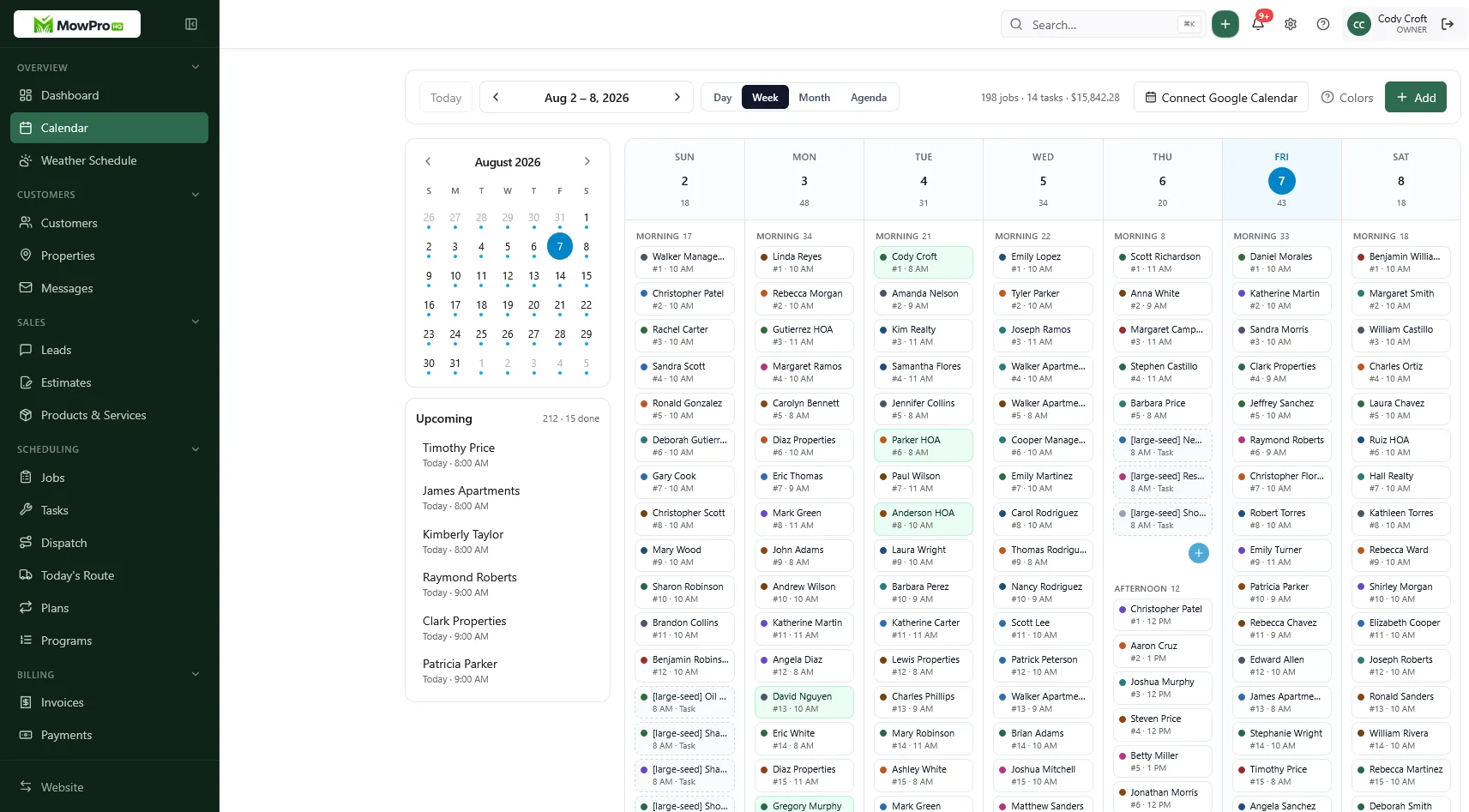
How MowProHQ fits crew scheduling
MowProHQ keeps scheduling and team access with customers and billing - core scheduling, customers, quotes, and invoices free, no seat fees, with property notes and recurring plans attached to the work. Growth and Pro unlock deeper dispatch, route optimization, and GPS when you need them; Free plan card processing is 4% + $0.30, and Growth/Pro include the Premium card rate of 3.5% + $0.30.
A crew app cannot replace leadership. It can stop leadership from being a full-time texting job. If you want the board and the phones looking at the same list, sign up and run one real week with the people who actually mow.
Frequently asked questions
- What should a lawn care crew see on their phone?
- Today’s stops in order, addresses with navigation, gate and dog notes, a way to mark complete with a quick note, and visibility into billable add-ons. If the app takes longer than the blow-off, crews will ignore it and go back to texts.
- When should a solo lawn care operator adopt a crew scheduling app?
- Adopt the habits while you are still solo: job lists tied to properties, completion tracking, notes that survive the day, and invoices that follow finished work. Layer crew assignment after those habits work - do not wait until the second truck is already chaotic.
- How do seat fees hurt lawn care companies?
- Hiring is seasonal. Per-user fees that spike in April train owners to share logins, which breaks accountability. Prefer unlimited team members on core ops or pricing that stays predictable as headcount changes through peak season.
- What roles make sense in a small lawn care team?
- Keep it light: owner or dispatcher builds the board, crew lead runs the list and flags issues, helpers execute with limited settings access. Not every seasonal hire needs admin rights - or a paid seat that encourages workarounds.
- How do you onboard a lawn care crew to a new app without a classroom?
- Walk through today’s list, show how to mark complete and add notes, cover access failures, explain how add-ons get billed, then shadow a lead for a day. Put property standards in the CRM so training is not tribal knowledge.
- What are signs you have outgrown informal crew scheduling?
- Routes rebuilt every morning in a panic, leads accepted without density checks, quality variance by crew, and payroll rising faster than revenue. Those symptoms need a named board owner, clearer packages, and a real app - not a louder group text.
