MowProHQ Blog/CRM
Door Codes, Pane Notes, and the Next Window Tech
How to document door codes, access, equipment needs, skipped panes, screens, and billing contacts for window-cleaning properties.
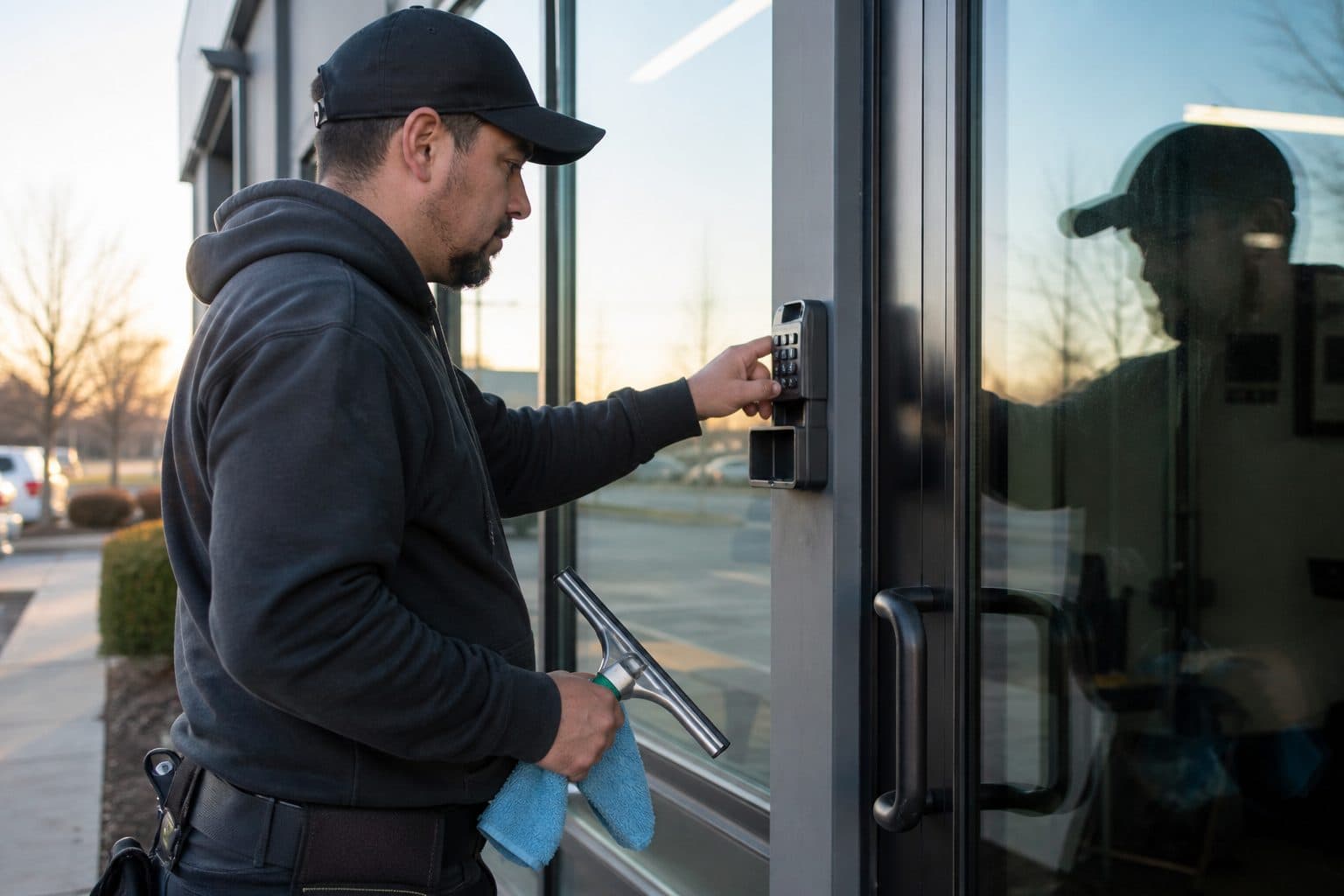
A window-cleaning property record should give the assigned technician the access details and service exceptions needed to begin work. Time is easily lost searching old messages for a lockbox code or discovering that a pane, room, or interior was unavailable on the previous visit.
This guide explains which details belong on the property, how to write useful pane notes, who should update them, and how to store access information responsibly.
The property answers the driveway questions
If you only store a name and an address, you have a contact list, not a CRM. The record has to answer what a tech asks before the pole comes off the roof.
Must-haves
| Field | Why it exists | Example |
|---|---|---|
| Access | How they get in | Side door, code 4471, close it |
| Lockbox / alarm | Commercial and vacant homes | Rear box 3321; alarm off 7–10 |
| Parking | Where the truck is allowed | Street only; do not block the cafe door |
| Animals | Safety and skip rules | Dog in backyard until 9:30; confirm inside for interiors |
| Method | Crew and gear | Water-fed both stories; ladder west if windy |
| Skipped panes | So the next visit is honest | North transom painted shut — 2026-08-12 |
| Screens | Scope | 14 screens in garage; do not leave on lawn |
| Billing vs site | Who to call | Tenant texts; owner pays |
If a note does not change what the tech does in the next ten minutes, it belongs in quieter history — not in the line they see first.
Storefronts add a clock and an AP contact. Homes add interiors and pets. The fields stay the same. The answers change. That is how you keep both on one book.
Write pane notes the next tech will read
Long or vague notes are difficult to use in the field. Keep instructions neutral, specific, and easy to scan.
Rules that work on glass:
- Lead with the action. “Side door 4471” before “they’re nice.”
- Name the pane. Elevation, room, or “third from the left on the west.”
- Say why it was skipped. Painted shut, broken, film on, locked, customer request.
- Date the change. “2026-08-12: new code 4471 (old 2210 retired).”
- Delete the lie. If the dog is gone, remove the dog line. Stale warnings train techs to ignore all warnings.
Great vs useless
| Useless | Useful |
|---|---|
| “Lots of windows” | “36 openings; west wall is grids — per pane” |
| “Watch the dog” | “Shepherd in backyard until 9:30; interiors only if inside” |
| “Code in texts” | “Side door 4471” |
| “Picky” | “No water on the piano room sills; dry as you go” |
| “Skip a couple” | “North transom painted shut; master bath locked 8/12” |
| “HOA stuff” | “No ladders in the front before 9; park on Oak” |
Useful notes describe an action or condition another technician can verify.
Worked example: before and after
Before: “Mrs. Hale — been with us forever, husband passed, interiors sometimes, dog out back, gate is tricky, she likes them streak-free.”
After:
- Side door, lift latch, then code 4471
- Exteriors: water-fed both stories; hose bib south
- Interiors: only when she texts the day before; piano room dry-wipe sills
- Dog: backyard until mid-morning; do not open the gate
- 2026-08-03: north transom still painted shut — do not force
- Screens: 12 in garage, rehang same visit if quoted
The second version gives another technician enough information to begin without a phone call.
Skipped panes are a record, not a story
Window work creates skips that lawn work does not. A painted-shut sash, a cracked lite, construction film, a room the tenant did not unlock, a storefront transom that needs two people — those are not “we did the windows.” Those are exceptions the next visit will hit again.
Close-out habit (30 seconds):
- Access failed? Write what failed and what worked.
- Pane skipped? Name it and why.
- Extra screens or tracks? Write whether they were billed.
- Customer asked for a permanent change? Change the preference the same day.
- Code changed? Retire the old number in the same edit.
Verbal summaries are easy to lose. Record the specific panes so the next visit addresses the correct exceptions.
Who edits what
| Change | Who updates | When |
|---|---|---|
| Code / lockbox / parking | Tech | Before leaving the stop |
| Skipped pane | Tech | Before leaving the stop |
| Method (pole vs ladder) | Tech if the day forced it; office if it is permanent | Same day |
| Scope / interior package | Office after a written yes | Same day |
| Billing contact / net terms | Office | When they tell you |
| Price | Office | When the quote changes |
Texts are for a one-time window. The permanent fact goes on the property. If you only text “new code is 4471,” the next truck will not have it.
Code hygiene without hiding the lockbox
Door codes, lockbox numbers, and alarm notes are access secrets. They are also the job. Hiding them in a binder only the owner has is how techs lean on doorbells and eat the morning.
Practical hygiene:
- Store the code on the property the crew uses for the stop
- Do not paste codes into a 12-person group text that outlives the helper
- Do not put codes on invoices, pay-link texts, or review requests
- When the customer changes the lock, retire the old code in the same edit
- Limit admin access if seasonal people do not need the whole book
If a helper leaves on bad terms, change the codes you can influence and rotate anything that lived in personal phones. That is ugly. It is cheaper than a Sunday surprise at a vacant listing.
Storefront lockboxes turn over when managers change. Confirm the box on the first visit after a new name appears on the invoice. Do not discover it at 6:50 a.m. in front of a locked cafe.
Multi-site and landlord traps
One customer is not one note. Landlords, builders, and small chains often have two addresses and three phone numbers.
For each property, store:
- Who gets access texts (tenant vs owner vs manager)
- Who authorizes interiors or extras
- Who pays — especially on storefront net-15
- Which glass notes apply only to that address (the shop’s lockbox is not the house’s code)
If you copy-paste one note onto both properties, you will send the crew to the wrong lock. The customer is who you market to. The property is the unit of truth.
A 12-line template you can paste
Use this on every new stop, then delete unused lines:
- Enter / park:
- Door code / lockbox / alarm:
- Pets / kids / hours:
- Hose bib / water-fed notes:
- Ladder limits / third story:
- Interior access (which rooms):
- Skipped panes (dated):
- Screens (count and where they live):
- Tracks / hard water:
- Storefront clock / do-not-block:
- Billing vs site contact:
- Last change date:
Remove lines that do not apply, but do not substitute “see texts” for recurring access information.
Notes that change the price and the truck
A good note is a quoting tool. Poor access, grids, third-story west, and occupied interiors belong on the price, not only in a warning the tech swears at.
Dispatch uses the same lines to match gear. Putting a green helper on “ladder west, no bib, interiors, piano room” is how callbacks and overtime arrive together.
Weather needs notes too: “west elevation is ladder-only in wind — skip pole.” That sentence saves a streak and a return trip.
Seasonal pass
Once a season, filter properties with:
- Codes older than a year with no confirmation
- Skipped-pane lines with no date
- “Picky” or “careful” with no specifics
- Storefronts missing a before-open clock
- Any stop that generated a tech call last month
A short weekly review prevents stale notes from accumulating across the route.
New-customer intake is the cheapest time to get this right. Before the first visit, ask: how do we get in, where do we park, animals, interiors or exterior only, any panes we should not touch, and who do we text if the code fails. Write the answers on the property the same day. A charming conversation that never hits the record is how the second tech calls you from the driveway.
If a helper says “the note was wrong,” treat that as a gift. Fix the line, date it, and thank them. Techs stop reporting bad notes when the office argues. The truck is closer to the latch than you are.
How MowProHQ keeps codes on the stop
MowProHQ keeps property notes next to the schedule, quote, and invoice, giving field and office staff access to the same current information.
Compare current plans and pricing or create an account to test the property-note workflow.
Frequently asked questions
- What should be on every window cleaning property record?
- Include door or lockbox codes, parking, pets, water-fed or ladder requirements by elevation, skipped panes and reasons, screen handling, site contacts, and billing contacts.
- How do I write pane notes a window tech will actually read?
- Lead with the action and exact pane or elevation: “North transom painted shut—skip. West elevation requires ladder in wind. Fourteen screens in garage.” Date changes and remove stale information.
- Who should update window cleaning property notes?
- The technician should update access details and skipped panes before leaving. The office should update billing contacts, approved scope, recurring frequency, and authorization for interior work.
- Is it safe to store door codes in window cleaning software?
- Store access codes in a permission-controlled property record rather than a broad group message. Do not include them on invoices or marketing messages, and remove the old code as soon as it changes.
- What is an example of a good window cleaning property note?
- A useful note is specific: “Side door 4471. Water-fed both stories. North transom painted shut. Dog in backyard until 9:30. Screens in garage.” Avoid vague descriptions such as “lots of windows” or “watch the dog.”
- How do skipped panes get communicated to the next tech?
- Record each skipped pane on the property with a date and reason, such as a locked room, cracked glass, painted sash, construction film, or customer request.
- Do door codes belong in the CRM or in a text thread?
- Keep recurring access details in the CRM on the property record attached to the stop. Use texts for temporary changes, then update the permanent record when the change will continue.