
MowProHQ Blog/Buying Guide
Spreadsheet and Google Calendar vs Lawn Care Software
Compare spreadsheets and Google Calendar with lawn care software for scheduling, customer records, invoicing, security, and growth.

Google Calendar and a spreadsheet can form a practical operating system for a lawn care business. They are familiar, flexible, and often sufficient for a solo operator with a straightforward route. Dedicated lawn care software becomes useful when keeping the schedule, customer details, completed work, and billing aligned starts to require too much manual effort.
The right choice is not based on a universal stop count. It depends on service complexity, team size, billing workflow, and how much risk the business can tolerate when information is missed or outdated. This guide compares both approaches; you can also review free vs paid lawn care software and the process of switching lawn care software.
Where spreadsheets and Google Calendar work well
| Tool | Useful for | Watch for |
|---|---|---|
| Google Calendar | Appointments, recurring visits, reminders, and a personal or shared day view | Recurring events drifting from actual service after skips or weather changes |
| Spreadsheet | Customer lists, pricing, service frequency, route planning, and simple reporting | Duplicate files, accidental edits, inconsistent fields, and manual reconciliation |
| Cloud storage | Estimates, photos, agreements, and exports | Broad sharing links or unclear folder ownership |
| Messaging | Same-day coordination and exceptions | Important instructions becoming difficult to find later |
A calendar-and-spreadsheet workflow may be enough when one person controls the schedule, services are predictable, billing is simple, and weekly administration remains manageable. It can also remain a good choice for a seasonal side business or a company that already uses separate accounting software effectively.
Its low software cost does not make it maintenance-free. Someone still needs to keep records consistent, handle weather changes, connect completed visits to invoices, and make sure the business can operate if the usual administrator is unavailable.
Signs the workflow is becoming difficult
Consider dedicated software when several of these issues happen regularly:
- Recurring schedules need to be rebuilt after rain delays or skipped visits
- Crew members must call or text for gate codes, service notes, or customer preferences
- The office cannot quickly tell whether a visit was completed and billed
- Quotes, accepted work, job instructions, and invoices are stored in separate places
- Multiple versions of the same spreadsheet circulate
- Photos or service records cannot be matched reliably to a property
- Adding a user requires sharing an owner-level account
- Administrative work is delaying estimates, service, or invoicing

These are workflow signals, not proof that every business needs a specialized platform. A carefully designed spreadsheet can support a larger operation, while a smaller business with varied services and several crew members may benefit from software sooner.
Capability comparison
| Task | Spreadsheet + calendar | Lawn care software |
|---|---|---|
| Recurring schedule | Flexible and familiar; exceptions are usually manual | May connect recurring plans, visits, and rescheduling |
| Customer and property records | Fully customizable, but structure must be maintained | Usually provides linked customer and property profiles |
| Crew access | Possible through shared calendars and files | Often offers assigned work and role-based access |
| Quotes and invoices | Can be created manually or in separate accounting tools | May connect approval, scheduling, completion, and billing |
| Route planning | Can be organized by day, area, or map links | May include mapping, route order, or dispatch tools |
| Reporting | Powerful with formulas and clean data | Common reports may be available without custom formulas |
| Setup and maintenance | Simple to start; upkeep grows with custom processes | More setup and training; less manual linking when it fits |
| Portability | Standard exports are generally easy to retain | Confirm import and export formats before committing |
Features vary substantially by provider and plan, and integrations change over time. Verify current documentation and test the exact workflow rather than choosing from a feature checklist alone. For a closer look at route and visit workflows, see lawn care scheduling software.
Security, sharing, and permissions
Customer records may contain names, addresses, access instructions, photos, payment status, and private messages. Treat the spreadsheet-and-calendar setup as a business system, not a personal collection of files.
- Use separate user accounts instead of sharing one password
- Turn on multifactor authentication where available
- Give each person only the files, calendars, and records needed for their role
- Review access when a worker or contractor leaves
- Avoid putting payment card details, alarm codes, or unnecessary personal information in notes
- Use restricted links rather than public "anyone with the link" sharing
- Check which third parties and integrations can read customer data
Dedicated software is not automatically more secure. Review its authentication options, user roles, audit history, privacy terms, incident communication, data retention, and export controls. If crews use personal phones, decide whether local downloads, screenshots, and notifications could expose customer information.
Backups and continuity
Cloud sync is not the same as a backup. A mistaken deletion, compromised account, or bad bulk edit may sync everywhere.
For spreadsheets and calendars, make periodic exports to a protected location and test that they open correctly. Keep a written recovery process and ensure more than one authorized person knows where essential records are stored. Use version history where available, but do not rely on it as the only recovery method.
For lawn care software, ask how data can be exported, whether attachments are included, how long deleted records remain recoverable, and what happens to data after cancellation. Keep independent exports of the records needed to continue serving customers and meet accounting or legal obligations.
How to evaluate the options
Use a normal operating week—not a polished demo—to compare systems. Include a new lead, an accepted quote, a recurring visit, a rain delay, a crew note, a completed job, and an invoice. Measure:
- How often information must be entered twice
- Whether schedule changes update the right people and records
- How quickly a worker can find property-specific instructions
- Whether completed work can be reconciled with billing
- How users, permissions, exports, and backups are managed
- The total ongoing cost, including setup and administrative time
Keep the current records available during the evaluation, but designate one system as the source of truth for each live task. The guide to trialing lawn care software provides a more detailed test process.
In MowProHQ
Migration guidance
A clean migration matters more than moving every historical row. Before importing anything:
- Make a timestamped backup of the original files
- Remove duplicates and standardize names, addresses, phone numbers, frequencies, and status fields
- Separate customers from service properties when one customer has multiple locations
- Identify active services, current prices, open estimates, unpaid invoices, and visit-critical notes
- Decide what historical data must be imported and what can remain in a secure archive
- Test a small sample and verify field mapping, dates, recurring rules, balances, and special characters
Run a short parallel period that includes real schedule changes and billing. Reconcile both systems, choose a clear cutover date, then make the old files read-only. Continuing to edit both indefinitely creates conflicting records.
Retain the archive only as long as needed for operational, tax, contractual, or legal reasons. Limit access, encrypt sensitive exports, and document when old copies should be deleted. For structuring customer and property records, see the lawn care CRM guide.
When staying with the spreadsheet is the right choice
There is no need to replace a process simply because dedicated software exists. Keep the current setup when it is accurate, secure, backed up, understandable to a backup operator, and inexpensive to maintain. Improve it with protected ranges, validation rules, consistent identifiers, documented procedures, and scheduled access reviews.
Revisit the decision when the business adds crews, service types, locations, or billing complexity. The goal is not to eliminate spreadsheets; they can remain valuable for forecasting and analysis. The goal is to avoid having several editable systems claiming to be the authoritative schedule or customer record.
Considering MowProHQ
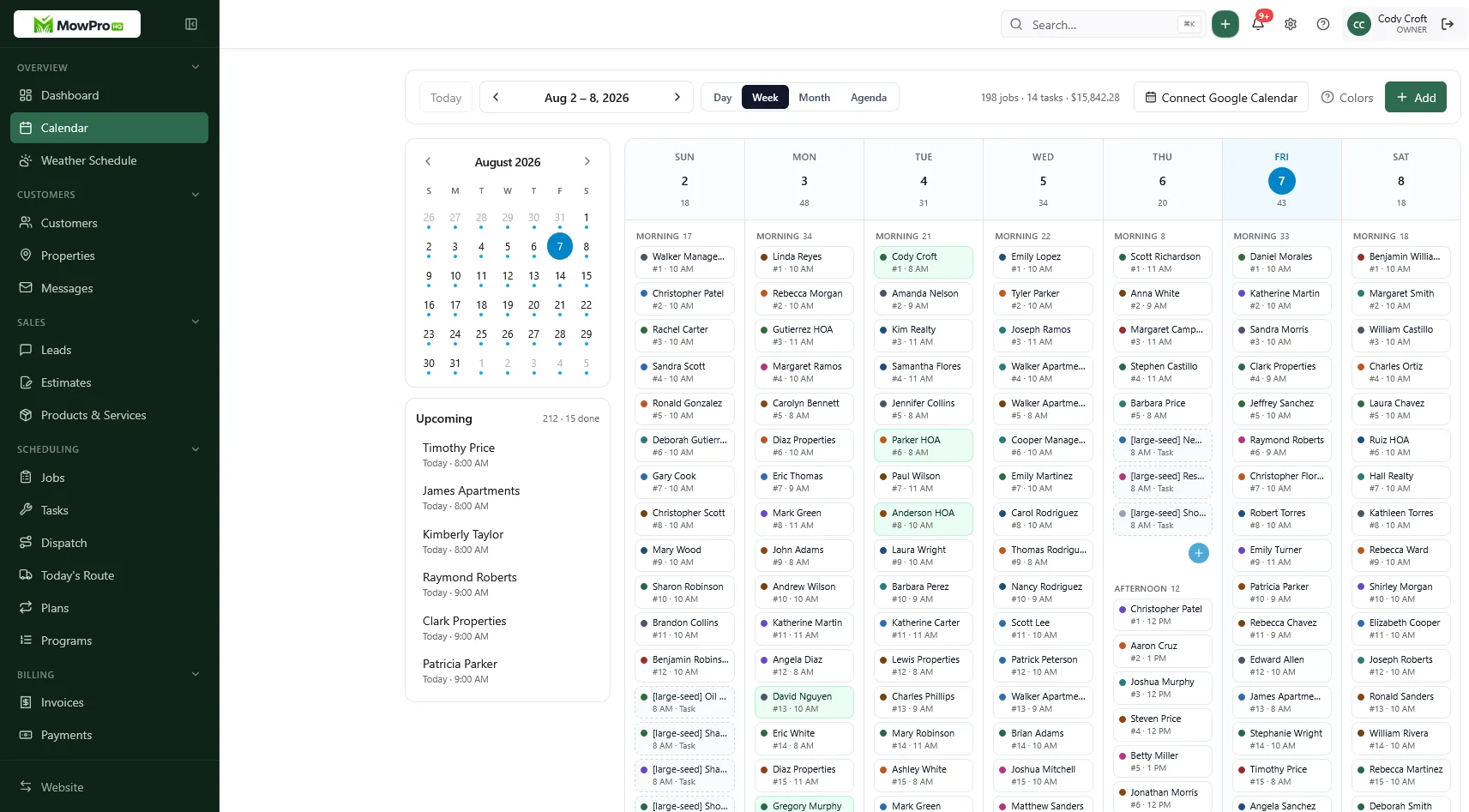
MowProHQ brings customer and property records, scheduling, quotes, jobs, and invoicing into a connected workflow. Review current options on the pricing page, and use signup to evaluate the product with a representative set of customers and visits.
If spreadsheets and Google Calendar still meet the business's needs, keeping them is a reasonable decision. Move when a tested system clearly improves reliability, access, or administrative time enough to justify the transition.
Frequently asked questions
- Can I run a lawn care business on Google Calendar and a spreadsheet?
- Yes. A solo operator with a manageable route, simple services, and a consistent process may be well served by a calendar and spreadsheet. The important part is keeping customer, schedule, and billing records accurate and backed up.
- When should I switch from Google Calendar to lawn care software?
- Consider switching when schedule changes require repeated manual updates, team members lack the information they need, or completed work and invoices are difficult to reconcile. Operational complexity matters more than a specific customer count.
- Is Google Calendar enough for recurring mowing?
- It can be. Recurring events work well for a simple route, but a calendar may need a separate system for property notes, service history, pricing, completion status, and billing.
- What does lawn care software do that a spreadsheet cannot?
- A spreadsheet can be customized to hold nearly any field. Dedicated software can reduce manual work by connecting customer and property records with quotes, jobs, notes, and invoices, while providing role-based workflows and activity history.
- Should a solo operator buy software or stay on Sheets?
- Stay with Sheets if the process is reliable, secure, and easy to maintain. Evaluate software when administration takes time away from fieldwork, service changes are hard to track, or another person needs dependable access.
- How do I migrate off a spreadsheet without a mess?
- Clean and export your active records, test a small import, verify recurring services and balances, and run both systems briefly. Then choose a cutover date, make the old files read-only, and retain an encrypted archive according to your recordkeeping needs.
- Is free lawn care software better than Google Calendar?
- Not automatically. Compare the functions you need, data export options, support, security controls, and total cost. A well-maintained calendar and spreadsheet can be better than software that does not fit your workflow.


