
MowProHQ Blog/Buying Guide
Yardbook vs Lawn Care Software: A Practical Comparison
Compare Yardbook with lawn-specific software across workflows, permissions, mobile use, security, exports, support, payments, migration, and total cost.

Yardbook and lawn-specific software can overlap, but they are not always designed around the same working day. The right choice depends less on the product category and more on how your company quotes, schedules, completes, invoices, and collects payment for real jobs.
This Yardbook vs lawn care software guide focuses on that operating fit. For a product-level overview, see MowProHQ vs Yardbook. If you are already planning a move, use the lawn care software switching guide.
Yardbook vs lawn-specific software at a glance
Yardbook presents itself as landscaping business software with customer management, estimates, jobs, scheduling, routing, invoices, payments, expenses, and other business tools. Lawn-specific products may emphasize recurring maintenance, route density, property details, fast field updates, and repeat billing.
Neither approach is automatically better. A company doing mowing, cleanups, enhancements, and larger landscape projects may value a broad system. A route-focused company may prefer fewer steps around recurring work.
| Comparison area | What to test in Yardbook | What to test in lawn-specific software |
|---|---|---|
| Workflow | Estimate-to-job handoff, recurring work, routing, invoicing | Speed of creating and changing repeat visits |
| Permissions | What office, crew, and admin users can see or change | Role controls for routes, customers, prices, and reports |
| Mobile use | App and mobile-web behavior, syncing, offline limits | Crew usability, offline behavior, photos, notes, and completion |
| Data | Available exports and the fields included | Import tools, export coverage, and data ownership |
| Payments | Processor setup, payout timing, fees, refunds, and disputes | The same costs and controls under your expected volume |
| Total cost | Plan, add-ons, messaging, processing, and labor | Subscription, implementation, processing, and labor |
1. Compare the everyday workflow
Start with the work that happens most often. Build a short test containing a new lead, a property, an estimate, a recurring service, a weather delay, a completed visit, an invoice, and a payment.
For recurring mowing, pay attention to:
- How quickly the office can create a weekly or biweekly plan
- Whether a rain delay can move many jobs without losing notes or assignments
- How route order and property instructions appear to the crew
- Whether completion flows into invoicing without duplicate entry
- How skipped visits, extras, and customer changes are recorded
For project work, also test proposals, materials, deposits, progress billing, and job-cost reporting. What a lawn mowing service includes can help define a consistent maintenance package before you configure either system.

2. Check permissions with real employee roles
Do not treat “employee access” as a yes-or-no feature. Create test users for an owner, office manager, crew leader, and temporary helper. Confirm who can view pricing, customer contact details, schedules, financial reports, payment information, and other employees' work.
Yardbook publishes tutorials for access control and advanced access control. Use those pages as a starting point, then verify the behavior inside the current product. Permission dependencies and plan availability may change.
The best setup follows least privilege: each person gets the access needed for the job, but not broad administrative access by default.
3. Test mobile use in and out of coverage
A polished desktop calendar does not prove that a field workflow is practical. Have a crew member use each product on the actual device and connection conditions they encounter.
Yardbook's official mobile app documentation describes native-app and mobile-web options, including different syncing behavior. Read the current instructions before relying on offline work or immediate office updates.
During a field test, check:
- Morning route access
- Navigation and property notes
- Before-and-after photos
- Job completion and skipped-job reasons
- Add-on work and customer signatures, if needed
- Time tracking
- Syncing after a device loses service
The key question is not simply whether an app exists. It is whether the crew can complete the day without calls, paper notes, or re-entry at night.
4. Review security and privacy separately
Security and privacy are related but different. Security concerns how accounts and data are protected. Privacy concerns how customer, employee, and payment-related data is collected, used, shared, retained, and deleted.
For both products, review:
- Login protection and available authentication controls
- User access logs and account removal
- Encryption statements and backup practices
- Incident-notification commitments
- Subprocessors and third-party integrations
- Data retention and account-deletion procedures
- Contract terms for customer and employee data
Read Yardbook's current privacy and service terms rather than relying on summaries in comparison articles. Ask each vendor for clarification when the public material does not answer a requirement important to your business. Software can support safer operations, but your password, device, access-review, and offboarding practices still matter.
5. Inspect exports before you need them
An export button is useful only if it returns the records and fields you need. Yardbook documents CSV downloads for several data areas in its export tutorial. Because export coverage can evolve, test it with your own sample account.
Check whether you can retrieve:
- Customers and service addresses
- Contacts and communication preferences
- Estimates, invoices, payments, and outstanding balances
- Jobs, recurring schedules, notes, and completion history
- Products, services, expenses, and chemical records where applicable
- Attachments, photos, and custom fields
Open the files and inspect their contents. Also ask how non-CSV records are delivered and whether closing an account changes export access.
6. Evaluate support by using it
Support quality is difficult to judge from a plan page. During evaluation, submit a realistic question through the support channel available to your account. Record the response time, clarity, and whether the answer resolves the issue.
Also compare searchable documentation, onboarding help, account-recovery procedures, service-status communication, and support hours. If the business operates early mornings or weekends, note what happens when live help is unavailable.
Official tutorials are useful evidence of documented behavior, but they are not a guarantee that every edge case or account configuration works the same way. Confirm any business-critical workflow directly with the vendor.
7. Model payment costs and controls
Payments can make a low subscription price expensive—or make a higher-priced plan worthwhile. Review the current processor, transaction fees, platform fees, payout timing, refund treatment, chargeback handling, card-update tools, and recurring-payment controls.
Yardbook maintains official documentation for credit card payments and publishes current plan information on its pricing page. Use those first-party pages for current terms; do not assume a fee quoted in an older review still applies.
Compare costs with your own numbers:
monthly payment cost = transaction fees + platform fees + refund or dispute costs + staff time
If you offer different payment methods or customer-facing prices, confirm that your policy and software setup comply with applicable card-network rules and local law. The cash vs card pricing guide explains the operational questions to review.
8. Calculate total cost, not just subscription price
Total cost should include both money and staff time.
| Cost category | Questions to ask |
|---|---|
| Subscription | Which plan contains the features you actually tested? |
| Users | Are there seat, role, or crew limits? |
| Payments | What fees apply at your payment volume and plan? |
| Messaging and integrations | Are usage charges or separate services required? |
| Setup and migration | Who cleans, imports, and validates the data? |
| Training | How many office and crew hours are needed? |
| Ongoing administration | How much duplicate entry or workaround time remains? |
| Switching risk | What is the cost of missed jobs, billing errors, or downtime? |
Use current vendor pages and written answers for each figure. The free vs paid lawn care software guide offers a broader framework, while the software buyer's checklist helps turn requirements into a score.
9. Plan migration before choosing a winner
A strong product can still be the wrong migration project. Before committing, ask the destination vendor for a sample import template and map your source fields to it.
A controlled move usually includes:
- Backing up and exporting available source data
- Cleaning duplicates and inactive records
- Importing a small sample
- Checking addresses, taxes, balances, notes, and recurring schedules
- Testing one route or team
- Reconciling open estimates, invoices, credits, and payments
- Training employees by role
- Choosing a cutover date and rollback plan
- Retaining lawful records for the required period
Do not assume every historical record will transfer cleanly. Decide what must be operational in the new system, what can remain in a secure archive, and how staff will find older information. Our switching software guide covers the process in more detail.
In MowProHQ
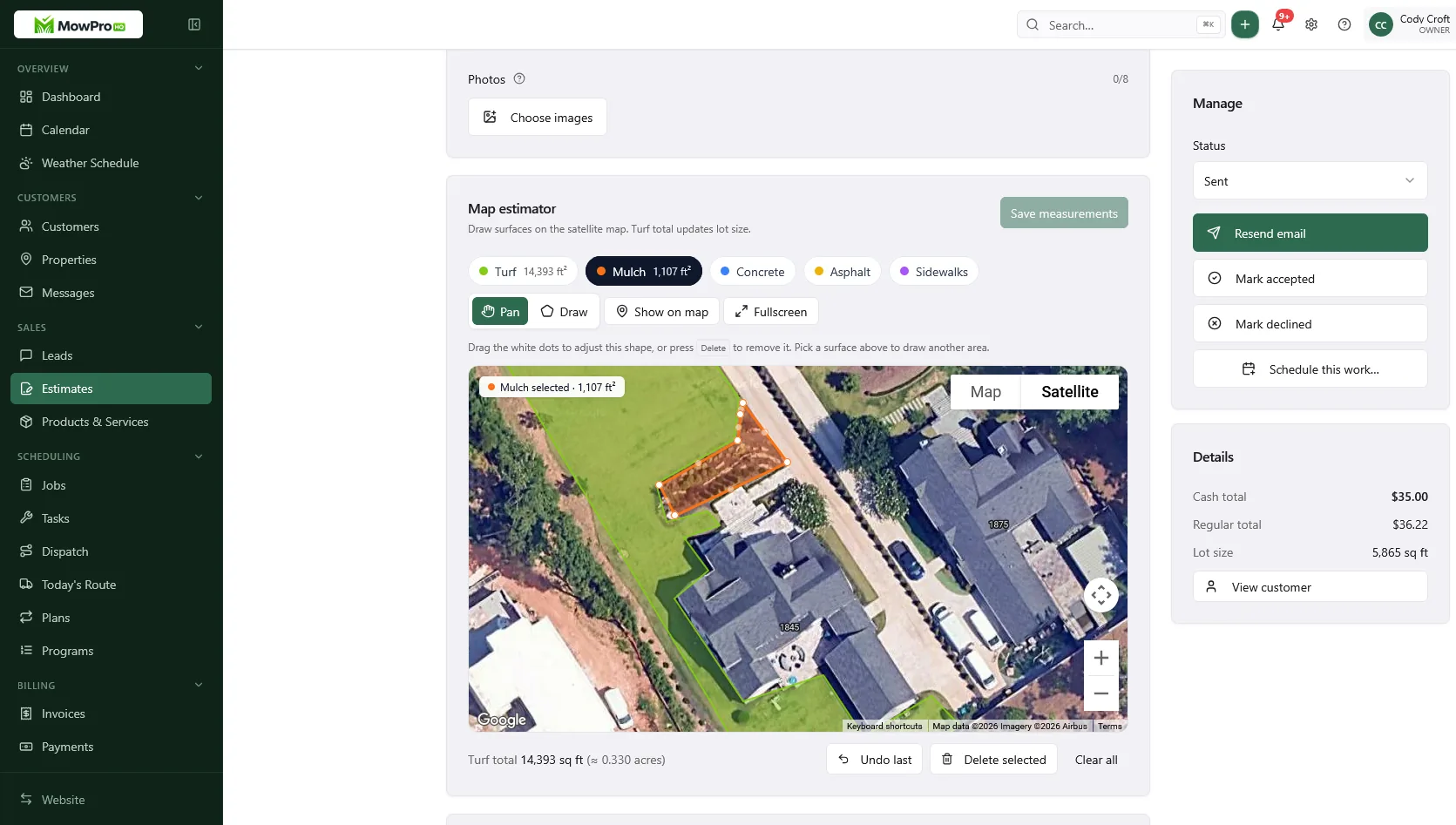
A practical side-by-side trial
Run the same work in both systems for a limited, controlled test:
- A representative group of active properties
- One recurring route
- One weather reschedule
- One new estimate with an add-on
- One crew-user permission set
- One offline or poor-signal field test
- One invoice, online payment, refund scenario, and export
Score task time, errors, questions from employees, and manual work outside the product. The one-week lawn care software trial provides a reusable test plan.
When staying, switching, or splitting can make sense
Stay with Yardbook when the current workflow is reliable, employees know it, the documented controls meet your requirements, and another product does not create enough measurable improvement to offset switching.
Switch to lawn-specific software when a tested alternative materially simplifies your dominant work, meets your data and security requirements, and produces a credible return after migration and training costs.
Use a deliberate split when maintenance and project operations genuinely need different tools. Assign one system of record for each job type, invoice, and payment. Avoid placing the same recurring route in two calendars.
Where MowProHQ fits
MowProHQ is designed around lawn care operations. Review its current capabilities on the features page, compare the current options on pricing, and use signup to test the workflow with representative jobs.
The decision should still come from the same evidence: daily workflow, employee access, mobile use, security and privacy requirements, exports, support, payments, migration effort, and total cost. For a focused product comparison, visit MowProHQ vs Yardbook.
Frequently asked questions
- Is Yardbook good for a mowing company?
- It can be. The important test is whether its scheduling, routing, field access, invoicing, and payment workflow match the way your crews work. Use current Yardbook documentation and a trial with real jobs before deciding.
- What should I compare when looking at Yardbook alternatives?
- Compare the complete workflow, employee permissions, mobile behavior, data exports, security and privacy terms, support, payment costs, migration effort, and total cost. A feature list alone does not show how the software will perform during a busy route week.
- Can I export data from Yardbook?
- Yardbook documents CSV exports for several record types, but export coverage and field detail can change. Review its current export documentation and test the records you would need before migrating.
- Should I replace Yardbook if my team already uses it?
- Not automatically. Existing training, clean data, and a reliable workflow have value. Consider changing only when another product solves a measured problem well enough to justify setup, retraining, and migration.
- Can a company use separate systems for maintenance and landscape projects?
- Yes, if each customer, job, invoice, and payment has a clear system of record. A split setup becomes risky when crews or office staff must update the same work in two places.
- How should I verify current Yardbook features and pricing?
- Check Yardbook's official pricing page, support tutorials, and privacy and service terms. Confirm important details directly with Yardbook because plans, fees, integrations, and product behavior can change.


