
MowProHQ Blog/Buying Guide
Is Housecall Pro Good for Lawn Care?
How lawn care companies can evaluate Housecall Pro against recurring-service needs, team costs, property records, and route operations.

Housecall Pro is a broad home-service platform used across multiple trades. Whether it fits a lawn care company depends on how well its current workflow handles recurring visits, weather changes, property history, field access, and route operations.
Use this guide as a fit test rather than a recommendation to switch. The detailed feature comparison is on MowProHQ versus Housecall Pro. Confirm current product details with both providers.
Start with the platform’s broader strengths
- Dispatching distinct jobs to techs
- Consumer-friendly booking and messaging
- A marketing and reviews ecosystem
- Offices already standardized on one multi-trade platform
These capabilities may be valuable for mixed-service companies. A lawn-focused company should also test how recurring mowing plans behave after rain, pauses, skips, and frequency changes.
Compare the recurring lawn workflow
| Need | Job-platform pattern | Lawn-native pattern |
|---|---|---|
| Weekly mow | Repeating job | Plan with cadence and pause |
| Biweekly | Half as often, same price risk | Different product, different price |
| First cut | Separate or adjusted job | Defined cleanup service |
| Notes | Job and customer history | Property-specific field notes |
| Density | Map and route tools | Service area, sequence, and route time |
Weekly versus biweekly service affects both scheduling and pricing. Verify that the software preserves the correct cadence, package, and price.

Stay on Housecall Pro if…
- Lawn is one line next to other trades
- The current system already handles the lawn workflow reliably
- Recurring work is a minority of the book
- The total cost, including users and add-ons, fits the business
Look at an alternative if…
- Recurring route changes require excessive manual work
- Field workers cannot access the property details they need
- Quoting, scheduling, and invoicing require duplicate entry
- User or add-on costs no longer match the value received
Test alternatives with one real week, score them with the buyer’s checklist, and use the switching guide before migrating.
In MowProHQ
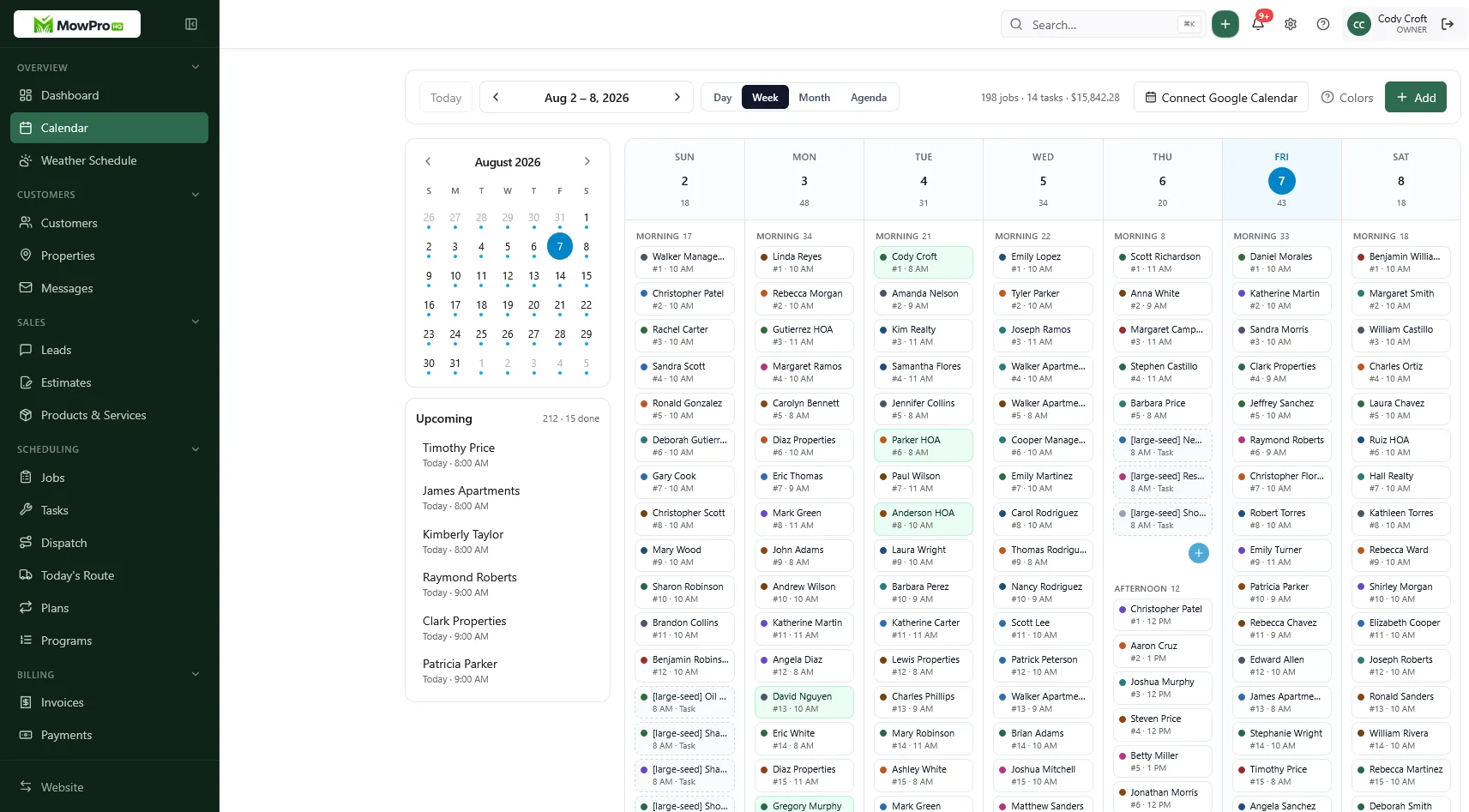
Compare multi-trade and lawn-focused needs
Ask whether the company would still need the platform if lawn service disappeared. A multi-trade office may benefit from one shared system, while a lawn-focused operation may place more value on recurring route workflows.
During the test, pay particular attention to recurring schedules, pauses, weather moves, property measurements, first-cut pricing, and field notes.
What to tell a partner who loves Housecall Pro
Run a limited trial on a representative group of stops while keeping the existing platform as the source of truth. Compare administrative time, crew questions, route changes, invoice accuracy, and total cost. Avoid sending live customer messages or invoices from both systems.
Assign one system as the source of truth for each property during testing to prevent duplicate or missing invoices. Complete the trial before following the switching process.
Calculate cost using peak seasonal staffing and required add-ons. The guide to software seat fees explains how to compare pricing models.
Test recurring changes, not just initial setup
A repeating job may look correct during setup but behave differently when a customer pauses, changes frequency, or skips a visit. Include those cases in the trial and confirm that the schedule, crew view, and invoice remain aligned.
If the current system handles those scenarios reliably, switching may add cost without enough benefit. If it does not, document the specific failures and test whether an alternative resolves them.
Evaluate the core operating workflow before comparing optional marketing and review tools. A strong add-on does not fix recurring schedules or field records that do not meet the company’s needs.
How MowProHQ fits lawn-only shops
MowProHQ focuses on customer and property records, recurring lawn schedules, quotes, jobs, invoices, and field operations. Review the current pricing and feature details for user access, dispatch, GPS, chemical tracking, websites, and payments.
Multi-trade offices should review MowProHQ versus Housecall Pro with the needs of every service line in mind. Lawn-focused companies can create an account and test a limited route before migrating.
Keep one system responsible for each live property during the trial, reconcile open balances and recurring schedules, and switch only when the measured benefit justifies the migration.
Frequently asked questions
- Is Housecall Pro good for lawn care businesses?
- It may fit companies that already use it successfully for multiple home services. Test its current recurring-job, property-note, scheduling, routing, quoting, and invoicing workflows against a representative lawn care week.
- What is a good Housecall Pro alternative for mowing?
- The right alternative depends on the operation. Compare customer and property records, recurring schedules, weather changes, route visibility, mobile access, quotes, invoices, exports, support, and total cost.
- Why do lawn companies leave Housecall Pro?
- Common reasons to compare alternatives include total plan cost, user charges, recurring-route workflow, field usability, and features the company does not need. Verify the problem with a trial before switching.
- Can Housecall Pro handle recurring lawn mowing?
- Housecall Pro offers recurring job functionality, but capabilities and plan availability can change. Test weekly and biweekly scheduling, pauses, weather moves, skipped visits, pricing, and property history using current product documentation.
- Should a multi-trade company leave Housecall Pro for lawn software?
- Not automatically. A shared platform may be preferable when several trades use one office workflow. Consider a separate lawn system only when the operational benefit outweighs duplicate data, training, integrations, and reporting complexity.
- How do I switch from Housecall Pro without losing invoices?
- Export active customers, properties, recurring work, open quotes, invoices, payments, and balances. Test one route, reconcile totals, preserve required records, and keep appropriate read-only access until the new system is verified.
- Where is the MowProHQ vs Housecall Pro comparison?
- The detailed comparison is on the MowProHQ versus Housecall Pro page. Verify current features, prices, and terms directly with each provider before deciding.


