
MowProHQ Blog/Buying Guide
Lawn Care Software with No Seat Fees
Compare lawn care software with per-user and flat-rate pricing using seasonal staffing, permissions, security, and total annual cost.

Per-user pricing and flat-rate pricing can produce very different costs as a lawn care team changes through the season. The comparison should account for every person who needs secure access, not only the owner account used during a sales demonstration.
This guide is the hiring math. Pair it with free vs paid, solo to crew, and the buyer’s checklist.
What a “seat” really is
A seat usually means a licensed account, but vendors define it differently. Potential users include:
- You
- A second estimator
- A crew lead
- A helper who marks complete
- A bookkeeper or accountant with restricted financial access
List each role, the data it should see, and the actions it should perform. Avoid giving field users administrative or financial access merely because a plan lacks role-based permissions.
Model seasonal user counts
| Month | Headcount reality | Per-seat bill |
|---|---|---|
| January | Owner only | Base or one-user price |
| April | Owner + seasonal employee | Base plus any additional-user cost |
| May | Owner + two field employees | Peak user cost |
| August | Owner + one field employee | Confirm whether seats can be reduced |
Ask whether user counts can change month to month, whether annual contracts set a minimum, and whether deactivated accounts retain audit history. Crew scheduling works best when every assigned employee can access the current board.

Worked example (illustrative)
- Plan A: $49 per month plus $15 for each user after the first
- Three users at peak: $49 + (2 × $15) = $79 per month
- Plan B: $65 per month with the required users included
- At three users, Plan B is $14 less for that month
This example only compares subscriptions. Repeat the calculation across the full contract period and add feature differences, onboarding, processing, messaging, integrations, and cancellation terms. Use current vendor documentation rather than these illustrative prices.
Shared logins are not a workaround
Shared credentials can cause:
- Incorrect location attribution
- Unreliable time records
- Notes with no author
- Continued access after an employee leaves
- Broader permissions than each person needs
- Difficulty investigating errors or unauthorized changes
Use unique accounts, role-based access, multifactor authentication where available, and a documented onboarding and offboarding process. A timekeeping system must reliably associate records with the correct employee.
How to read a pricing page
- Base price and included user types
- Normal and peak users multiplied by applicable seat charges
- Billing frequency, minimum term, and rules for reducing seats
- Usage charges, add-ons, messaging, and payment processing
- Features and permissions available to each role
- Security, support, export, retention, and cancellation terms
The software mistakes guide covers the broader cost, migration, and adoption review.
In MowProHQ
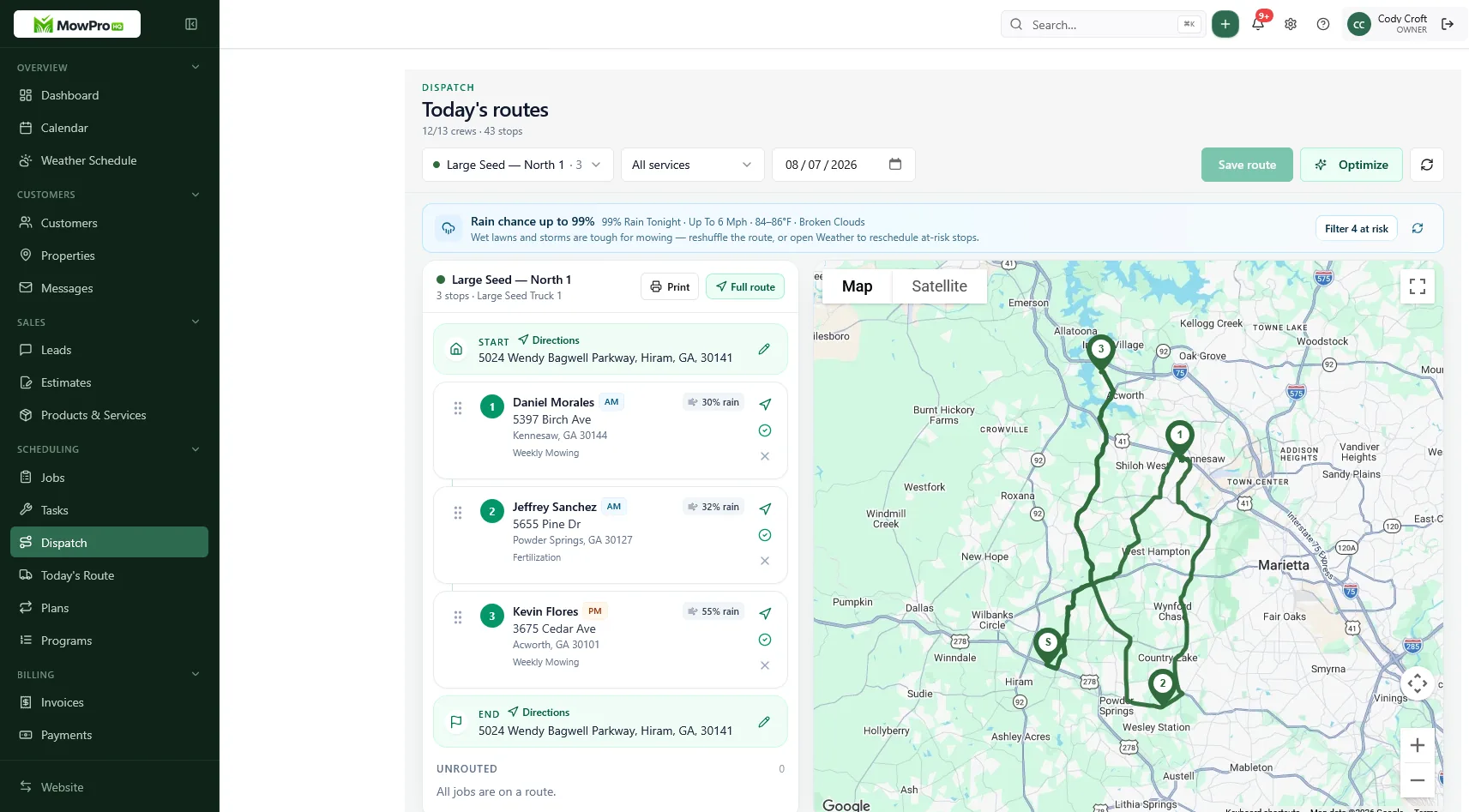
Compare annual cost
List the owner, estimators, office staff, crew leads, field employees, bookkeeper, and any seasonal or contractor access. Calculate each month's licensed-user cost, then add annual platform, implementation, and usage charges.
Per-user pricing may be less expensive for a stable, small team. A flat plan may be less expensive or easier to forecast for a growing or seasonal team. In either case, budget for individual accounts rather than treating shared credentials as a cost-saving option.
Seats and security are separate questions
Individual accounts are one part of security, whether the vendor uses per-user or flat pricing. Also evaluate role-based permissions, multifactor authentication, audit logs, session controls, encryption, backups, incident handling, and access removal.
Create the employee's account during onboarding with only the permissions required for the role. Train them on approved devices, customer-data handling, timekeeping, and incident reporting before granting production access.
Office, crew, and the accountant
Different roles need different access. Office staff may publish schedules and invoices; crews may complete work and add property notes; accountants may need financial reports without schedule-editing rights. Confirm both the license cost and permission controls for each role.
Give temporary workers individual accounts with a planned review or end date. Disable access promptly when work ends while preserving records according to policy and law.
For promotional user allowances, record the expiration date and post-promotion price. Model the renewal period before committing.
Compare MowProHQ plans
MowProHQ offers customer, property, scheduling, quote, invoice, and team workflows. Plan features, included users, usage limits, and payment terms may change, so verify the current details before comparing them with another provider.
Review current plans and pricing, then create an account and test individual logins, role permissions, onboarding, and offboarding with sample users.
Frequently asked questions
- What are seat fees in lawn care software?
- A seat fee is a recurring charge for each licensed user or a defined type of user. Providers may count office, field, seasonal, contractor, or read-only access differently, so calculate cost at both normal and peak staffing.
- Why do seat fees hurt lawn care companies?
- Seasonal hiring can make per-user costs rise during busy months. If pricing discourages individual accounts, teams may be tempted to share credentials, weakening access control, audit history, attribution, and offboarding.
- Is unlimited seats the same as no seat fees?
- Usually it means adding users does not increase the base subscription, but limits may still apply by role, location, feature, usage, or fair-use policy. Confirm the current plan terms and whether all needed user types are included.
- Should crew members have their own login?
- Yes. Unique accounts support least-privilege permissions, reliable audit records, multifactor authentication, individual time entries, and prompt access removal when someone leaves. Do not share passwords.
- Is free lawn care software enough if it only includes two seats?
- It may be enough for a small operation if the included roles and features fit. Model the cost and upgrade path before adding office staff, field employees, bookkeepers, or seasonal workers.
- How do I compare seat fees to a higher flat subscription?
- Calculate annual subscription cost at expected user counts, including seasonal changes, minimum commitments, add-ons, onboarding, messaging, processing, and retained tools. Then compare capability, security, support, exports, and contract terms.
- Does MowProHQ charge per crew member?
- Plan limits and prices can change. Check the current MowProHQ pricing page for included users, feature limits, payment terms, and any usage conditions before making a purchasing decision.


