
MowProHQ Blog/Buying Guide
Markate Alternatives for Mowing Companies
A practical guide to comparing Markate alternatives for lawn care scheduling, quoting, customer management, and invoicing.

Searching for Markate alternatives does not necessarily mean Markate is the wrong product. It usually means a lawn care business has reached a point where its software needs to support a more specific workflow: a lead becomes a property, a quote becomes recurring work, a crew records completion, and the completed work becomes an invoice.
This guide explains how to evaluate Markate for lawn care and compare it with other options without relying on feature claims that may become outdated. For a direct overview, see MowProHQ vs Markate. Always confirm current features, pricing, limits, integrations, and policies in each vendor’s official documentation.
Start with the workflow, not the brand
A lawn care CRM should do more than store names and phone numbers. For many mowing companies, the useful unit is the property: where the work happens, what service was approved, how often it is due, what the crew completed, and what should be billed.
Before comparing products, write down how your business handles:
- Leads, customers, and multiple properties
- Quotes, optional services, and approvals
- Recurring schedules and one-time jobs
- Crew assignments, notes, and completion records
- Weather delays and rescheduling
- Invoices, payments, and outstanding balances
- Customer communication and data export
Your priorities may differ. A solo operator may value speed and simplicity, while a multi-crew company may care more about permissions, dispatch, field updates, and reporting.
When staying with Markate may make sense
Switching software creates real work. Staying may be the better choice when your current setup already supports the tasks your team performs every week, employees use it consistently, and the remaining problems can be solved through configuration or cleaner data.
Evaluate the current product rather than assumptions from an old review. Markate’s capabilities, plans, and policies may change, so use its official resources and a current product demonstration to verify anything important to your decision.
It is also worth cleaning up your records before blaming the platform. Merge duplicate customers, connect active work to the correct property, archive dead leads, and confirm service details. If the workflow improves after that cleanup, migration may add disruption without solving the underlying issue.
When to consider a Markate alternative
A different platform may be worth testing when important work repeatedly moves between disconnected tools or requires manual re-entry. Examples include:
- Building routes in a separate calendar because scheduled work is difficult to manage
- Re-entering an approved quote as a job or invoice
- Keeping property access instructions in texts or personal notes
- Struggling to see which recurring visits are due, completed, skipped, or delayed
- Needing lot-size quoting, dual pricing, or other workflows your current setup cannot support cleanly
- Wanting a website and lead inbox connected to the same customer records
- Finding that current costs, user access, support, or integrations no longer fit the business
These are reasons to run a structured comparison, not proof that any particular alternative will be better.

A practical comparison checklist
Use the same test cases for every product so an attractive demo does not outweigh day-to-day usability.
| Area | What to test | What to verify |
|---|---|---|
| Customer records | Add one customer with multiple properties | Addresses, contacts, notes, history, and duplicate handling |
| Quoting | Build and approve a representative quote | Optional work, taxes, discounts, signatures, and conversion to scheduled work |
| Scheduling | Create recurring and one-time services | Frequencies, assignments, rescheduling, and calendar views |
| Field workflow | Have a crew member open and complete a job | Mobile usability, instructions, photos, status updates, and offline limitations |
| Billing | Turn completed work into an invoice | Recurring billing, payment methods, failed payments, refunds, and accounting export |
| Communication | Send a realistic update or reminder | Templates, delivery records, consent controls, and customer preferences |
| Reporting | Answer a question you ask every week | Filters, exports, job profitability inputs, and report accuracy |
| Portability | Export a sample account | File format, properties, notes, attachments, balances, and cancellation process |
For every must-have feature, ask the vendor to show it in the current product. Also confirm whether it requires a particular plan, add-on, integration, payment processor, device, or setup service. Official documentation should be the source of truth.
How to trial an alternative
Follow a small but complete workflow rather than importing your entire customer list on day one. The process in how to trial lawn care software can be reduced to five steps:
- Import or create a handful of representative properties.
- Add service details, frequencies, prices, and property notes.
- Create and approve a quote with realistic optional work.
- Schedule, complete, and invoice the job.
- Repeat the process with the people who will use the office and field tools.
In MowProHQ
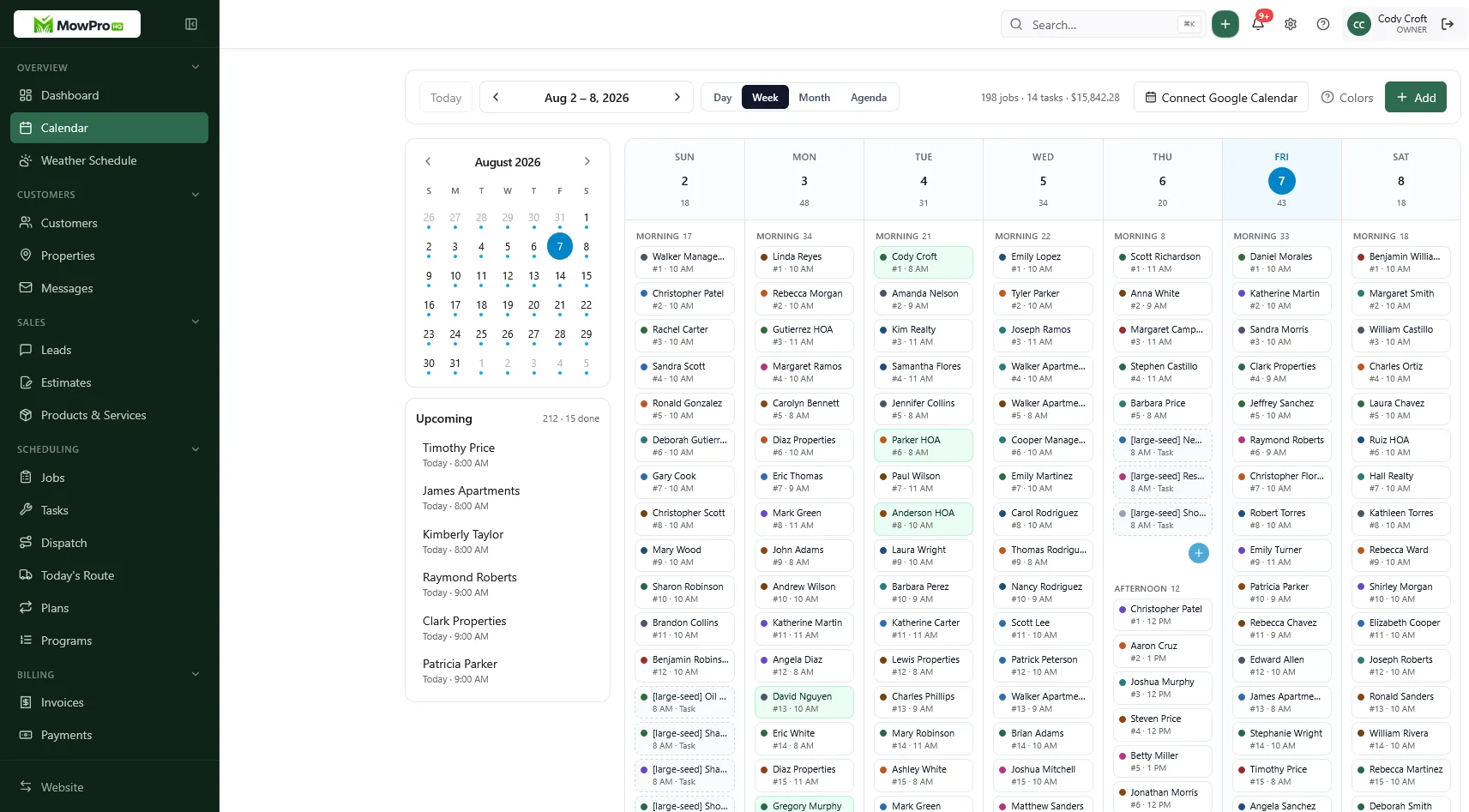
Score each option with the lawn care software buyer’s checklist. Record the number of manual steps, where information is entered twice, what staff could not complete, and which questions required support. Review these common software buying mistakes before committing.
Plan the data migration before choosing
The quality of a migration depends on more than a list of customer names. A lawn care business may need:
- Customer and billing contacts
- Service properties and access notes
- Active service plans and frequencies
- Current prices and tax settings
- Open quotes, invoices, credits, and balances
- Attachments, photos, and communication history
Suppose an export contains 70 contacts, but only 48 represent active service properties. Importing every record without review can carry duplicates and stale leads into the new system. Switching lawn care software is a good opportunity to decide what should move, what should be archived, and what must be retained elsewhere for legal or accounting purposes.
Before signing an agreement, test both export and import. Ask each vendor which fields transfer, what does not transfer, how attachments are handled, and how long you can access data after cancellation. Verify the answers against current official documentation or written support guidance.
Compare total cost without hardcoded assumptions
Do not compare only the advertised monthly amount. Software costs can include user access, optional modules, implementation, data migration, messaging, payment processing, devices, integrations, support, and annual commitments. Those terms can change.
Estimate cost using your actual team size and transaction volume, then check current official pricing pages and agreement terms. Also account for staff time: a lower subscription price may not be a savings if the workflow creates hours of duplicate entry each week.
Keep follow-up connected to operations
Lead follow-up is useful, but it is not the same as operational scheduling. A lead becomes valuable when the team can produce a clear quote, connect it to the correct property, and turn approval into scheduled work. See how to write lawn care quotes for the information that should carry into the job.
During a trial, follow one lead through the entire process. If information disappears between the CRM, schedule, field record, and invoice, identify whether the problem is configuration, an integration, or a product limitation.
Making the final decision
The best alternative to Markate is not universal. Keep Markate if its current product fits your workflow and the cost and support are acceptable. Consider changing if another verified option handles your highest-value tasks more reliably and the migration cost is justified.
MowProHQ is one option to evaluate for a connected lawn care workflow. Review current details on the pricing page, and if it fits your requirements, sign up. Compare current official information from every provider before choosing.
Frequently asked questions
- What is a good Markate alternative for lawn care?
- The right alternative depends on your workflow. Compare how each product handles customer and property records, recurring work, scheduling, quotes, crew updates, invoices, payments, and data export. Confirm current features and terms in each vendor’s official documentation.
- Is Markate good for mowing companies?
- Markate may suit some mowing companies, but fit depends on how well its current workflow matches the way the business quotes, schedules, completes, and bills recurring work. Test those tasks with real jobs before deciding.
- Why do operators search for Markate alternatives?
- Common reasons include wanting a different scheduling workflow, stronger support for recurring services, simpler field use, better integrations, or a different pricing structure. Requirements vary, so compare current official product information rather than relying on an old feature list.
- Can I export my customers if I leave Markate?
- Export options and formats can change. Check Markate’s current official documentation or contact its support team, then test an export that includes the customer, property, service, and financial fields you need before migrating.
- Does a lawn care CRM replace scheduling software?
- Only if it includes the scheduling functions your operation needs. Lawn care businesses often need property-based records, recurring frequencies, crew assignments, completion status, and weather-related rescheduling in addition to contact management.
- Should I switch from Markate in spring?
- A quieter period is usually safer. If an in-season move is necessary, pilot one route or service area first, keep a verified backup of your data, and avoid changing unrelated processes at the same time.
- Where is MowProHQ vs Markate?
- See the MowProHQ versus Markate comparison page, then verify current product details with each provider before making a decision.


